You’ve just subscribed to an IPTV service, credentials in hand, excited to finally catch your favorite channels — and then nothing loads. The portal times out. The login screen stares back at you with an error you don’t recognize. Frustrating doesn’t begin to cover it. Most of the time, the root cause comes back to one piece of technology that every serious subscriber should understand: XCodes IPTV. It is the invisible backbone powering nearly every professional iptv usa subscription available today, and understanding it changes everything about how you stream.
Think of it like the operating system on your phone. You never see it directly, but every app, every notification, and every function depends on it working correctly. This platform handles your authentication, organizes your channel list, connects your VOD library, and delivers your catch-up TV sessions — all through one seamless middleware layer sitting quietly between your provider and your screen.
This guide covers everything you need: what it is, how it works under the hood, how to complete your setup correctly, and why it delivers a far superior streaming experience compared to basic playlist formats. By the end, you will stream with real confidence — no guesswork, no dead ends.
Table of Contents
What Is XCodes IPTV?
XCodes IPTV — formally known in the industry as Xtream Codes — is a middleware platform specifically designed for IPTV providers to manage, authenticate, and distribute streaming content to their subscribers. It is not an app you download or a channel list you import manually. It is the server-side infrastructure operating silently behind your subscription, doing the heavy lifting every single time you press play.
According to Wikipedia’s overview of Internet Protocol Television, effective IPTV delivery requires structured systems to route streams securely and reliably at scale. The iptv middleware xcodes standard is exactly that system — and it is trusted by a large portion of the global IPTV market for good reason.
Here is what it manages on your behalf every time you stream:
- User authentication and real-time subscription validation
- Channel lists and Electronic Program Guide (EPG) data
- Video-on-demand (VOD) libraries and full series catalogs
- Catch-up TV access and time-shifted viewing
- Multi-device connections and simultaneous stream limits
How XCodes IPTV Works Behind the Scenes
The XCodes IPTV Server
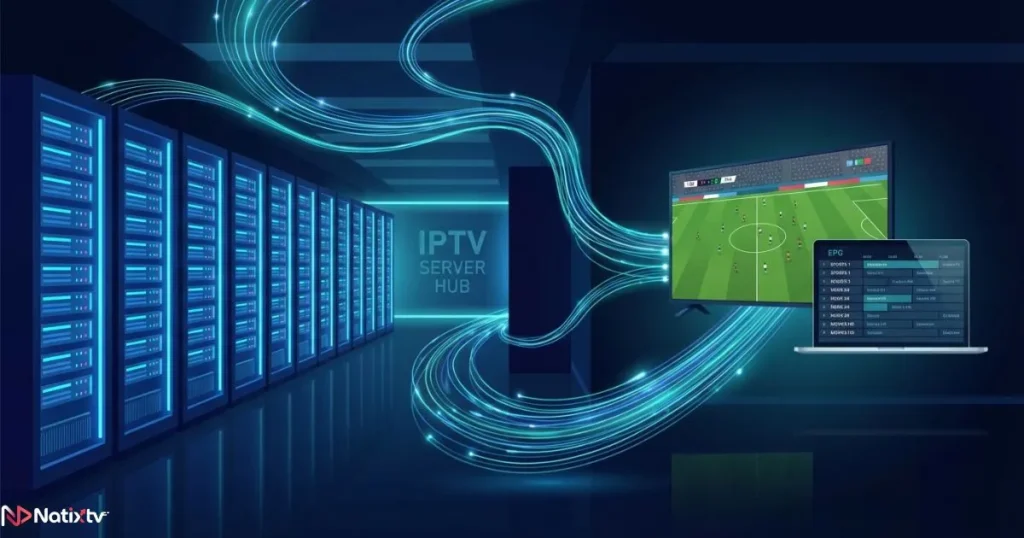
Every time you open your player app and tap play, a request travels to an XCodes IPTV server. That server authenticates your credentials, locates the requested stream, and routes it directly to your device — all in under a second when the infrastructure is properly configured.
Server quality has a direct impact on your viewing experience. A well-maintained xcodes iptv server handles load balancing to prevent buffering during peak traffic hours and maintains uptime near 99.9% so your channels stay consistently available. When evaluating providers, it is worth asking about server capacity. The fewer subscribers sharing a server, the smoother your streams will be. Premium services invest in dedicated and geographically distributed resources to keep latency low and reliability high.
The XCodes IPTV Panel
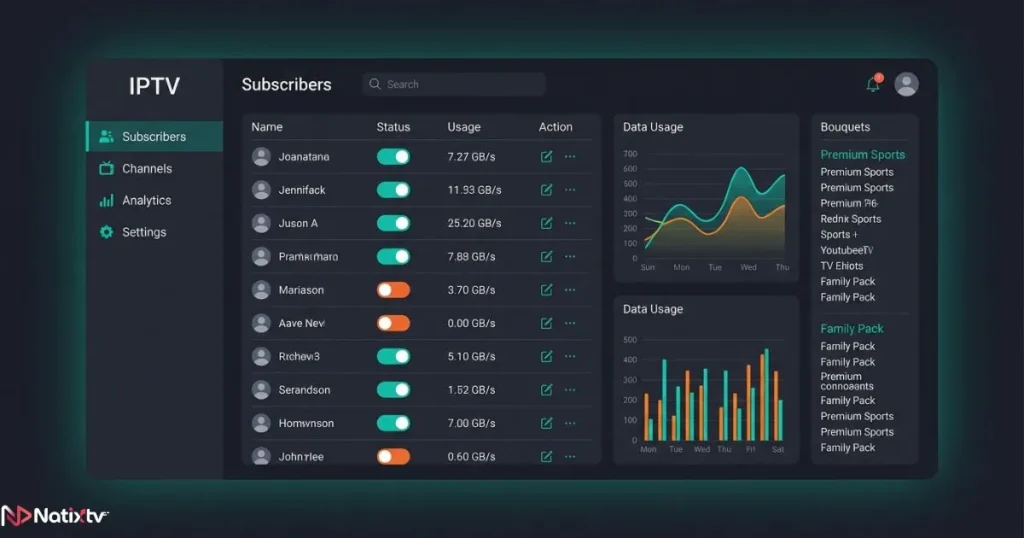
The xcodes iptv panel is the administrative dashboard that providers and resellers use to manage every aspect of the service. From this central hub, an operator can activate or suspend individual subscriptions, set connection limits per account, organize channel bouquets, configure EPG sources, and monitor active sessions in real time.
As a subscriber, you will never access this panel directly. But its quality defines your entire experience. A clean, well-configured panel ensures your subscription activates instantly upon payment, your channel list stays accurate and updated, and your program guide loads without gaps or delays. When a provider is cutting corners, the panel is usually where it shows first.
The XCodes API Connection
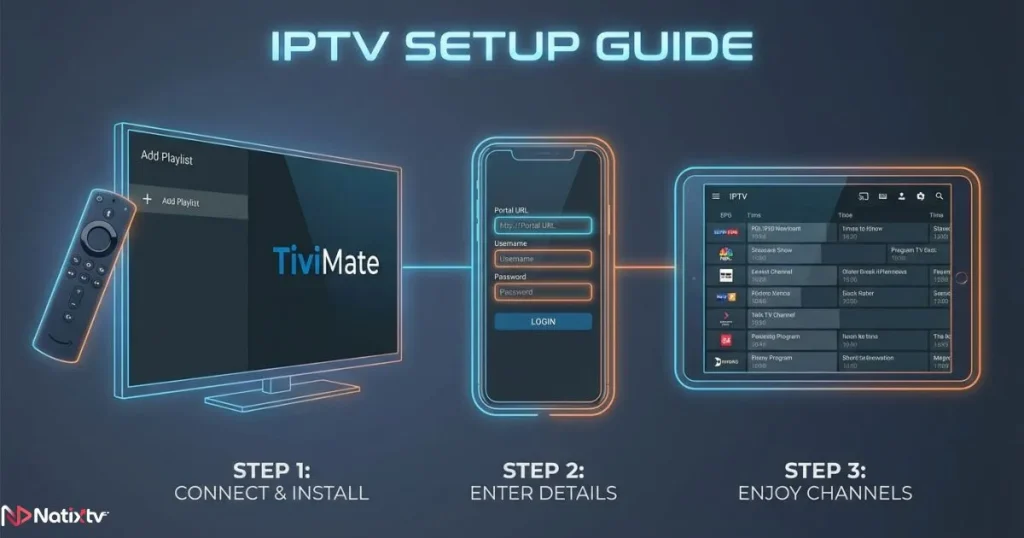
The xcodes api iptv is what bridges the middleware to the player app on your device. When you configure a player like TiviMate or GSE Smart IPTV, you choose the “Xtream Codes API” option and enter your portal URL along with your username and password. The app then sends an authenticated request to the server, retrieves your full subscription data, and loads your channels, EPG, and VOD — all dynamically and securely.
This API-based method is significantly more powerful than a static playlist file. It updates your content automatically, supports real-time EPG synchronization, and allows your provider to manage your account remotely without requiring you to re-import anything. If you want to learn how to make the most of this on every device you own — including for live sports — the guide to streaming sports across all your devices covers the full setup in detail.
XCodes IPTV Login: How Authentication Works
The xcodes iptv login process is simpler than it might seem. When you enter your credentials into a compatible app, the following happens in sequence:
- Your app sends your username, password, and portal URL to the server
- The server validates your account status and subscription expiry
- A secure session token is generated and returned to your device
- Your channel list, EPG data, and VOD library are loaded immediately
The most common login issues and how to resolve them are summarized below:
| Error Message | Likely Cause | Quick Fix |
|---|---|---|
| Authentication Failed | Wrong credentials or expired subscription | Verify details with your provider |
| Portal Unreachable | Incorrect server URL entered | Double-check the portal address |
| Device Limit Reached | Too many active simultaneous connections | Disconnect other devices and retry |
| Buffering / No Stream | Server congestion or overload | Switch server or try at a different time |
One important security tip: never share your login credentials with others. Each connection counts toward your device limit, and sharing credentials can get your account flagged or suspended by the provider.
XCodes IPTV Setup: Step-by-Step for Every Device
What You Need Before Starting
Before you begin your xcodes iptv setup, make sure you have the following ready:
- A valid subscription from a provider using XCodes middleware
- Your portal URL, username, and password (sent by your provider)
- A compatible device: Firestick, Android TV box, Smart TV, iOS or Android phone, or PC
- A player app that supports the Xtream Codes API
Setup Instructions by Device
TiviMate on Firestick or Android TV
- Open TiviMate and select “Add Playlist”
- Choose “Xtream Codes API”
- Enter your portal URL, username, and password
- Select the channel groups you want to load and confirm
GSE Smart IPTV on iOS or Android
- Open the app and go to “Remote Playlists”
- Tap the “+” icon and select “Xtream Code API”
- Fill in your server address, username, and password
- Tap “Add” and wait for the channel list to sync
Smart TV via Browser Portal
- Open the browser on your Smart TV
- Navigate to the portal URL provided by your IPTV service
- Enter your credentials to access your channel dashboard
Kodi via IPTV Simple PVR
- Install the IPTV Simple PVR add-on from the official Kodi repository
- Enable the add-on and configure it with your M3U URL or Xtream Codes credentials
- Restart Kodi to activate the channel guide
Tips for Optimal Performance After Setup
- Select a server location closest to your geographic region
- Enable hardware decoding in your player for 4K and HD content
- Use a wired Ethernet connection for high-resolution streams when possible
- Clear your player app’s cache weekly to prevent slowdowns
XCodes IPTV vs. Standard M3U: What Is the Real Difference?
Many new subscribers wonder whether there is an actual benefit to using a service built on XCodes IPTV versus simply importing an M3U playlist link. The difference is substantial, and it affects your daily viewing experience in ways that matter.
| Feature | XCodes IPTV (Xtream Codes) | Standard M3U Playlist |
|---|---|---|
| Authentication | Secure login and session token | None – public or static link |
| EPG Support | Built-in, dynamic, auto-updated | Limited or manual setup |
| VOD Integration | Native and fully browsable | Often absent or separate |
| Catch-Up TV | Supported at provider level | Rarely available |
| Multi-Device Management | Managed via admin panel | No control mechanism |
| Stability and Reliability | Higher – server-grade routing | Variable – no failover |
If you are serious about your streaming quality — whether you watch live sports, international news, or on-demand series — a subscription backed by proper iptv usa middleware infrastructure makes all the difference in daily reliability.
Why IPTV Providers Choose XCodes Middleware
From the provider’s perspective, the iptv middleware xcodes platform offers a level of control and scalability that no alternative can currently match at the same price-to-performance ratio. Here is why it remains the industry standard:
- Subscriber management at scale: thousands of accounts managed from a single xcodes iptv panel without manual intervention
- Automated workflows: subscription activation, renewal reminders, and expiration handled automatically
- Anti-abuse tools: IP locking, simultaneous connection limits, and session monitoring built in
- Reseller ecosystem: tiered access allows distributors to manage their own sub-accounts independently
- App compatibility: supported natively by TiviMate, GSE, Perfect Player, Kodi, and dozens of other major players
Is XCodes IPTV Legal and Safe to Use?
The technology itself is neutral. XCodes IPTV is a middleware framework, and its legality depends entirely on the content your provider has licensed to distribute. Using a reputable, properly licensed service means you are streaming legitimately. Using an unauthorized provider distributing pirated content is a separate legal matter entirely.
From a security standpoint, always protect your login credentials and avoid sharing them publicly. If privacy is a concern, using a reputable VPN adds an additional layer of protection on public or shared networks. Choosing a transparent provider with clear terms of service is the most reliable indicator of a safe and legal experience. If you are exploring your first subscription and want a risk-free way to test quality, reading up on how to use a free IPTV trial safely before committing is a smart first step.
Try Natixtv: A Premium XCodes-Compatible IPTV Service
If you are looking for a service that puts all of this into practice at the highest level, Natixtv is built on a professional XCodes IPTV infrastructure designed for reliability, speed, and ease of use. Whether you are in the US, UK, France, or anywhere with a solid internet connection, Natixtv gives you access to thousands of live channels, a rich VOD library, and full catch-up TV support — all managed through a properly maintained backend.
Here is what makes Natixtv stand out:
- Compatible with Firestick, Android TV, Smart TV, iOS, Android, PC, and Kodi
- Full EPG included and auto-updated
- Channels covering French, US, UK, and international markets
- Multi-connection plans available for household use
- Setup support provided upon subscription — no technical background required
- Free trial period of 24 to 48 hours so you can test the full service before committing
Start your free trial today at iptv usa and experience what a properly configured XCodes-based subscription actually feels like in practice.
FAQ: XCodes IPTV Questions Answered
What exactly is XCodes IPTV and why does it matter?
XCodes IPTV is a middleware platform that sits between an IPTV provider’s server and your player app. It handles authentication, delivers your channel list and EPG data, and manages your VOD library. It matters because it is the reason professional subscriptions are more stable, feature-rich, and reliable than basic playlist-only services.
How do I complete my XCodes IPTV login on TiviMate?
Open TiviMate, select “Add Playlist,” then choose the “Xtream Codes API” option. Enter your portal URL, username, and password exactly as provided by your IPTV service. Once submitted, your channels, EPG, and VOD will load automatically. If you get an error, verify the portal URL carefully — even a single extra character can cause a failed login.
What is the difference between the XCodes IPTV panel and what I use as a subscriber?
The xcodes iptv panel is an administrative dashboard used exclusively by providers and resellers to manage subscriptions, configure channels, and monitor usage. As a subscriber, you never access it directly. Your experience with it is indirect — a well-maintained panel means instant activation, accurate channel lists, and smooth EPG data on your end.
Is XCodes IPTV compatible with Smart TVs and Firestick devices?
Yes, fully compatible. On a Firestick, you would use an app like TiviMate or IPTV Smarters Pro and select the Xtream Codes API input method. On Samsung or LG Smart TVs, you can access your subscription through compatible apps available in their respective app stores. Setup takes under five minutes once you have your credentials ready.
What should I do if my XCodes IPTV server stops responding?
First, verify that your portal URL is entered correctly in your app settings. Then check whether your subscription is still active. If both are confirmed and the issue persists, contact your provider — they may have a backup server address you can switch to. Temporary server outages are rare with quality providers but can occur during maintenance windows.
Can I use my subscription on multiple devices at the same time?
This depends on the number of simultaneous connections included in your subscription plan. Most providers offer plans ranging from one to five concurrent streams. Natixtv offers multi-connection options to accommodate household use. Always check your plan details and avoid exceeding your connection limit, as this can trigger an automatic account suspension.
Conclusion
Understanding XCodes IPTV is not just a technical exercise — it is the key to making smarter decisions about every subscription you ever purchase. When you know that the xcodes iptv server quality determines your buffering rate, that a clean xcodes iptv panel means instant activation and accurate EPG data, and that the xcodes api iptv connection is what keeps your channel list always fresh and organized, you can evaluate providers with real clarity. You stop accepting poor streaming as normal and start demanding the quality you are paying for.
The technology exists to make your viewing experience seamless, consistent, and genuinely enjoyable across every device you own. The right provider simply needs to implement it correctly. If you are ready to experience what a properly built XCodes-based service actually delivers, visit iptv usa and start your free 24 to 48 hour trial with Natixtv today — no commitment required, full quality guaranteed from the very first stream.