You remember the frustration. Five different apps open at once, remote in hand, trying to figure out which one has the channel you actually want to watch. Sports on one platform, news on another, your personal movie library somewhere else entirely. It’s exhausting — and it shouldn’t be this complicated. If you’re looking for a smarter way to manage your streaming life, iptv in usa has never been more accessible, and setting up Plex with IPTV is one of the best moves you can make right now.
Plex is already one of the most beloved media platforms in the world. It organizes your personal videos, music, and photos beautifully — but most people don’t realize it can also handle live TV through IPTV playlists. When you combine the two, you get a single, polished interface that covers everything: live channels, program guides, on-demand content, and multi-device playback.
This guide walks you through every step of the process. Whether you’re a total beginner or someone who just needs a clear, reliable Plex IPTV guide to get things right, you’re in the right place. Let’s build your perfect streaming setup.
Table of Contents
What Is Plex and Why Does It Work So Well with IPTV?
Plex is a media server application that acts as the brain of your home entertainment system. You install it on a computer, NAS device, or server, and it streams your content to any device you own — Smart TV, phone, tablet, Firestick, Roku, or browser. It’s clean, fast, and surprisingly powerful.
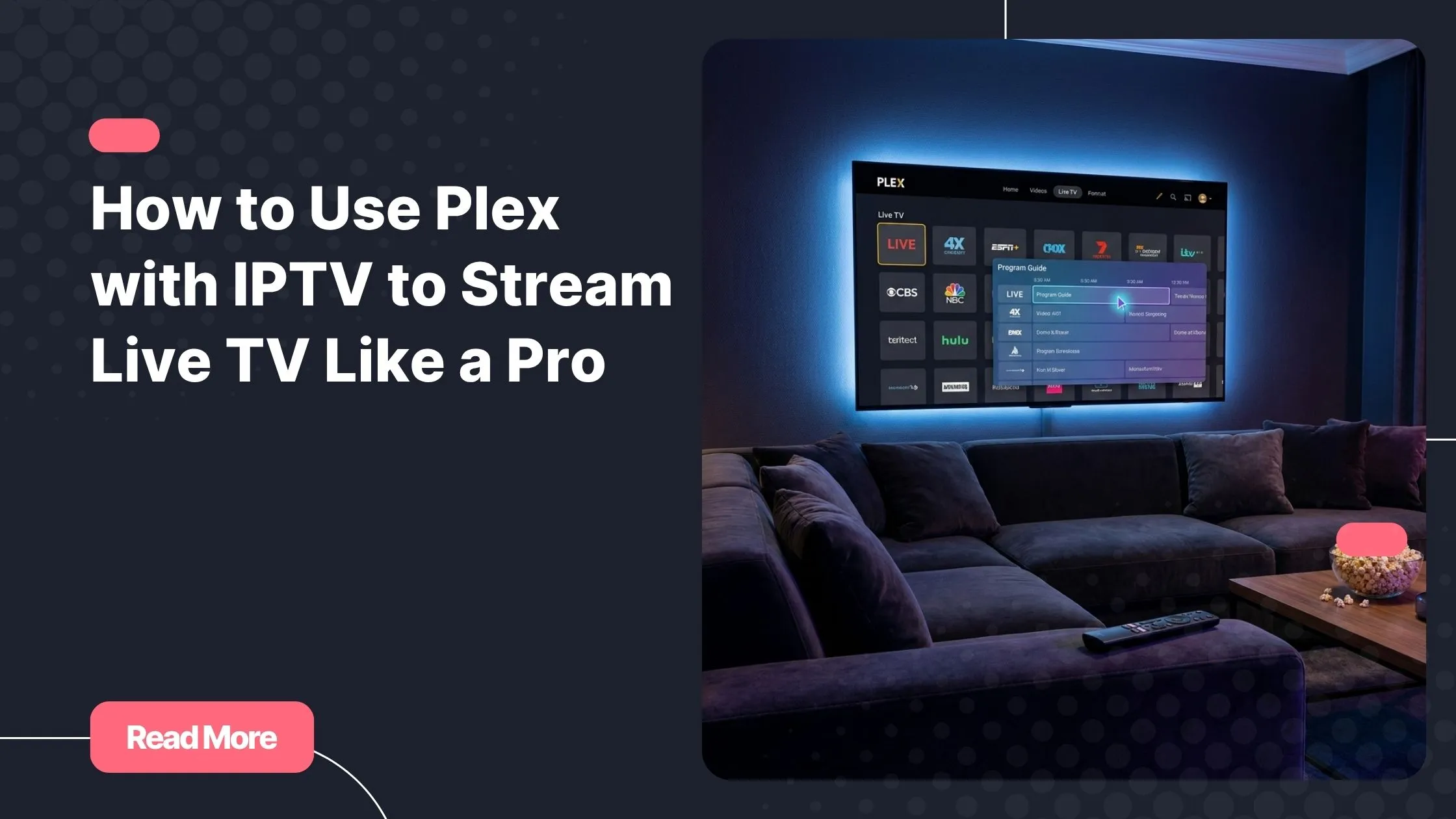
IPTV (Internet Protocol Television) delivers live TV channels over the internet through a playlist file called an M3U. Instead of a cable box, you get a URL that feeds hundreds of channels directly into your player. When you connect that URL to Plex, the app transforms into a full-featured live TV platform with an on-screen program guide and optional DVR recording.
The Key Benefits of Watching IPTV on Plex
- One unified interface for live TV, personal media, and on-demand content
- Compatible with virtually every device you already own
- Built-in EPG (Electronic Program Guide) support for program schedules
- DVR and recording capabilities with Plex Pass
- No need for a separate IPTV player app
- Remote access from anywhere in the world
The combination of plex with iptv gives you something no single app can offer on its own: a complete streaming ecosystem that feels premium without the cable bill.
What You Need Before Starting Your Setup
Before you dive into configuration, make sure you have the right tools in place. A smooth Plex IPTV setup depends on a few non-negotiable requirements.
Requirements Checklist
| Requirement | Details |
|---|---|
| Plex Media Server | Installed on a PC, Mac, NAS, or always-on device |
| Plex Account | Free to create at plex.tv |
| Plex Pass | Required to enable Live TV and DVR features |
| IPTV Subscription | Active M3U playlist URL from your provider |
| EPG / XMLTV URL | Optional but strongly recommended for channel schedules |
| Internet Connection | Minimum 10 Mbps for stable HD playback |
Choosing the Right IPTV Provider
Not every IPTV service is compatible with Plex. You need a provider that delivers a proper M3U playlist URL and ideally an XMLTV EPG feed. Stability and uptime matter too — a cheap, unreliable service will buffer constantly and ruin the experience.
NatixTV is fully compatible with plex with iptv and provides both M3U and EPG links out of the box. It supports a wide range of devices and offers a free trial of 24 to 48 hours, so you can test the stream quality before committing to a plan. If you want to compare pricing options without sacrificing reliability, check out this guide on affordable IPTV subscription options that won’t hurt your wallet.
How to Install and Configure Plex Media Server
If you haven’t installed Plex yet, the process is straightforward. Head to plex.tv and download the server software for your operating system — Windows, macOS, and Linux are all supported. Install it, launch it, and log into your Plex account.
Once inside, the initial setup wizard will ask you to name your server and add your media libraries. You can skip adding libraries for now if your main goal is live TV. The critical step is making sure your server is running and accessible from your local network before you move on.
Enabling the Live TV and DVR Feature
This is where Plex Pass becomes essential. Navigate to Settings, then scroll down to Live TV and DVR. If your Plex Pass is active, you’ll see the option to set up a new TV source. If it’s not active, Plex will prompt you to upgrade — which is worth it for the live TV functionality alone.
Plex Pass is available as a monthly, annual, or lifetime subscription. The lifetime option pays for itself quickly if you plan to use plex with iptv regularly over the long term.
Step-by-Step: Complete Plex M3U Setup for Live TV
This is the core of your plex with iptv configuration. Follow these steps carefully and you’ll be watching live channels in under ten minutes.
Step 1 – Access Live TV Settings
In Plex Web or the desktop app, go to Settings, then Live TV and DVR. Click the button to set up Plex DVR. When asked to choose your TV source, look for the option that says “Have an HDHomeRun or other device?” — this is where you’ll enter your M3U URL.
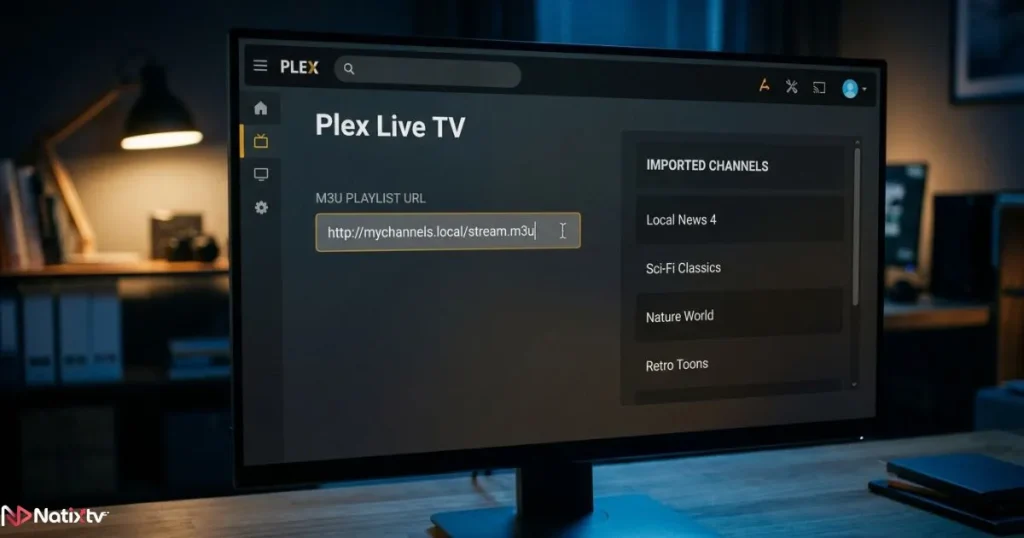
Step 2 – Enter Your M3U Playlist URL
Paste the M3U URL provided by your IPTV service into the input field. Plex will scan the playlist and load all available channels. Depending on the size of your playlist, this can take anywhere from a few seconds to a minute or two. NatixTV provides a clean, well-structured M3U file that Plex reads without issues.
Step 3 – Add Your EPG Source
Once your channels are loaded, you’ll be prompted to add a program guide. Paste your XMLTV EPG URL here. This feeds Plex the schedule data it needs to display what’s currently on and what’s coming up. If some channels don’t match automatically, you can map them manually in the channel editor.
Step 4 – Organize Your Channel List
After your EPG is configured, take a few minutes to clean up your channel list. Hide channels you’ll never watch, rename any that imported with messy labels, and create a favorites group for quick access. A tidy channel list makes the whole plex with iptv experience significantly more enjoyable day to day.
Step 5 – Test Your Stream
Navigate to the Live TV section in the Plex sidebar and click on a channel. Your stream should begin playing within a few seconds. If it does, congratulations — your Plex live TV IPTV setup is complete. If you run into errors, the troubleshooting section below covers the most common fixes.
Device Compatibility: Where You Can Watch IPTV on Plex
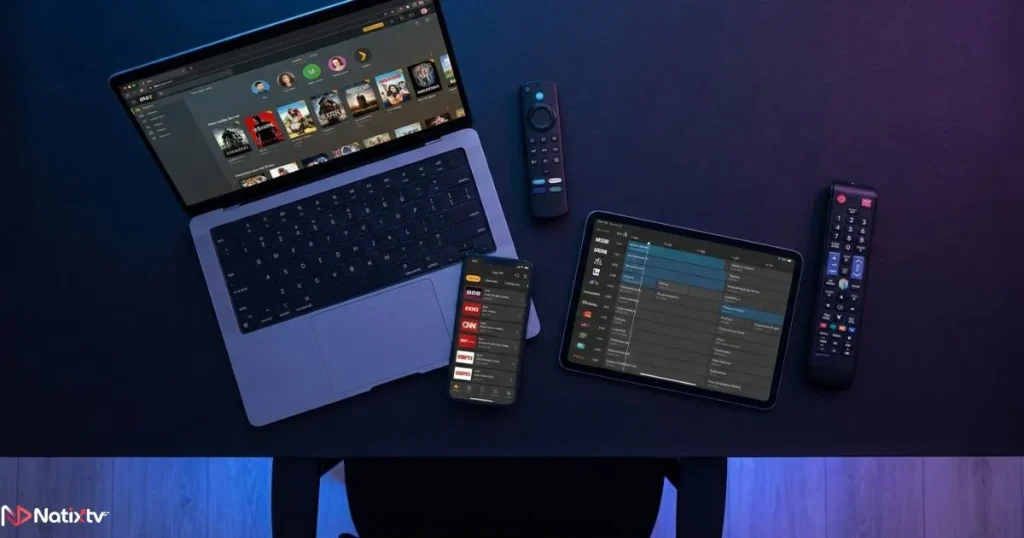
One of the biggest advantages of plex with iptv is how many devices it supports. Once your server is running, you can watch live TV from virtually anywhere.
| Device | Plex App Available | Access Type |
|---|---|---|
| Windows / Mac | Yes | Free |
| Android / iOS | Yes | Free with one-time unlock or Plex Pass |
| Samsung / LG Smart TV | Yes | Free |
| Amazon Firestick | Yes | Free |
| Roku | Yes | Free |
| Apple TV | Yes | One-time unlock or Plex Pass |
| Web Browser | Yes | Free |
The setup happens once on your server. After that, every device on your network — and even devices outside your home via remote access — can stream your live TV channels through Plex. If you want to explore how plex with iptv stacks up against other device-specific solutions, this breakdown of choosing the best IPTV service for your devices is a great companion read.
Troubleshooting Common Plex IPTV Issues
Even with the best setup, things occasionally go sideways. Here are the most frequent problems and how to fix them fast.
Stream Not Loading or Buffering Constantly
- Run a speed test — you need at least 10 Mbps for stable HD playback
- Switch playback from Transcoding to Direct Play in Plex settings
- Check if your M3U URL is still active and hasn’t expired
- Restart Plex Media Server and try again
EPG Not Displaying or Showing Wrong Data
- Verify that your XMLTV URL is correct and accessible
- Go to Settings and force a manual EPG refresh
- Re-map channels that didn’t match automatically
Channels Missing After M3U Import
- Some IPTV plans limit concurrent connections — confirm your plan allows server-side requests
- Re-paste the M3U URL and trigger a fresh channel scan
- Contact your IPTV provider’s support team for help
Plex Pass Required Error on Live TV
- Confirm that Plex Pass is active on your account at plex.tv
- Make sure your Plex Media Server is signed into the same account
- Try signing out and back in, then restarting the server
Tips to Get the Best Experience with Plex and IPTV
Once your plex with iptv setup is running, a few simple habits will keep it smooth and reliable for the long haul.
- Use a wired Ethernet connection on the machine running Plex Media Server to eliminate Wi-Fi instability
- Enable hardware transcoding in Plex Pass settings to reduce CPU load on your server
- Schedule EPG refreshes to run overnight so your program guide is always current
- Use Plex’s mobile sync feature to download VOD content for offline viewing
- Consider using a VPN on your server machine if your IPTV provider recommends it for geo-routing
- Restart your Plex server once a week to clear cache and maintain performance
NatixTV’s high-uptime servers and well-formatted M3U files are specifically designed to minimize these technical headaches.
Paired with plex with iptv, you get a viewing experience that feels like a premium cable package without any of the cost. And if you haven’t tried it yet, their free 24 to 48-hour trial lets you verify the stream quality on your exact setup before spending a cent. For the best rates on a full subscription, iptv in usa has flexible plans built for every budget.
Frequently Asked Questions
Can I use plex with iptv for free?
Plex itself is free to download and use for personal media. However, the Live TV and DVR feature — which is required to watch IPTV on Plex — needs an active Plex Pass subscription. Your IPTV subscription is a separate cost on top of that. That said, many users find the combination far cheaper than a traditional cable or satellite package.
What M3U format does Plex support?
Plex supports standard M3U and M3U8 playlist formats for live TV input. Most reputable IPTV providers format their playlists to be Plex-compatible. NatixTV provides a clean M3U file that loads into Plex without any editing or reformatting required.
How do I watch IPTV on Plex using a Firestick?
Install the free Plex app from the Amazon App Store on your Firestick. Your Firestick acts as the client — it connects to your Plex Media Server running on a PC or NAS. All the M3U configuration and EPG setup happens on the server side, not on the Firestick itself. Once configured, your live TV channels appear automatically in the Plex app on your Firestick.
Can I record live TV when using plex with iptv?
Yes. With an active Plex Pass, you can schedule recordings of live TV channels directly from the program guide. Recordings are stored on your server’s hard drive and can be watched back on any connected device at any time. It works exactly like a DVR, which is one of the most underrated features of plex with iptv.
Is IPTV on Plex legal?
Plex is a completely legal platform. The legality of your streams depends entirely on the IPTV service you subscribe to. Always use a licensed, legitimate provider and avoid unauthorized resellers offering suspiciously low prices. NatixTV operates transparently and encourages users to review their local regulations.
Why is my plex with iptv stream buffering even with fast internet?
Buffering can happen even on fast connections if Plex is transcoding the stream instead of playing it directly. Go to Settings and enable Direct Play and Direct Stream. Also make sure your server machine has enough processing power, and consider enabling hardware transcoding in Plex Pass settings to offload the work to your GPU.
Start Streaming Smarter Today
Setting up plex with iptv is one of the best upgrades you can make to your home entertainment setup. You get a polished, unified interface, live TV with a full program guide, DVR recording, and seamless access on every device you own. The complexity melts away once everything is configured, and what you’re left with is a streaming experience that genuinely rivals anything cable has to offer.
The key to making it work well is pairing Plex with a provider you can rely on. NatixTV delivers stable, high-quality streams with full M3U and EPG compatibility, and a free trial of 24 to 48 hours so you can test everything on your own setup before committing. Your next great stream is ready when you are — explore your options today at iptv in usa and take control of your TV experience.