Picture this: it’s Friday evening, you’ve finally settled into your favorite spot on the couch, the snacks are ready, and all you want is to relax in front of your favorite channels. Then your streaming app freezes. Again. That specific kind of frustration — quiet, deeply annoying — is something millions of people experience every week. As a trusted Iptv Provider, we know exactly how much a smooth viewing experience matters to you.
The good news is that the solution isn’t complicated. Choosing the right IPTV player for Android can completely transform the way you watch live TV, movies, and sports. The right app turns an ordinary Android device into a powerful home entertainment system — with sharp visuals, reliable playback, and a clean interface you’ll actually enjoy using.
This guide walks you through everything you need to know in 2026: the top apps, how to set them up, how to fix common issues, and how to get the most out of your Android streaming setup. Whether you’re new to IPTV or upgrading your current experience, you’re in the right place.
Table of Contents
What Is an IPTV Player and Why Does Your Android Device Need One?
Before diving into app recommendations, it helps to understand the difference between two things people often confuse: an IPTV subscription and an IPTV player for Android.
Your subscription is the service that delivers the content — live channels, VOD libraries, sports packages. The IPTV player for Android is the app that reads and displays that content on your device. Think of it like a music player app versus your music library. You need both, and both need to be good.
Android is particularly well-suited for IPTV because of its open ecosystem. Unlike iOS, Android allows you to install apps from outside the official store, giving you access to a much wider range of IPTV streaming apps. Whether you’re on a smartphone, a tablet, an Android TV box, or even a sideloaded Fire Stick, the flexibility is unmatched.
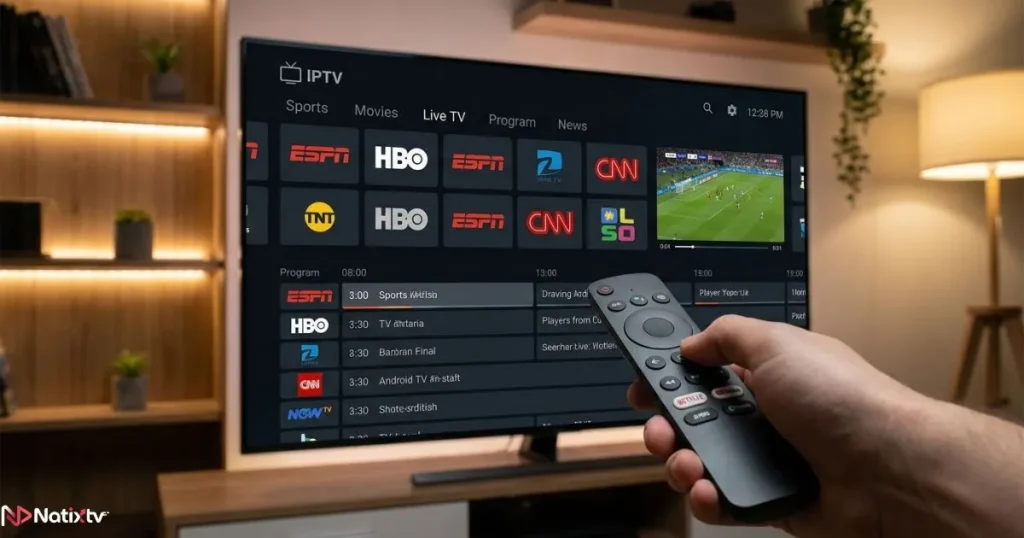
Most quality IPTV players for Android support:
- M3U playlist URLs for easy channel loading
- Xtream Codes API for direct provider login
- EPG (Electronic Program Guide) for a TV-style browsing experience
- Catch-up TV, VOD libraries, and series on demand
- Hardware decoding for smooth, high-definition playback
Top IPTV Players for Android in 2026 – Compared and Ranked
The market for Android IPTV apps has matured significantly. In 2026, you have access to polished, feature-rich tools that rival cable TV interfaces. Here are the best options available right now, selected based on stability, user interface quality, codec support, EPG accuracy, and overall value.
TiviMate – The Premium Android IPTV Player
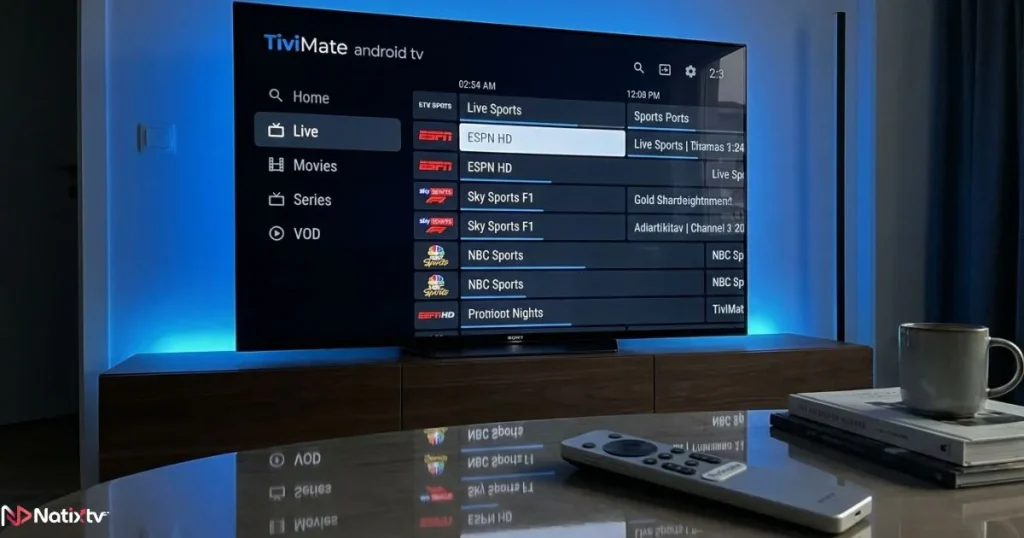
If you ask any experienced IPTV user which app they use, TiviMate Android will come up more than any other. It has earned its reputation as the gold standard for a reason: the interface is stunning, navigation is buttery smooth, and the feature set is hard to beat.
TiviMate supports multiple playlists simultaneously, meaning you can switch between different provider packages without reconfiguring the app. The catch-up feature lets you rewind live TV by hours. You can record content, set favorites, and browse a beautifully rendered EPG that feels like a premium cable guide.
It works best on Android TV devices like the NVIDIA Shield Pro, Xiaomi Mi Box S, or any Android TV box running Android 5.0 and above. The free version covers the basics, while TiviMate Premium unlocks the full experience for around $5.99 per year — arguably the best value in the IPTV app world.
IPTV Smarters Pro – Best for Beginners
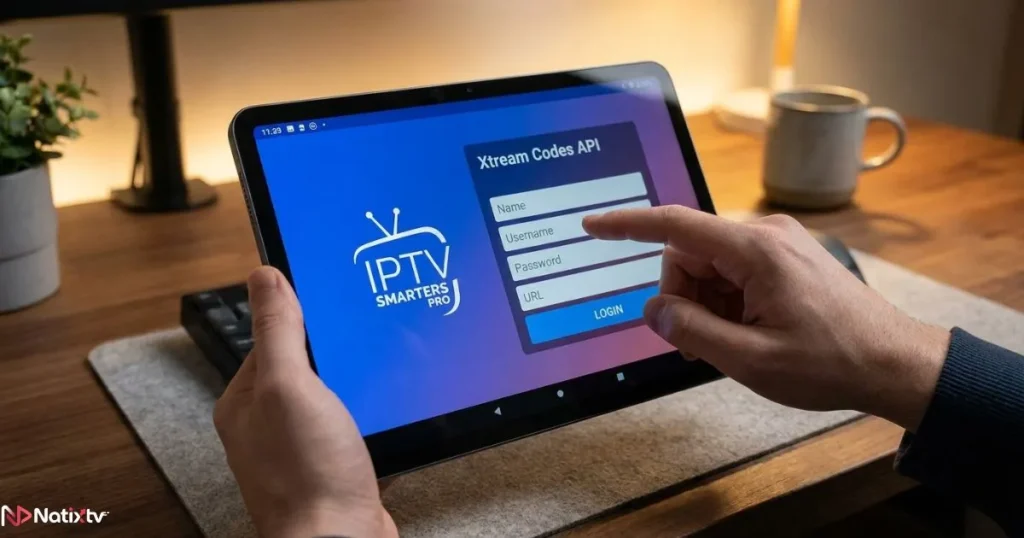
If you’re just getting started with IPTV, IPTV Smarters Pro is the most accessible entry point available. It’s available directly on the Google Play Store, which means no manual installation needed. The interface is intuitive, and setup takes just a few minutes.
It supports both M3U URL and Xtream Codes login, which makes it compatible with virtually any IPTV subscription service. You also get parental controls, a multi-screen layout option, and a clean VOD section. It’s a solid IPTV streaming app that does everything most users will ever need.
Televizo – Lightweight and Fast
Not every Android device is a powerhouse. If you’re running IPTV on an older phone, a budget tablet, or a modest Android TV box, Televizo is built for you. It’s lightweight, fast to load, and surprisingly capable despite its small footprint.
The EPG display is clean, playlist management is straightforward, and the app handles large channel lists without slowing down. A free version covers most needs, with a premium unlock available for those who want extra features.
GSE Smart IPTV – The Power User’s Choice
For users who want granular control over their streaming setup, GSE Smart IPTV delivers. It supports custom HTTP headers, external player integration, DRM content, and a host of advanced settings that let you fine-tune every detail of your playback experience.
It’s also cross-platform, so if you switch between Android and iOS devices, you’ll feel right at home. The learning curve is slightly steeper, but the flexibility it offers makes it a favorite among technically confident streamers.
Other IPTV Players Worth Considering in 2026
Beyond the top four, a few other apps deserve mention. OTT Navigator offers a refined interface with excellent EPG support and is a strong TiviMate alternative for mid-range users. IPTV Extreme Pro handles massive playlists with ease. Sparkle TV brings a modern UI with good catch-up support.
When downloading any IPTV player APK manually, always use the official developer website or a verified source. Avoid third-party APK repositories you don’t recognize.
Quick Comparison – Best IPTV Apps for Android
| App Name | Best For | EPG Support | Catch-Up | Price | Android TV Ready |
|---|---|---|---|---|---|
| TiviMate | Power users / Android TV | Yes | Yes | Free / $5.99/yr | Yes |
| IPTV Smarters Pro | Beginners | Yes | Yes | Free | Yes |
| Televizo | Lightweight devices | Yes | Limited | Free / Premium | Yes |
| GSE Smart IPTV | Advanced users | Yes | Yes | Free / Paid | Yes |
| OTT Navigator | Mid-range users | Yes | Yes | Free / Premium | Yes |
How to Set Up an IPTV Player on Android – Step by Step
Setting up your IPTV player for Android is simpler than most people expect. You have two main connection methods depending on what your subscription provider gives you.
Method 1 – Using an M3U Playlist URL
- Download your chosen app from the Play Store or via IPTV player APK if needed.
- Open the app and navigate to “Add Playlist” or “New Playlist.”
- Select the M3U URL option and paste the link provided by your IPTV provider.
- Wait for the app to fetch and organize your channels.
- Set your favorites, configure the EPG, and start watching.
Method 2 – Using Xtream Codes API
- Collect your credentials from your provider: server URL, username, and password.
- Open your IPTV player for Android and choose the Xtream Codes login option.
- Enter the details and tap connect.
- Your live channels, VOD library, and series will load automatically.
Installing an IPTV Player APK on Android TV or Fire Stick
If your app isn’t on the Play Store, you can still install it manually. Here’s how:
- Go to your device settings and enable “Install from Unknown Sources.”
- Install a file manager app like Downloader or ES File Explorer.
- Enter the official APK download URL from the developer’s site.
- Download and install the file using the file manager.
- Configure the app exactly as you would with a Play Store installation.
If you use a Fire Stick and want a hassle-free streaming setup, you might also find it useful to explore dedicated IPTV player options designed for Fire Stick devices before settling on your final setup.
How to Optimize Your Android IPTV Streaming Quality
Even the best IPTV player for Android won’t perform at its peak if your setup isn’t dialed in. A few smart tweaks can make a dramatic difference in picture quality and stream stability.
Network and Connection Tips
- Use a 5GHz Wi-Fi band rather than 2.4GHz for faster, more stable throughput.
- A wired Ethernet connection via a USB-C or OTG adapter is even better for Android TV boxes.
- For HD streaming, aim for a minimum of 15-25 Mbps. For 4K content, 50 Mbps or more is recommended.
- Restart your router before long streaming sessions to clear congestion.
In-App Settings to Adjust
- Enable hardware decoding in your player settings for smoother, more efficient playback.
- Set the buffer size to Medium or Large to reduce interruptions on slower connections.
- Clear your app cache regularly, especially after extended use.
- If channels stutter, try switching to an external player like VLC for problematic streams.
A VPN can also help in some cases, particularly if your ISP throttles streaming traffic. However, make sure to choose a fast VPN service since a slow one can introduce more buffering than it prevents. Running a speed test on Speedtest.net before troubleshooting will help you identify whether the issue is on your end or the server’s.
Common IPTV Problems on Android and How to Fix Them
Even a well-configured IPTV player for Android will occasionally run into hiccups. Here’s a quick reference to the most common issues and how to resolve them fast.
| Problem | Likely Cause | Quick Fix |
|---|---|---|
| Constant buffering | Slow connection or server overload | Increase buffer size, test your internet speed |
| Black screen on playback | Codec or DRM issue | Switch to an external player like VLC |
| EPG not loading | Incorrect or expired EPG URL | Re-enter the correct EPG source in settings |
| App crashes on launch | Outdated app version | Update or reinstall the app |
| No audio on channels | Wrong audio track selected | Switch audio track in playback settings |
IPTV Player for Android TV – What You Need to Know
Using an IPTV app for Android TV is a slightly different experience from mobile. The interface needs to work with a remote control rather than a touchscreen, which means navigation design matters far more. Apps like TiviMate and OTT Navigator have been purpose-built with this in mind, offering large text, clean grids, and remote-friendly menus.
If you’re streaming on a dedicated Android TV box, you’ll generally get better performance than on a basic smart TV. Recommended devices include the NVIDIA Shield Pro, Xiaomi Mi Box S, and the Amazon Fire TV Cube (with sideloaded apps). These devices handle 4K streams, Dolby audio, and multi-playlist switching without breaking a sweat.
For users who also stream on desktop or laptop, it’s worth knowing that you can apply similar logic to your PC setup. A quality IPTV player built for Windows can complement your Android setup perfectly when you want a bigger-screen experience at your desk.
What to Look for in an IPTV Subscription in 2026
Here’s a truth most IPTV guides skip over: even the most powerful IPTV player for Android is only as good as the subscription behind it. A poorly maintained server with low uptime will cause buffering, freezing, and missing channels no matter which app you use. Your subscription is the foundation everything else is built on.
As a reliable Iptv Provider, Natixtv is built around exactly the qualities that matter most to everyday streamers. Here’s what to look for when evaluating any IPTV service:
- 99.9% server uptime with redundant infrastructure
- 10,000+ live channels across multiple languages and regions
- Full HD and 4K stream availability
- A large VOD library including movies and series
- Compatibility with M3U and Xtream Codes API
- Multi-device support across Android, iOS, Smart TV, and more
- A free trial period of 24 to 48 hours with no payment required upfront
- Responsive customer support available when you need it
Natixtv checks every box on that list. If you’ve never tried it before, the 24 to 48-hour free trial is your risk-free starting point. You can connect it to any of the apps reviewed in this guide and see for yourself how a quality subscription changes everything.
Is Using an IPTV Player on Android Legal?
This is a question worth addressing directly. The IPTV player for Android apps themselves are completely legal tools. They are simply media players that read playlist files. There is nothing inherently unlawful about installing TiviMate, IPTV Smarters Pro, or GSE Smart IPTV on your device.
Legality depends on the content source. If you subscribe to a licensed IPTV provider that has the rights to distribute the content it offers, your streaming is entirely legal. This is why choosing a reputable provider matters beyond just technical quality. Always verify that the service you use operates within the legal framework of your country.
Frequently Asked Questions
What is the best IPTV player for Android in 2026?
TiviMate is the top-rated IPTV player for Android in 2026, particularly for users with Android TV devices. Its interface, EPG quality, and multi-playlist support are unmatched. For mobile users and beginners, IPTV Smarters Pro is an excellent and more accessible alternative available directly on the Google Play Store.
Do I need a paid subscription to use an IPTV player for Android?
The IPTV player for Android apps themselves are mostly free to download and use. However, you do need an active IPTV subscription to access live channels and on-demand content. Natixtv offers a free trial of 24 to 48 hours, so you can test the full experience before committing to a plan.
How do I install an IPTV player APK on a device that doesn’t have the Play Store?
Enable “Install from Unknown Sources” in your device settings, then use a file manager or browser app to download the official APK from the developer’s website. Once downloaded, open the file to install it just like any standard app. Always download from verified sources to stay safe.
Which IPTV app for Android TV works best with a remote control?
TiviMate and OTT Navigator are both designed with Android TV remote navigation in mind. Their grid-based layouts, large channel tiles, and logical menu structures work seamlessly without a touchscreen. TiviMate is generally the preferred choice for Android TV boxes and set-top streaming devices.
Can I use multiple IPTV apps on the same Android device?
Yes, you can install multiple apps and switch between them freely. Some users keep TiviMate as their primary app and IPTV Smarters Pro as a backup for troubleshooting. Using the same M3U or Xtream Codes credentials across apps is perfectly fine, as most providers allow multi-connection plans.
What internet speed do I need for HD and 4K IPTV streaming on Android?
For stable HD streaming, a connection of 15 to 25 Mbps is sufficient. If you want to stream in 4K, you should have at least 50 Mbps available. A wired connection or 5GHz Wi-Fi will always outperform a 2.4GHz signal in terms of consistency and speed.
Conclusion
Streaming in 2026 should be effortless. With the right IPTV player for Android installed on your device, you get a viewing experience that rivals any cable or satellite package, without the contracts, the equipment fees, or the channel bloat. Whether you choose TiviMate for its premium feel, IPTV Smarters Pro for its simplicity, or GSE Smart IPTV for its advanced controls, the best app is ultimately the one that fits your device and your habits.
But remember: your app is only half the equation. A reliable, high-quality subscription is what actually delivers the content you came for. That’s where a trustworthy Iptv Provider like Natixtv makes all the difference. With thousands of HD and 4K channels, a generous VOD library, full compatibility with every app reviewed in this guide, and a no-risk free trial lasting up to 48 hours, there’s no reason not to try it today.
Your perfect streaming setup is closer than you think. Start your free Natixtv trial, pair it with the right IPTV player for Android, and discover what smooth, reliable, genuinely enjoyable IPTV actually feels like.