There is a moment most of us know too well. You have just signed up for an IPTV service, excited to finally ditch expensive cable, and then you find yourself staring at your screen wondering whether your TV can actually handle it. Maybe your Smart TV freezes on a live sports stream, or an app you need simply is not available in its app store. That frustration is real, and it is more common than you think.
The truth is, the quality of your IPTV experience depends heavily on the device delivering it. Choosing the wrong setup means buffering, crashes, and incompatible apps. Choosing the right one means smooth 4K streams, a full library of channels, and no technical headaches. This guide is here to help you make that choice with total confidence, whether you are starting fresh or upgrading what you already own.
If you are already exploring options with a top rated iptv provider, the device comparison below will show you exactly where your subscription performs best, and which setup delivers the most value for your money.
Table of Contents
Why Your Device Choice Matters More Than You Think
Your IPTV subscription is only as good as the hardware running it. A high-quality stream pushed through a sluggish or incompatible device will still buffer, stutter, and frustrate. Processing power, available RAM, and software freedom are the three pillars that determine whether your viewing experience is premium or painful.
Many users overlook this and assume any screen with an internet connection will work. In reality, devices with limited RAM (under 2GB) struggle with high-definition live channels. Older Smart TVs running outdated firmware cannot always install modern IPTV apps. And some platforms restrict what you can install entirely, leaving you with no path forward. Understanding IPTV box compatibility before you invest in a subscription saves you time, money, and a lot of trial and error.

The good news: once you know what to look for, the decision becomes straightforward.
IPTV Box vs Smart TV: Understanding the Core Difference
This is the central question for anyone setting up a new IPTV system. Both options can work, but they work very differently, and the gap in flexibility is significant.
What Is an IPTV Set-Top Box?
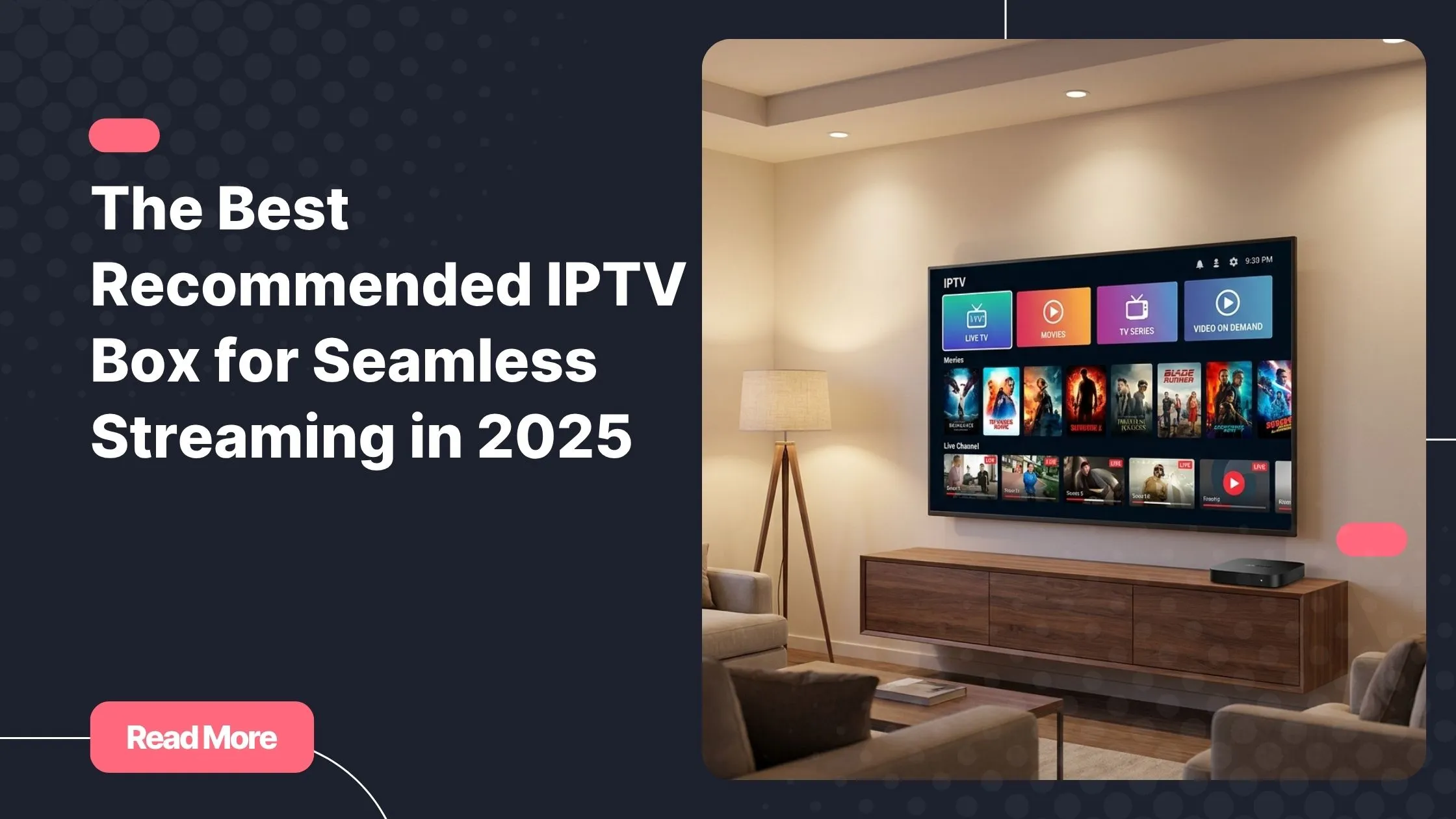
A dedicated IPTV set-top box is an external device, typically the size of a small router or a stick, that plugs into your TV via HDMI. It runs its own operating system, usually Android TV or a proprietary IPTV middleware, and gives you full control over which apps you install, how you configure your streams, and how you update your software.
Popular examples include the Nvidia Shield TV Pro, Xiaomi Mi Box S, Amazon Fire TV Stick, and the MAG 524W3. Each has its own strengths, but all share one key advantage: they are dedicated streaming hardware, built to do exactly this job.
What Is a Smart TV for IPTV?
A Smart TV for IPTV uses the built-in operating system of your television, whether that is Tizen (Samsung), webOS (LG), Android TV, or Google TV. The appeal is obvious: no extra device, no extra cables, and everything in one unit. The limitation is equally real: manufacturers control what apps are available, updates are slow or eventually stop, and the internal hardware ages quickly.
Smart TV IPTV setups can work well, but they depend heavily on which brand and model you own, and whether the apps your provider supports are actually available in that ecosystem.
Key Differences at a Glance
| Feature | IPTV Box (Android TV) | Smart TV |
|---|---|---|
| App Freedom | Full sideloading supported | Limited by manufacturer OS |
| Performance | Upgradeable independently | Fixed to internal hardware |
| Upfront Cost | Extra device needed ($40-$200) | All-in-one, no extra cost |
| IPTV Compatibility | Excellent across all major apps | Varies widely by brand |
| Ease of Setup | 5-10 minutes, very guided | Immediate, no extra steps |
| Long-Term Value | Swap box, keep your TV | TV becomes the bottleneck |
| Buffering Risk | Low with dedicated hardware | Higher on older models |
The Top Recommended IPTV Box Options for Every Budget
Here is a curated breakdown of the best hardware available right now, from the most powerful to the most affordable. Each of these works seamlessly with a recommended IPTV box setup running a quality subscription, including the free 24-48 hour trial that top rated iptv provider Natixtv offers so you can test your device before committing.
Best Overall: Nvidia Shield TV Pro ~$199
The Nvidia Shield TV Pro is the undisputed gold standard for an Android TV box for IPTV. Its Tegra X1+ chip, 3GB of RAM, and full Google Play Store access make it virtually impossible to overwhelm. It supports 4K HDR, Dolby Vision, and Dolby Atmos, and it handles every major IPTV player without breaking a sweat. If you want the best possible experience and budget is secondary, this is your recommended IPTV box.
- 3GB RAM | Tegra X1+ processor
- Supports 4K HDR, Dolby Vision, Dolby Atmos
- Full Google Play Store plus easy sideloading
- Runs all major IPTV apps natively
Best Mid-Range: Xiaomi Mi Box S (2nd Gen) ~$50-$60
For most users, the Xiaomi Mi Box S hits the sweet spot between price and performance. It runs Android TV 11, carries 2GB of RAM, and is fully compatible with TiviMate, IPTV Smarters Pro, and GSE Smart IPTV right out of the box. As a recommended IPTV box for everyday viewers who want reliable performance without overspending, it is hard to beat.
- 2GB RAM | Android TV 11
- 4K HDR support
- Direct Google Play Store access
- Compact and travel-friendly
Best for Power Users: Amazon Fire TV Stick 4K Max ~$60
Amazon’s top-tier stick packs Wi-Fi 6E support, 2GB of RAM, and a capable processor into a device that costs a fraction of premium boxes. Some IPTV apps require sideloading via APK (a simple five-minute process), but once set up, it performs excellently. It is the ideal pick for users who want portability alongside serious streaming power.
- Wi-Fi 6E for faster, more stable connections
- Alexa voice control built in
- Easy APK sideloading for IPTV apps
- Slim, takes any HDMI port
Best Professional Option: MAG 524W3 ~$80-$120
The MAG 524W3 is a purpose-built IPTV set-top box running a dedicated IPTV middleware rather than Android. It is the preferred choice for users who want a no-configuration plug-and-play experience. You enter your portal URL, and you are streaming. It is less flexible than an Android TV box for IPTV but extremely stable and reliable for long viewing sessions.
- Purpose-built hardware for IPTV only
- Portal-based setup, minimal configuration
- 4K support | Dual-band Wi-Fi
- Ideal for non-technical users
Best Budget Pick: Mecool KM2 Plus ~$50
Netflix-certified and running Android TV 11, the Mecool KM2 Plus punches well above its weight class. With 2GB of RAM and 16GB of storage, it handles HD and 4K IPTV streams comfortably. For anyone looking for their first dedicated streaming device without risking much money, this is the ideal starting point.
- Netflix-certified | Android TV 11
- Dolby Audio and DTS-HD support
- Full Play Store access
- Excellent entry-level value
Smart TVs and IPTV: When It Works and When It Doesn’t
Not all Smart TVs are created equal when it comes to IPTV. The experience varies dramatically depending on which operating system your television runs.
Best Smart TV Brands for IPTV
Google TV and Android TV models (Sony, TCL, Hisense) offer the best native IPTV compatibility. They run the same OS as Android TV boxes, so apps like TiviMate and IPTV Smarters are available directly from the Play Store. If you are buying a new television and plan to use it for IPTV, a Google TV model is the right call.
Samsung Tizen is the most restrictive platform. Sideloading is blocked by default, the app store has limited IPTV options, and the Smart TV IPTV experience can feel like a workaround rather than a solution. It is usable but not ideal.
LG webOS sits in the middle. It offers more IPTV apps than Tizen and supports some sideloading methods, but it still lags behind Android-based platforms in terms of app availability and update support.
The Hidden Limitations of Smart TVs for IPTV
Older Smart TVs (three to five years old) often run OS versions that major IPTV apps no longer support. Manufacturers stop pushing firmware updates after a few years, leaving your television permanently behind. Combined with the limited RAM found in older models, this creates exactly the conditions that cause buffering, crashes, and compatibility failures.
If your Smart TV is showing its age, adding a dedicated Android TV box for IPTV via HDMI is the fastest and cheapest fix available, and it works on virtually any television made in the last fifteen years. If you are also experiencing slowdowns during peak hours, reading a guide on how to reduce buffering on high-traffic evenings will help you get the most out of any hardware setup.
Android TV Box for IPTV: The Most Flexible Choice Available
When it comes to raw flexibility, nothing matches an Android TV box for IPTV. These devices support virtually every major IPTV player available, all accessible directly from the Google Play Store or via simple APK sideloading.
The most popular IPTV players compatible with Android TV boxes include:
- TiviMate – the most popular choice, with a premium UI and full EPG support
- IPTV Smarters Pro – great for Xtream Codes and M3U playlists
- GSE Smart IPTV – versatile and highly customizable
- Perfect Player – lightweight and reliable for older hardware
- Kodi with IPTV add-ons – powerful for advanced users who want full control
Choosing the right IPTV player is almost as important as choosing your box. For a deeper look at which player handles large channel libraries best, this guide to managing hundreds of channels on Android walks you through each option in detail.
The other major advantage of an Android TV box: you can use it with any television. Your TV does not need to be smart, new, or internet-capable. As long as it has an HDMI port, you can transform it into a fully capable IPTV screen in minutes. This makes the Android TV box for IPTV the most universally applicable solution on the market.
Which Setup Offers Better Value: IPTV Box or Smart TV?
This is where the decision becomes most practical. Both options have a clear place, but the value calculation depends on your situation.
Total Cost of Ownership
A new Smart TV with Google TV built in can cost anywhere from $300 to over $1,000 depending on size and brand. If you are replacing an old set anyway, that is a perfectly reasonable IPTV-compatible upgrade with no extra hardware required.
But if you already own a working television, adding a recommended IPTV box for as little as $40-$60 delivers the same IPTV experience, sometimes better. And when your box becomes outdated in three years, replacing it costs a fraction of buying a new TV. Long-term, the dedicated box wins on cost efficiency every single time.

Performance Comparison
| Metric | Dedicated IPTV Box | Smart TV |
|---|---|---|
| 4K HDR Streaming | Supported on most models | Supported on modern TVs |
| App Availability | Wide – including sideloading | Restricted by platform |
| Buffering Risk | Low with dedicated hardware | Higher on older models |
| Future-Proofing | Swap box, keep your TV | Limited by TV hardware lifecycle |
| Setup Simplicity | 5-10 minutes via HDMI | Immediate, built in |
| IPTV App Support | Comprehensive | Varies widely |
Who Should Choose What?
- Choose a recommended IPTV box if you already own a TV, want maximum app flexibility, or need sideloading capability for your provider’s apps.
- Choose a Smart TV if you are buying a new television anyway and it runs Google TV or Android TV natively.
- Avoid relying on a Smart TV alone if it runs Tizen or webOS and is more than three years old. The IPTV experience will almost certainly disappoint.
The recommended IPTV box wins in almost every head-to-head comparison when it comes to flexibility, value, and longevity. It is not just a streaming device. It is a future-proof investment in your home entertainment setup.
Setting Up Your IPTV Subscription on Any Device
Once you have selected your hardware, getting started with an IPTV subscription takes only a few minutes. Here is the general process, regardless of which device you use:
- Install your preferred IPTV player – TiviMate, IPTV Smarters Pro, or GSE Smart IPTV are all excellent starting points.
- Get your credentials from your provider – this will be either an M3U URL or Xtream Codes login details.
- Enter your credentials in the player – the app walks you through this process step by step.
- Browse your channel list and VOD library – live TV, sports, films, and series are all accessible immediately.
Natixtv subscriptions deliver both M3U and Xtream Codes formats, making them compatible with every major IPTV player and every recommended IPTV box listed in this guide. Natixtv is also compatible with smartphones, tablets, PCs, and MAG boxes, so your subscription follows you across every screen in your home. Before committing, you can validate your device’s full compatibility with a free 24-48 hour trial – no risk, no contract, just a live test on your actual setup.
Frequently Asked Questions
What is the most recommended IPTV box for beginners in 2025?
The Xiaomi Mi Box S and the Mecool KM2 Plus are both excellent entry points. They run Android TV, give you access to the Google Play Store, support 4K streams, and cost under $60. Both are simple to configure and pair perfectly with any M3U or Xtream Codes subscription. If you want zero compromise, the Nvidia Shield TV Pro is the premium recommended IPTV box that beginners and enthusiasts both rely on.
Is a recommended IPTV box better than using a Smart TV?
In most cases, yes. A dedicated streaming box gives you more app freedom, better long-term performance, and far easier upgrades. Smart TVs running Google TV are a genuine exception, but for Samsung Tizen or LG webOS users, an Android TV box for IPTV will almost always deliver a superior experience. According to Digital Trends, Android TV boxes consistently outperform built-in Smart TV software for third-party streaming applications precisely because of their open app ecosystems.
Can I use any Android TV box for IPTV apps?
Yes, provided the box runs Android 7.0 or newer. Any Android TV box meeting that requirement supports TiviMate, IPTV Smarters Pro, and most other major IPTV players either through the Play Store or via APK sideloading. The higher the RAM (aim for 2GB minimum), the smoother your HD and 4K streams will run.
Does Natixtv work with all IPTV boxes and Smart TVs?
Yes. Natixtv subscriptions support M3U playlists and Xtream Codes, which are the two universal formats accepted by every major IPTV player and every recommended IPTV box on the market today. The free 24-48 hour trial is specifically designed so you can confirm full compatibility on your exact device before purchasing a subscription.
Why does my Smart TV struggle with IPTV apps?
The most common causes are limited RAM (under 2GB), an outdated OS that apps no longer support, or a restricted app store that prevents installation of the IPTV player you need. The solution in all three cases is the same: add a dedicated Android TV box via HDMI. It bypasses every Smart TV limitation and transforms any television into a fully capable IPTV screen.

Is the MAG 524W3 still a good IPTV set-top box in 2025?
Absolutely, for the right user. The MAG 524W3 is plug-and-play simplicity at its best: connect it, enter your portal URL, and you are streaming. It is not flexible in the way an Android TV box is, since it is locked to IPTV middleware and cannot run general apps. But for users who want a dedicated, stable, no-fuss IPTV set-top box without any configuration complexity, it remains a strong choice in 2025.
Ready to Start Streaming Without Limits?
Your device is ready. Now all you need is a subscription built to match it. Natixtv delivers reliable, high-quality IPTV across every device and Smart TV covered in this guide, with support for M3U, Xtream Codes, and all major IPTV players. Whether you are on a Nvidia Shield, a Xiaomi Mi Box, a MAG box, or a Google TV, your streams will be fast, stable, and crystal clear.
Test it on your own hardware today with a free 24-48 hour trial, no credit card commitment required, and see exactly why users consistently call it the top rated iptv service for every device and every budget.