There is a moment every television lover remembers: the first time a screen stopped looking like a screen. Maybe it was a live football match where you could read the grass blades. Maybe it was a nature documentary where the rainforest looked so real you instinctively reached for the remote. That moment is what iptv usa viewers are discovering every day as they make the leap to iptv 4k streaming. And once you experience it, going back to HD feels like watching the world through frosted glass.
If you have been wondering whether upgrading from standard HD is worth it, this guide gives you the full picture. You will understand every technical layer that separates these two formats: resolution, bitrate, HDR, bandwidth, and the display requirements your TV must actually meet. No jargon for its own sake, just clear and practical information that helps you make the right call for your setup and your budget.
Whether you stream sports, blockbusters, live news, or international channels, the difference is real and measurable. Let’s break it down together, piece by piece.
Table of Contents
Understanding the Core Difference: IPTV 4K vs HD
Before diving into the technical specs, it helps to understand what separates these two formats at a fundamental level. We are not just talking about a quality slider. Resolution, compression, color range, and data throughput all combine to create two genuinely different visual experiences.
What 4K IPTV Resolution Actually Means
Resolution describes the number of pixels packed into your screen. More pixels mean finer detail, sharper edges, and a more convincing image. Here is how the main formats compare:
- 720p HD: 1,280 x 720 pixels, approximately 921,000 total
- 1080p Full HD: 1,920 x 1,080 pixels, approximately 2.07 million total
- 4K UHD: 3,840 x 2,160 pixels, approximately 8.29 million total
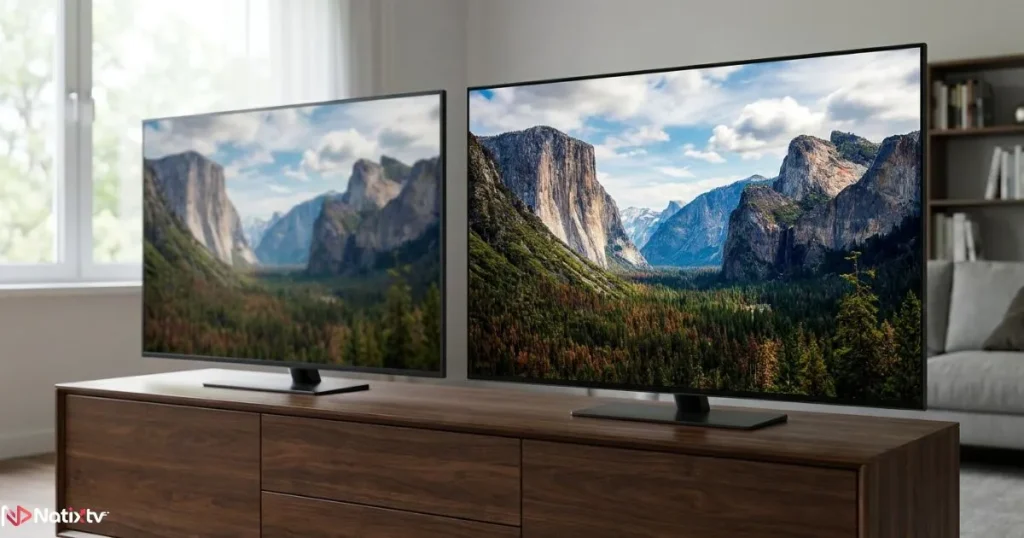
That is four times more pixel information than 1080p Full HD. On a 55-inch or larger screen, the difference is not subtle. Text is crisper, faces show real texture, and fast motion in sports maintains clarity rather than dissolving into blur.
| Format | Resolution (W x H) | Total Pixels | Best Use Case |
|---|---|---|---|
| 720p HD | 1,280 x 720 | ~921,000 | Small screens, mobile viewing |
| 1080p Full HD | 1,920 x 1,080 | ~2,073,600 | Standard TVs up to 50″ |
| 4K UHD | 3,840 x 2,160 | ~8,294,400 | Large TVs 55″+, home cinema |
Is the Visual Jump Really Noticeable?
Yes, but screen size and viewing distance matter. The human eye can only resolve so much detail from a given distance. Sitting eight feet from a 65-inch display, you will see every advantage the Ultra HD format offers. The sweet spot for appreciating 4K IPTV resolution is a screen of 55 inches or larger, viewed from a distance of 5 to 8 feet. At that setup, the upgrade from HD is immediately obvious, especially during fast-paced content like live sports, action films, and concerts.
IPTV 4K Bitrate vs HD: The Engine Behind the Picture
Resolution is what you see. Bitrate is the fuel that delivers it. Understanding IPTV 4K bitrate is essential if you want to know why some streams look stunning while others appear soft or blocky despite carrying the same resolution label.
What Bitrate Is and Why It Defines Stream Quality
Bitrate measures how much data is transferred per second during playback, expressed in megabits per second (Mbps). A higher bitrate means more visual information is preserved, resulting in better texture, smoother gradients, and sharper motion. When bitrate drops too low for the resolution being streamed, you will notice compression artifacts: rectangular blocks in dark areas, smearing around moving objects, and a general loss of depth in the image.
Recommended Bitrate Levels for Each Format
| Stream Format | Minimum Bitrate | Recommended Bitrate | Codec |
|---|---|---|---|
| 720p HD | 2 Mbps | 3-5 Mbps | H.264 |
| 1080p Full HD | 4 Mbps | 6-8 Mbps | H.264 |
| 4K SDR | 10 Mbps | 15-20 Mbps | H.265/HEVC |
| 4K HDR | 20 Mbps | 25-40 Mbps | H.265/HEVC |
One major reason high-definition 4K streaming has become practical for everyday home users is the H.265/HEVC codec. It compresses Ultra HD content roughly twice as efficiently as the older H.264 standard, meaning you get broadcast-quality visuals at a bitrate your connection can realistically sustain. If your provider does not support HEVC encoding, switching is worth serious consideration.
Not sure how your current setup handles different stream formats? Understanding the key differences between M3U and M3U8 playlist formats can help you pick the right configuration for smoother 4K playback on any device.
IPTV HDR: The Secret Weapon Most People Overlook
Ask most viewers what makes a 4K picture look extraordinary and they will say “more pixels.” They are partially right. But IPTV HDR support is often the bigger differentiator, and it is one that HD simply cannot offer.
What HDR Means in Practice
HDR stands for High Dynamic Range. Where standard HD content uses a narrow range of brightness and color (called SDR – Standard Dynamic Range), HDR expands both dramatically. The result: highlights are brighter, shadows retain detail, and colors cover a much wider spectrum than the eye is used to seeing on screen.
Consider a sunset scene on a standard HD stream: the sky might look orange, but the shadows below are lost in muddy dark gray. The same scene with HDR shows you the gradient of pinks and purples in the clouds while the street below retains its texture. It is a different visual experience, not just a sharper one.
HDR Formats You Will Encounter on IPTV
- HDR10: The open standard. The most widely supported format across IPTV services, Smart TVs, and streaming devices. Your baseline for 4K HDR streaming.
- Dolby Vision: Uses dynamic metadata to optimize HDR settings scene by scene. Superior image quality, but less common in IPTV environments.
- HLG (Hybrid Log-Gamma): Designed specifically for live broadcast. Critical for live sports and news delivered in Ultra HD.
Does Your TV Actually Support HDR?
Not all TVs labeled as “4K” support HDR. Before assuming yours does, check for these specifications:
- HDR10 badge in the product specs
- Peak brightness of at least 400 nits (600 nits or higher for genuinely impactful HDR)
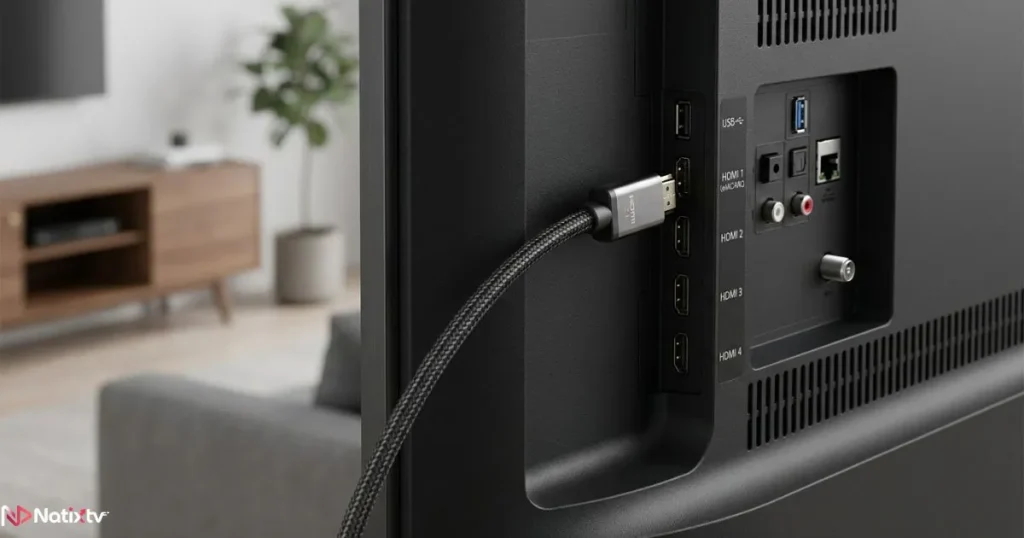
- HDMI 2.0 or HDMI 2.1 input ports
- Wide Color Gamut (WCG) or DCI-P3 color coverage
If your television meets these requirements, you are ready to get the full benefit of HDR content from your IPTV provider.
4K IPTV Bandwidth: What Your Internet Connection Must Deliver
Bandwidth is the most common reason Ultra HD streaming disappoints viewers. The resolution is there. The hardware is there. But if your internet connection cannot sustain the required data throughput, your stream will buffer, drop quality, or freeze at the worst possible moment.
How Much Speed Does iptv 4k Actually Need?
Here are the practical numbers you need to keep in mind:
| Stream Quality | Minimum Speed | Recommended Speed | Simultaneous Devices |
|---|---|---|---|
| 720p HD | 5 Mbps | 10 Mbps | 1-2 |
| 1080p Full HD | 10 Mbps | 20 Mbps | 1-3 |
| 4K SDR | 25 Mbps | 40 Mbps | 1 |
| 4K HDR | 35 Mbps | 50-100 Mbps | 1-2 |
One important distinction: your internet plan’s advertised speed is not the same as the bandwidth available to your IPTV app. Other devices, background downloads, smart home gadgets, and competing streaming services all share that connection. For reliable Ultra HD playback, budget at least 25 Mbps as dedicated bandwidth, with 50 Mbps or more if your household streams on multiple screens simultaneously.
Wired vs Wi-Fi for 4K Streaming
The recommendation here is straightforward: use a wired Ethernet connection whenever possible. A direct cable between your router and your streaming device eliminates the interference, packet loss, and inconsistency that Wi-Fi introduces, especially in homes with thick walls or many competing wireless signals.
If a wired setup is not practical, Wi-Fi 6 (802.11ax) is your next best option. It handles the sustained throughput that high-bandwidth 4K IPTV bandwidth demands far better than older wireless standards. Set your router to the 5 GHz band rather than 2.4 GHz for higher speeds and lower interference.
What Happens When Bandwidth Falls Short
Poor bandwidth shows up in unmistakable ways: the image pixelates during fast motion, colors wash out suddenly, audio loses sync with the video, or the stream silently drops to HD without warning. Quality providers use adaptive bitrate technology to handle momentary dips, but there is a floor below which no technology can compensate for genuinely insufficient bandwidth.
If you experience these issues and your connection speed checks out, the problem may be on your provider’s end. The infrastructure behind the service matters as much as the pipe coming into your home. This is exactly why choosing a solid iptv usa provider makes such a difference to your everyday viewing experience.
IPTV Display Requirements: Getting the Right Screen for 4K
Your television and streaming device are the final variables in the 4K equation. Even a perfect stream cannot compensate for a display that is not capable of rendering what it receives.
Minimum TV Specifications for True 4K Viewing
To fully enjoy iptv 4k streaming, your television should meet these minimum criteria:
- Native 4K UHD panel (3,840 x 2,160) – not an upscaled 1080p display
- HDMI 2.0 input minimum, HDMI 2.1 for 4K at 60fps without compromise
- HDR10 support at a minimum, with Dolby Vision or HLG as a valuable bonus
- Peak brightness of 400 nits or higher to render HDR content as intended
- Screen size of 55 inches or larger to fully appreciate the resolution advantage
Panel technology also matters. OLED screens deliver perfect black levels and exceptional HDR contrast, making them the premium choice for Ultra HD IPTV viewing. QLED panels offer excellent brightness, which benefits HDR highlight performance. Both are strong options; your budget and viewing environment will guide the choice.
Compatible Devices for 4K Streaming
Your TV is only one part of the picture. The device running your IPTV app must also support 4K decoding, and specifically HEVC/H.265, to deliver smooth playback without taxing your hardware. Reliable options include:
- Amazon Fire TV Stick 4K Max: Affordable, widely available, supports HDR10 and Dolby Vision
- Apple TV 4K: Excellent performance, smooth HDR playback, native Dolby Vision support
- Nvidia Shield TV Pro: The most powerful Android TV box available, handles any 4K codec with ease
- MAG boxes and Formuler devices: Purpose-built for IPTV, excellent compatibility with M3U and Xtream Codes
- Samsung, LG, and Sony Smart TVs: Native IPTV app support across current model ranges
- PC and Mac: Via VLC, Kodi, or dedicated IPTV player software
IPTV Players That Handle 4K Streams Well
On the software side, your player needs to handle HEVC decoding without dropping frames. The most reliable options for 4K playback are:
- Tivimate (Android): Smooth interface, excellent HEVC support, full EPG integration. The preferred choice for serious Ultra HD IPTV users.
- VLC Media Player: Free, cross-platform, capable of handling virtually any codec including high-bitrate HEVC streams.
- Kodi with IPTV Simple Client: Powerful and customizable, though it requires more initial configuration.
Choosing the Right IPTV Service for 4K Streaming
All the hardware in the world cannot help if your IPTV provider is not actually delivering true 4K content. Some services label their streams “4K” when they are simply upscaling 1080p footage at an inflated bitrate. Here is what separates a genuine Ultra HD service from one that merely claims to be one.
What a Real 4K IPTV Provider Offers
- Native 4K channels, not upscaled HD content
- HEVC/H.265 encoding across Ultra HD streams to keep bandwidth requirements realistic
- Stable server infrastructure with a low buffer ratio
- Wide device compatibility: Smart TVs, Android, iOS, Firestick, MAG boxes, PC
- A free trial period so you can verify stream quality before any financial commitment
Why Natixtv Is Built for 4K IPTV Users
Natixtv is built with exactly these standards in mind. The service delivers genuine iptv 4k streams encoded with HEVC, compatible with virtually every device you already own. Whether you watch on a Firestick, Android box, Apple TV, Smart TV, or PC, the Ultra HD experience is consistent and stable.
Before committing to any subscription, you can activate a 24 to 48 hour free trial to test the full quality of the 4K streams on your own setup, with your own internet connection, and on your own preferred device. If it looks as good as it should, subscribing takes less than two minutes.
HD vs 4K: Full Side-by-Side Comparison
| Feature | HD (1080p) | 4K UHD |
|---|---|---|
| Resolution | 1,920 x 1,080 | 3,840 x 2,160 |
| Total pixel count | ~2 million | ~8.3 million |
| Recommended bitrate | 5-8 Mbps | 15-40 Mbps |
| HDR support | No (SDR only) | Yes – HDR10, Dolby Vision, HLG |
| Minimum bandwidth | 10 Mbps | 25 Mbps |
| Ideal screen size | 32-55″ | 55″ and above |
| TV specification needed | Full HD panel | 4K UHD + HDR panel |
| HEVC codec benefit | Minimal | Significant |
| Overall viewing quality | Good | Excellent |
Frequently Asked Questions About IPTV 4K
What is iptv 4k and how is it different from standard HD IPTV?
IPTV 4K refers to Internet Protocol Television streams delivered at Ultra High Definition resolution, specifically 3,840 x 2,160 pixels. That is four times the pixel count of standard 1080p Full HD. The practical result is a sharper, more detailed image with richer color and, when paired with HDR, dramatically improved contrast. HD remains a capable format, but Ultra HD is in a different visual league, particularly on screens of 55 inches and above.
How much internet speed do I need to watch iptv 4k without buffering?
You need a minimum of 25 Mbps dedicated to your stream. If other devices in your home share the same connection, plan for 50 Mbps or more. A wired Ethernet connection is strongly recommended over Wi-Fi for the consistent throughput that 4K IPTV bandwidth performance demands.
Does IPTV HDR make a bigger difference than resolution alone?
For many viewers, yes. IPTV HDR improves brightness range, shadow detail, and color depth in ways that feel more immediately impactful than the resolution increase alone. The combination of Ultra HD resolution and HDR is where this format truly comes into its own. If your TV supports HDR10 or Dolby Vision, prioritize a provider that delivers properly encoded HDR streams.
Which devices are compatible with 4K IPTV streaming?
A wide range of devices support Ultra HD IPTV playback: Amazon Fire TV Stick 4K, Apple TV 4K, Nvidia Shield, Android TV boxes with HEVC decoding, MAG boxes, Formuler devices, Samsung and LG Smart TVs, and PCs running VLC or Kodi. The essential requirement is hardware support for HEVC/H.265 decoding.
Can I test iptv 4k quality before buying a subscription?
Yes. Natixtv offers a free trial period of 24 to 48 hours that lets you evaluate the full streaming quality on your own setup before committing. This is the most reliable way to confirm that your internet speed, device, and display are all working together as expected before you pay for anything.
The Bottom Line: Which Format Should You Choose?
The case for upgrading is straightforward once you understand all the technical layers. 4K IPTV resolution gives you four times more visual detail than 1080p. The IPTV 4K bitrate required to sustain that detail is well within reach of any modern broadband connection. IPTV HDR adds color and contrast that transforms how content looks and feels. And the range of IPTV display requirements is fully met by most televisions sold in the past three years.
HD is not disappearing. For viewers with smaller screens or connections below 20 Mbps, it remains a capable and practical format. But if you own a 4K television, have a connection above 25 Mbps, and are ready to experience what a premium stream actually looks like, there is no rational reason to stay at 1080p.
The gap in 4K streaming quality between a properly configured Ultra HD setup and a standard HD stream is not marginal. It is fundamental. Experience it risk-free: visit iptv usa at Natixtv, activate your free 24 to 48 hour trial, and let your screen show you what you have been missing.
For a deeper understanding of HDR formats and how display standards apply to modern content delivery, the HDR learning guide from RTINGS.com is one of the most thorough and independent references available online.