There is nothing quite like settling into your couch on a Friday evening, snacks within reach, only to watch your screen freeze mid-sentence. That spinning circle. The pixelated image. The audio cutting out just as the plot thickens. If you have been there, you know it is not just an inconvenience — it feels personal. And yet it keeps happening, especially on evenings and weekends, right when you need your stream to perform at its best.
The frustrating truth is that most buffering issues are not random. They follow a pattern. They peak during specific hours, they worsen during live events, and they are almost always the result of infrastructure decisions made long before you pressed play. Getting best iptv service means understanding those decisions — and choosing a provider that has made the right ones.
This guide breaks down exactly why iptv without buffering is so hard to achieve at scale, what the technical factors behind it are, and what you can do — both at home and in your choice of provider — to get the smooth, reliable stream you are paying for. No jargon for its own sake. Just clear answers to a problem millions of IPTV users face every single day.
Table of Contents
Why Buffering Happens: The Real Causes Behind a Frozen Screen
Before you can fix a problem, you need to understand it. Buffering is not a single issue — it is a symptom with multiple possible causes, and diagnosing the right one changes everything about how you respond to it.
How IPTV Delivers Content Differently Than Traditional TV
Unlike satellite or cable, which broadcast a continuous signal, IPTV sends video content as data packets over the internet. Those packets travel through multiple servers, routers, and network nodes before they reach your screen. Every hop along that path introduces a potential point of delay. When packets arrive too slowly or out of order, your device cannot reconstruct the video fast enough — and the result is buffering.
This delivery model is powerful and flexible, but it is also more sensitive to network conditions than traditional broadcast. A single congested node anywhere along the route can degrade your entire viewing experience.
The Most Common Causes of IPTV Buffering
Understanding where the problem originates helps you target the right fix. Here are the most frequent culprits:
- Insufficient bandwidth: Your connection simply does not have enough speed for the stream quality you are requesting.
- Wi-Fi interference: Wireless connections introduce latency and packet loss that wired Ethernet eliminates entirely.
- Overloaded IPTV servers: When too many users connect at the same time, servers slow down — and your stream feels it instantly.
- Inefficient IPTV network routing: Data traveling through unnecessary or congested nodes accumulates latency before it reaches you.
- Device limitations: Older streaming hardware struggles to decode high-bitrate streams without dropping frames.
- ISP throttling: Some internet service providers deliberately slow down video streaming traffic during busy hours.
| Stream Quality | Minimum Speed | Recommended Speed |
|---|---|---|
| SD (480p) | 5 Mbps | 10 Mbps |
| HD (720p / 1080p) | 10 Mbps | 25 Mbps |
| FHD (stable 1080p) | 20 Mbps | 35 Mbps |
| 4K UHD | 40 Mbps | 50-80 Mbps |
Bandwidth is a baseline requirement, not a guarantee. Even with a 100 Mbps fiber connection, you can still experience buffering if the problem lives on the server or routing side — which brings us to the most overlooked factor of all.
IPTV Peak Hours: When Your Stream Is Most Vulnerable
Not all hours of the day are equal for IPTV. There are windows when simultaneous demand spikes dramatically — and those windows expose every weakness in a provider’s infrastructure.
What Are IPTV Peak Hours?
IPTV peak hours typically fall between 7 PM and 11 PM on weekdays, and spread across weekend afternoons and evenings. These are the moments when millions of users across a provider’s subscriber base press play at the same time. Add a major live event — a Champions League final, a World Cup match, a global awards show — and that demand can spike to several times its baseline level within minutes.
For providers without a robust infrastructure, those spikes are catastrophic. Servers that run fine at 40% capacity will buckle at 90%. Users experience frozen screens, channel dropouts, and audio sync failures — not because their internet is slow, but because the server they are connected to simply cannot keep up.
Why Peak Demand Exposes Infrastructure Weaknesses
There is an important distinction here: the problem during IPTV peak hours is rarely your connection. It is the gap between the number of concurrent users and the server capacity allocated to serve them. A provider with 10,000 subscribers but only enough server bandwidth for 6,000 simultaneous streams will always fail under real-world conditions.
Key insight: Even a fast home internet connection cannot compensate for an overloaded IPTV server during peak hours. IPTV performance depends on what happens between the server and your device — not just what happens inside your home network.
This is why testing a service exclusively during off-peak hours gives you a completely misleading picture of its quality. Any provider can deliver a clean stream at 2 AM on a Tuesday. The real test is Friday night during a live broadcast.
IPTV Server Stability: The Core of a Buffer-Free Experience
IPTV server stability is the single most important factor in delivering iptv without buffering consistently — and it is entirely in the hands of your provider, not you. Understanding what makes a server stable helps you ask the right questions before you subscribe.
What Separates a Stable IPTV Server from an Unstable One
A truly stable IPTV infrastructure relies on several technical layers working together:
- Redundant server clusters: Multiple server nodes that back each other up. If one fails, traffic is automatically redirected to another without interrupting your stream.
- Load balancing: Traffic is distributed intelligently across servers so that no single node becomes a bottleneck.
- High-capacity bandwidth allocation: Enough headroom per concurrent user to absorb demand spikes without degradation.
- Content Delivery Networks (CDNs): Geographically distributed caching systems that bring content closer to your location, reducing latency.
- Uptime guarantees: A 99.9% uptime commitment means your provider accepts accountability for availability — and has invested in the infrastructure to back it up.
| Indicator | Stable IPTV Server | Unstable IPTV Server |
|---|---|---|
| Peak-hour performance | Consistent HD/4K stream | Frequent buffering and drops |
| Live event handling | Smooth, continuous feed | Freezes and pixelation |
| Server uptime | 99.9%+ guaranteed | Frequent outages |
| Load balancing | Automatic traffic routing | Single point of failure |
| Failover system | Backup nodes activate instantly | Stream dies with no recovery |
Warning Signs of Poor Server Infrastructure
If you notice any of the following, your provider likely has IPTV server stability problems:
- Buffering that gets noticeably worse on evenings and weekends
- Channels that drop or go offline precisely during high-profile live events
- EPG (Electronic Program Guide) that loads slowly or shows incorrect data
- Audio and video falling out of sync during busy periods
These are not random technical glitches. They are consistent patterns that reveal an infrastructure not built to handle real demand. If you want iptv without buffering on a long-term basis, your provider’s server architecture matters more than almost any other factor. You can explore purpose-built streaming infrastructure options designed to handle exactly these conditions.
IPTV Network Routing: The Hidden Variable You Cannot See
Even with a powerful server and a fast connection, your stream can still buffer if the data traveling between them takes an inefficient route. IPTV network routing is one of the least visible — and most impactful — factors in streaming performance.
How Data Actually Travels from Server to Screen
When you press play, your IPTV provider’s server begins sending video data as packets. Those packets travel through a series of network nodes — routers, switches, and ISP infrastructure — before reaching your device. The path they take is determined by routing protocols, primarily BGP (Border Gateway Protocol), which makes decisions based on network policy and path efficiency.
Here is where it gets counterintuitive: a geographically close server is not always the fastest route. If the network path between that server and your ISP passes through congested international nodes, you may experience more latency than you would with a server that is technically farther away but better connected.
How Inefficient Routing Creates Buffering
Poor IPTV network routing creates latency in milliseconds — but those milliseconds compound. A video stream requires a continuous, timed flow of data. Even small delays in packet delivery cause the buffer to run dry, and your device freezes while it waits for the next chunk of data to arrive.
Additional routing-related causes of buffering include:
- Traffic routed through overloaded international exchange points
- ISP peering agreements that deprioritize streaming traffic at peak times
- Packet loss on long or unstable routing paths
- Absence of direct peering between your provider and major regional ISPs
How Premium Providers Solve the Routing Problem
Quality IPTV providers invest in routing infrastructure specifically designed for real-time media delivery. The most effective technologies include:
- Anycast routing: Directs your connection to the nearest available server node automatically, minimizing latency regardless of where you are.
- Dedicated ISP peering: Direct connections with major internet service providers that bypass public exchange points and reduce congestion exposure.
- Low-latency backbone networks: Private network infrastructure built for speed and reliability rather than shared public internet paths.
- Adaptive Bitrate Streaming (ABR): Dynamically adjusts stream quality in real time based on available bandwidth — maintaining flow rather than freezing.
This level of IPTV traffic management is invisible to you as a user. You do not see routing tables or latency metrics. What you see is either a smooth stream or a frozen one. For true iptv without buffering, the routing layer has to be right — and it starts with choosing a provider that has built it properly. Providers featured among the top-ranked options for 4K-ready IPTV delivery typically invest heavily in exactly this kind of network optimization.
IPTV Traffic Management: What Happens Between the Server and Your Screen
Beyond routing, quality providers actively manage traffic in real time. IPTV traffic management is the operational layer that ensures your stream stays healthy even as conditions change around it.
How Top Providers Manage Traffic in Real Time
- Continuous monitoring of server load across all nodes
- Automatic rerouting when congestion is detected on any segment of the path
- Traffic prioritization for live channels over on-demand content during peak windows
- Dedicated bandwidth reservations for high-demand channels during major events
This kind of active management is what separates a service that performs consistently from one that only works when conditions are ideal. Stable IPTV streaming is not passive — it requires continuous infrastructure management that most low-cost resellers simply do not offer.
Your ISP’s Role in IPTV Performance
Your internet service provider plays a larger role in your IPTV experience than most users realize. Many ISPs apply traffic shaping policies that deprioritize video streaming during congested periods — a practice known as throttling. If your stream suddenly degrades at 8 PM every evening regardless of which IPTV service you use, ISP throttling may be the cause.
You can test this by running your stream through a reputable VPN. If quality improves noticeably with the VPN active, throttling is likely the culprit. That said, a poor VPN choice can add latency and make things worse — use a high-performance service with a server geographically close to your IPTV provider for best results.
Switching from an ADSL or VDSL connection to fiber broadband also makes a meaningful difference. Fiber offers lower latency, more stable upload speeds, and is far less susceptible to the performance degradation that affects copper-based connections during peak hours.
Optimizing Your Home Network for Stable IPTV Streaming
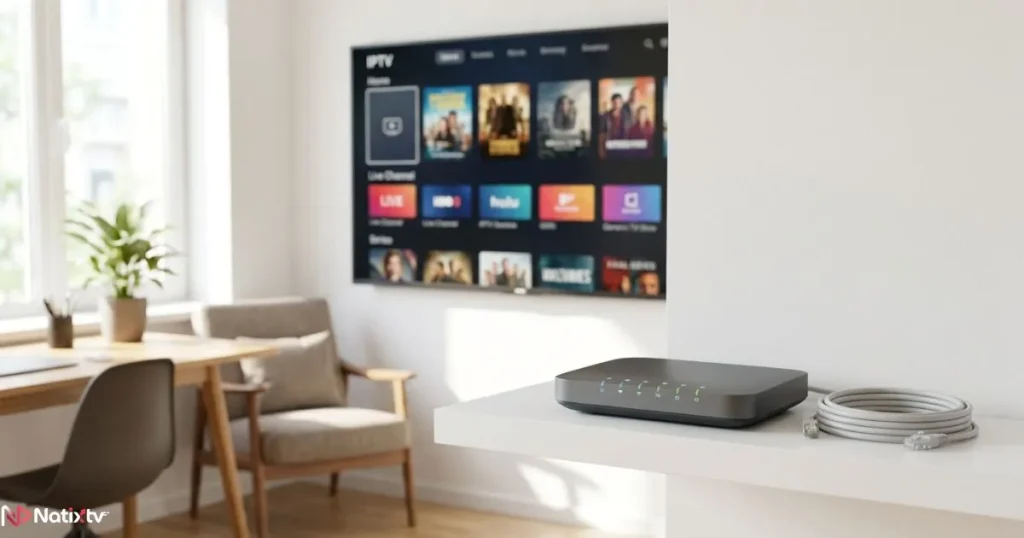
Even with a great provider, your local setup can undermine the experience. These practical steps make a real, measurable difference:
- Use Ethernet cable from your router directly to your streaming device
- Enable Quality of Service (QoS) on your router to prioritize IPTV traffic
- Use the 5 GHz Wi-Fi band if Ethernet is not possible
- Restart your router weekly to clear cached routing data
- Close unused tabs and background downloads while streaming
- Use a dedicated streaming device rather than a shared smart TV browser
- Upgrade to fiber broadband if it is available in your area
Choosing an IPTV Provider That Delivers When It Matters Most
All the technical knowledge in the world only translates into a better stream if you choose a provider that has done the infrastructure work. Here is what to look for before you subscribe.
Technical Criteria That Actually Matter
When evaluating a provider, focus on these signals of genuine infrastructure quality:
- Anti-buffering technology built into the stream delivery system
- Multiple server locations with documented failover capabilities
- Verified performance during IPTV peak hours, not just off-peak testing
- Compatibility with a wide range of devices: Smart TV, Firestick, Android, iOS, MAG boxes, PC and Mac
- Transparent uptime history and honest communication about outages
Why a Free Trial Is the Only Real Test
No marketing claim tells you whether a provider delivers iptv without buffering under real conditions. The only way to know is to test it yourself — specifically during peak hours. Connect during a weekday evening. Watch a live sports channel. Push the service under realistic demand and see what happens.
A free trial of 24 to 48 hours gives you exactly that window. It is not enough time to explore the full channel catalog, but it is absolutely enough time to discover whether the service buffers when it counts. If a provider does not offer a trial, that alone is telling.
Natixtv: Infrastructure Built for Consistent Performance
If you are serious about iptv without buffering, best iptv service starts with a provider that has invested in the right infrastructure. Natixtv is built precisely for this: stable IPTV streaming across all device types, a channel catalog that covers live TV, sports, and VOD, and a server architecture designed to hold up during IPTV peak hours.
Natixtv offers a free trial period of 24 to 48 hours — which is long enough to test the service on a weekday evening and during at least one live event. The setup is compatible with Smart TVs, Amazon Firestick, Android TV boxes, iOS and Android smartphones, MAG boxes, and PC or Mac. Whether you are watching on a living room screen or a mobile device, the experience is designed to remain consistent.
The trial is the most honest signal a provider can offer: it says the service is confident enough in its performance to let you stress-test it before spending a euro.

Frequently Asked Questions
Can I really get iptv without buffering, or is some freezing inevitable?
Iptv without buffering is entirely achievable, but it requires the right combination of factors: a provider with solid IPTV server stability, efficient IPTV network routing, a fast and stable home connection, and optimized local network settings. When all of these align, smooth streaming is the norm rather than the exception.
Why does my IPTV stream buffer more in the evening than during the day?
Evening hours are IPTV peak hours — the window between 7 PM and 11 PM when simultaneous user demand is at its highest. Providers without adequate server capacity or traffic management infrastructure buckle under this load. If your stream is consistently worse in the evening, the problem is almost certainly on the server side, not your connection.
What is the difference between server stability and network routing in IPTV?
IPTV server stability refers to whether the server delivering your stream has enough capacity and redundancy to keep up with demand. IPTV network routing refers to the efficiency of the path that data takes from the server to your device. Both matter independently: a stable server paired with poor routing can still produce buffering, and vice versa.
How fast does my internet need to be for iptv without buffering in 4K?
For iptv without buffering in 4K UHD, a minimum of 40 Mbps is required, with 50-80 Mbps recommended for a consistently stable stream. Raw speed matters less than connection stability: a consistent 50 Mbps fiber connection will outperform an unstable 100 Mbps cable connection every time.
Does using Ethernet really make a difference for IPTV performance?
Yes — significantly. A wired Ethernet connection eliminates Wi-Fi interference, reduces latency, and removes the packet loss that wireless connections can introduce. For stable IPTV streaming, especially in HD or 4K, Ethernet is strongly recommended over any Wi-Fi setup.
How do I know if an IPTV provider can deliver iptv without buffering before I commit?
The most reliable method is a free trial used during peak hours. Connect during a weekday evening and test a live sports channel or a high-traffic broadcast. Providers like Natixtv offer a 24 to 48-hour trial precisely to let you evaluate real-world performance under realistic conditions before making any financial commitment.
The Right Provider Makes All the Difference
Iptv without buffering is not a luxury — it is the baseline experience you are entitled to. But achieving it consistently requires more than a fast internet connection. It depends on IPTV server stability that holds under peak demand, IPTV network routing that minimizes latency at every hop, and active IPTV traffic management that keeps the stream healthy in real time.
You now know what to look for and what to avoid. You understand why evenings and live events are the real test of any provider’s infrastructure. You have the tools to optimize your home setup. The final step is choosing a provider built for performance — and testing it when it counts.
best iptv experience starts with a provider willing to prove it upfront. Natixtv offers a 24 to 48-hour free trial, full device compatibility, and infrastructure designed for stable IPTV streaming even during the most demanding peak-hour conditions. Try it during an evening broadcast. Let the stream speak for itself.Start Your Free Trial on Natixtv
For a broader technical perspective on what drives streaming performance, the Speedtest Global Index by Ookla offers regularly updated data on internet performance metrics across ISPs and regions — useful context when evaluating your own connection’s role in IPTV quality.