You’ve just signed up for an IPTV service. You’re excited. You’re ready to finally watch what you want, when you want, on any screen in your home. And then it hits you: a cryptic string of text lands in your inbox, and you have absolutely no idea what to do with it. If that moment of confusion sounds familiar, you’re not alone — and you’re in exactly the right place. As a top rated iptv provider, NatixTV hears this question every day.
IPTV links are the invisible engine behind every channel you stream, every movie you play, and every live event you watch over the internet. They’re not just web addresses — they’re the credentials, the keys, and the roadmap your device needs to find and decode a live video signal. Understanding how they work doesn’t require a degree in networking. It just requires someone to explain it clearly.
This guide does exactly that. From the different URL formats to playlist structures, device compatibility, and security best practices, here is everything you need to get your IPTV links working perfectly — on every device, every time.
Table of Contents
What Are IPTV Links and Why Do They Matter?
At their core, IPTV links are URLs or sets of credentials that connect your device to a remote server hosting live TV channels, video-on-demand libraries, or catch-up content. Think of them as the address your media player uses to find and retrieve a video stream from the internet.
Unlike traditional cable or satellite signals, IPTV works entirely over your internet connection. There’s no dish on your roof and no coax cable running through your wall. Your device simply follows the IPTV links you provide, communicates with the provider’s server, and begins pulling the stream in real time.
Without a valid set of IPTV links, no app — no matter how well designed — can display a single channel. The link is the starting point for everything. And because different apps, devices, and providers use different formats, knowing which type of link you have (and what to do with it) makes the difference between five minutes of setup and an evening of frustration.
The global IPTV market is projected to exceed $115 billion by 2030, according to Grand View Research — a clear sign that more people than ever are making the switch. Getting comfortable with how IPTV links work puts you firmly ahead of the curve.
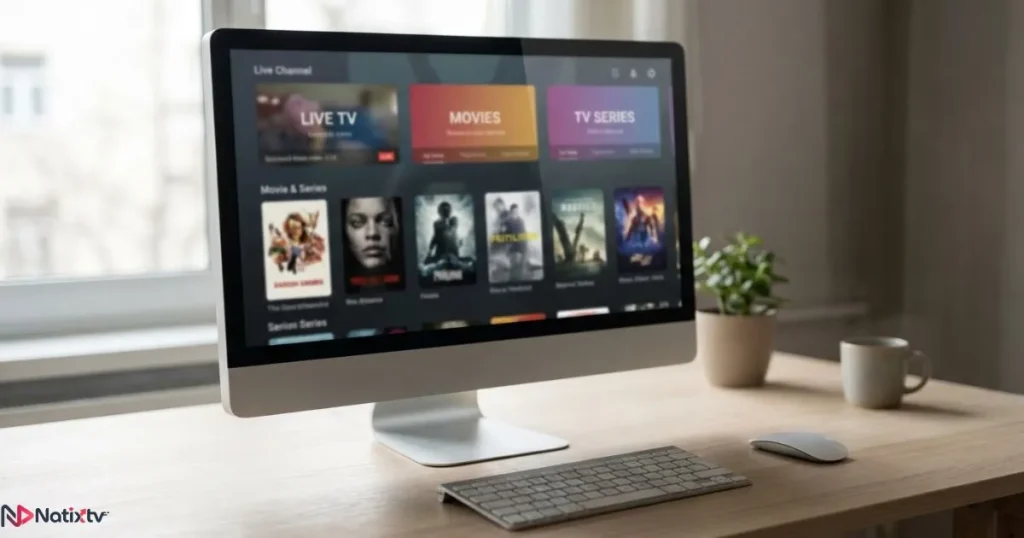
The Main Types of IPTV URLs Explained
Not all IPTV links look the same, and that’s intentional. Each format serves a specific purpose and works best with specific apps and platforms. Here’s a breakdown of the most common types you’ll encounter.
Direct Stream URLs
The simplest form of IPTV link is a direct HTTP or HTTPS URL pointing to a single stream. These typically end in extensions like .ts or .m3u8 and can be pasted directly into media players like VLC. They’re useful for quick testing or accessing a single channel, but they’re not practical for managing hundreds of channels at once.
A typical direct stream URL follows this structure:
- Server address: the provider’s domain or IP
- Port: commonly 8080, 80, or 443
- Username and password: your account credentials
- Channel ID: the specific stream identifier
M3U Links: The Universal Playlist Format
M3U links are by far the most widely used format in the IPTV world. An M3U link points to a playlist file that bundles together hundreds — sometimes thousands — of stream URLs in a single, organized document. Each entry in the file includes the stream URL itself along with metadata: the channel name, logo, and content category.
There are two types you’ll come across:
- Static M3U files – downloaded as a
.m3ufile, useful but can go out of date quickly - Dynamic M3U URLs – generated live from the server each time you fetch them, always up to date
Dynamic M3U links are strongly preferred by professional providers. They update automatically whenever a channel is added, removed, or modified — so your playlist stays accurate without any manual effort on your part.
M3U links are compatible with nearly every IPTV app in existence: TiviMate, IPTV Smarters, VLC, Kodi, GSE Smart IPTV, and many more. If you’re looking for the best apps to pair with your IPTV links on a Firestick, TiviMate and IPTV Smarters are consistently the top choices.
Xtream Codes Links: The API-Based Access Method
Xtream Codes (often abbreviated as XC) takes a different approach. Instead of a single playlist URL, your provider gives you three separate pieces of information: a server URL, a username, and a password. Your app uses these to connect to the provider’s API and dynamically builds your channel list, VOD library, and series catalog on the fly.
This method offers several significant advantages over standard M3U links:
- Built-in Electronic Program Guide (EPG) data — no separate EPG URL needed
- Full VOD and series management directly inside the app
- Faster channel loading thanks to API-based delivery
- Real-time synchronization whenever the provider updates content
- Better session management and anti-sharing protection
Here’s a side-by-side comparison to help you choose the right method for your setup:
| Feature | M3U Link | Xtream Codes |
|---|---|---|
| Format | Single URL | Server + Username + Password |
| App compatibility | Very wide | Moderate (XC-compatible apps) |
| EPG support | Manual or external | Built-in via API |
| VOD and series access | Limited | Full library |
| Real-time updates | Requires manual reload | Auto-synced |
| Load speed | Varies | Generally faster |
EPG Links: Powering Your TV Guide
EPG links are a separate type of IPTV URL that delivers schedule data to your app. Formatted as XMLTV URLs, they tell your player what’s currently on and what’s coming up next — essentially recreating the familiar TV guide experience. Most providers supply an EPG link alongside your main IPTV links, and entering it correctly is what transforms a bare channel list into a fully functional guide.
IPTV Playlist Formats: M3U, M3U8, and Beyond
Once you understand the link types, it helps to know the underlying playlist formats. These are the file structures that carry your stream data:
| Format | Extension | Best Used For | Streaming Protocol |
|---|---|---|---|
| M3U | .m3u | General IPTV playlists | HTTP, RTMP |
| M3U8 | .m3u8 | Adaptive bitrate (HLS) streams | HLS |
| XSPF | .xspf | XML-based open-source players | Various |
In practice, you’ll almost exclusively deal with M3U and M3U8. The M3U8 variant uses UTF-8 encoding and is the backbone of HLS (HTTP Live Streaming), which automatically adjusts your stream quality based on your available bandwidth. That means fewer buffering interruptions when your connection fluctuates. It’s the format most modern providers — including NatixTV — rely on for reliable delivery.
How to Use IPTV Links Across Different Devices and Apps
The link is only half the equation. Knowing exactly where to enter it on your device is what actually gets you watching. Here’s how it works across the most popular platforms.
Smart TVs: Samsung and LG
Samsung and LG smart TVs typically rely on apps like Smart IPTV or SS IPTV. These apps accept M3U links entered through a companion website linked to your TV’s MAC address. Once the URL is saved, your channel list loads directly on the big screen. If you want to explore which viewing setup works best for your lifestyle, this guide on matching your IPTV plan to your personal watching habits is a useful starting point.
Android TV and Amazon Fire Stick
Android TV and Fire Stick users have access to the most flexible IPTV experience. Apps like TiviMate and IPTV Smarters Pro accept both M3U links and Xtream Codes credentials, giving you full access to live TV, EPG data, VOD content, and series — all in one polished interface. TiviMate in particular is widely considered the gold standard for Fire Stick IPTV setups.
Smartphones and Tablets
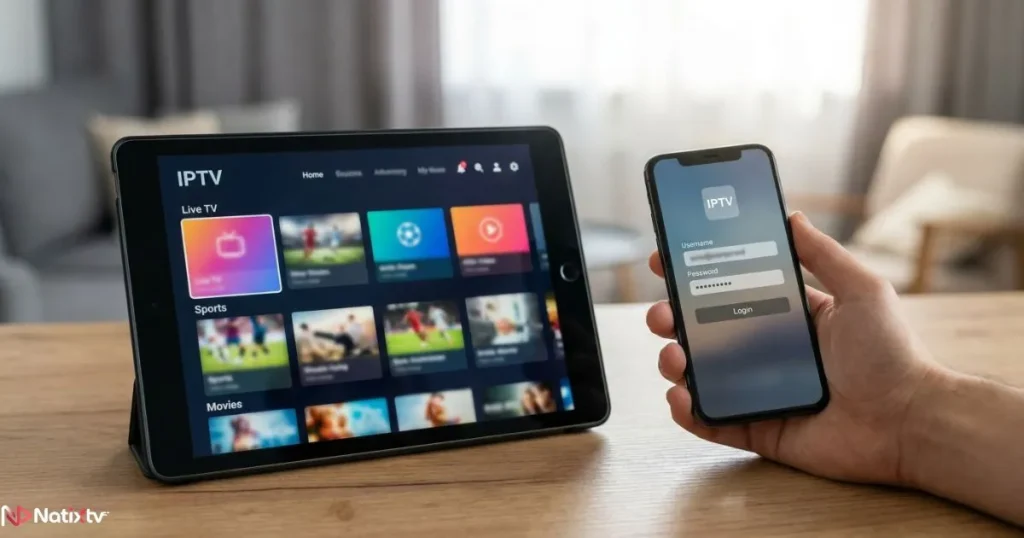
On iOS and Android, apps like GSE Smart IPTV and IPTV Smarters Pro handle both M3U and Xtream Codes. iOS users face slightly more limited app choices due to App Store restrictions, but GSE Smart IPTV remains a dependable option. If you prefer ease of entry on mobile, the M3U link method is quicker — paste one URL and your entire channel list appears.
Computers: Windows and macOS
On a desktop or laptop, VLC Media Player is the easiest way to test an M3U link (Media menu, then Open Network Stream). For a more complete experience with EPG, Kodi with the PVR IPTV Simple Client plugin accepts both an M3U URL and a separate EPG URL, turning your computer into a full home theater hub.
MAG Boxes and Stalker Middleware
MAG boxes work differently from every other device. Instead of an M3U link or Xtream Codes credentials, they use a portal URL combined with the device’s unique MAC address, which your provider registers on their system. The interface feels more like traditional cable TV, which many users appreciate.
Here’s a quick compatibility reference:
| Device or App | M3U Link | Xtream Codes | Portal URL |
|---|---|---|---|
| TiviMate (Fire TV / Android TV) | Yes | Yes | No |
| IPTV Smarters Pro | Yes | Yes | No |
| VLC (PC, Mac, Mobile) | Yes | No | No |
| Kodi (PVR Plugin) | Yes | No | No |
| Smart IPTV (Samsung, LG) | Yes | No | No |
| MAG Box | No | No | Yes |
| GSE Smart IPTV | Yes | Yes | No |
Safe Streaming Practices When Using IPTV Links
A valid set of IPTV links is also a credential — and like any account login, it deserves careful protection. Taking a few simple precautions keeps your service stable and your viewing experience uninterrupted.
Protect Your Credentials Like a Password
Your M3U URL and Xtream Codes credentials are tied directly to your subscription account. Sharing them publicly — on forums, in Telegram groups, or with friends — can trigger simultaneous connection errors, account suspension, or a permanent ban. Treat your IPTV links the same way you’d treat your email password: keep them private.
Consider Using a VPN
A VPN encrypts your connection and masks your IPTV traffic from your internet service provider. This is particularly useful if you’re in a region where IPTV traffic is throttled or monitored, or if you simply value your privacy online. For the best performance, connect to a VPN server geographically close to your physical location to minimize added latency. Well-regarded options include ExpressVPN, NordVPN, and Surfshark.
Avoid Free IPTV Links From Unknown Sources
Free IPTV links found on public forums, Reddit threads, or Telegram channels are tempting — but the risks are real. These links are often unstable, frequently go offline without warning, and in some cases can expose your device to malicious code. Beyond the security concerns, the streaming quality is typically poor, with frequent buffering, pixelation, and sudden channel drops.
A reliable, paid service delivers encrypted stream delivery, consistent uptime, and responsive support when something goes wrong. It’s a meaningful upgrade in both experience and peace of mind.
Keep Your Apps and Devices Updated
Outdated IPTV apps can struggle to decode newer stream formats and may carry unpatched security vulnerabilities. Enabling automatic updates on your apps and devices ensures you’re always running the most compatible, secure version.
Troubleshooting Common IPTV Link Issues
Even with a solid setup, occasional hiccups happen. Here are the most common problems users encounter with IPTV links and the fastest ways to resolve them:
- Stream not found or 404 error: Your link may have expired or been entered incorrectly. Double-check every character and contact your provider if the issue persists.
- Buffering or freezing: Run a speed test — HD streams need at least 10 Mbps, and 4K content requires 25 Mbps or more. A VPN can also help if your ISP is throttling video traffic.
- Authentication error: Verify your username and password exactly as provided. Pay attention to uppercase letters and special characters.
- Channels not loading in your playlist: Your M3U file may be outdated. Re-fetch the link from your provider’s panel to get the most current version.
- EPG not displaying: Confirm the EPG URL is entered correctly in your app settings. Schedule data can take up to 24 hours to sync fully after the first load.
- Simultaneous connection error: Another device on your account is already streaming. Disconnect it or ask your provider about upgrading to a multi-connection plan.
Why NatixTV Delivers Reliable IPTV Links for Every Setup
Understanding IPTV links is empowering — but it’s only valuable when the links themselves are rock-solid. NatixTV provides both M3U links and Xtream Codes credentials with every subscription, so you can connect using whichever method suits your preferred app and device. EPG links and full VOD access are included as standard, not as add-ons.
As a top rated iptv service, NatixTV is built on a stable server infrastructure designed to minimize buffering and maximize uptime — even during peak viewing hours. Whether you’re setting up TiviMate on a Fire Stick, Smart IPTV on a Samsung TV, or GSE Smart IPTV on your iPhone, NatixTV’s IPTV links are tested and optimized to work seamlessly across all of them.
And if you’re not ready to commit, that’s perfectly fine. NatixTV offers a free trial period of 24 to 48 hours, giving you the opportunity to test every aspect of the service — channel quality, stream stability, EPG accuracy, and device compatibility — before spending a cent.
Frequently Asked Questions About IPTV Links
What exactly are IPTV links and how do they work?
IPTV links are URLs or credential sets that tell your media player where to find a live TV stream or video-on-demand library hosted on a remote server. When you open an IPTV app and enter your link, the app connects to the provider’s server, authenticates your account, and begins fetching the stream data in real time — all over your regular internet connection.
What is the difference between M3U links and Xtream Codes for IPTV?
M3U links are single URLs pointing to a playlist file that lists all available channels. Xtream Codes use a three-part system: a server URL, username, and password that your app uses to access the provider’s API. Xtream Codes generally offer a richer experience with built-in EPG, VOD management, and faster loading, while M3U links are compatible with a wider range of apps.
Can I use the same IPTV links on multiple devices simultaneously?
Most IPTV subscriptions limit the number of simultaneous streams allowed on a single account. Using your IPTV links on more devices at the same time than your plan allows will typically trigger a connection error or temporarily suspend your stream. Check with your provider about multi-connection plans if you stream on more than one screen regularly.
Are free IPTV links safe to use?
Free IPTV links sourced from public forums or messaging apps carry significant risks: poor stream quality, frequent downtime, potential malware exposure, and uncertain legal standing. A paid, reputable service ensures your streams are delivered securely, reliably, and with customer support available when you need it.
Why are my IPTV links not working when they were fine before?
The most common causes are an expired subscription, a server-side update from your provider that changed the link structure, or credentials copied with an unintended extra space or character. Try re-fetching your M3U URL or re-entering your Xtream Codes credentials exactly as your provider sent them. If the problem persists, contact your provider’s support team directly.
Do I need a VPN to use IPTV streaming links?
A VPN is not strictly required, but it is recommended for privacy and performance in certain situations. If your ISP throttles video streaming traffic or if you’re accessing content in a geo-restricted region, a VPN can noticeably improve your experience. Choose a server close to your physical location for the best balance of speed and protection.
The Bottom Line
IPTV links are the foundation your entire streaming setup is built on. Whether you’re working with a dynamic M3U playlist, a set of Xtream Codes credentials, or a portal URL on a MAG box, understanding what each format does and how to use it correctly puts you in complete control of your viewing experience. Add in the right app for your device, a few sensible security habits, and a provider whose infrastructure you can trust, and you have everything you need for a seamless IPTV setup that just works.
NatixTV is built to make every step of that journey straightforward. With full support for M3U links and Xtream Codes, compatibility across all major devices and apps, and a risk-free 24 to 48 hour free trial, there’s no reason not to see what a well-built IPTV service actually feels like. Visit top rated iptv provider NatixTV today and get your free trial started — your channels are waiting.