You’ve been there. The match is ten minutes from kickoff. The snacks are ready, the lights are dimmed, and you’ve finally settled into your seat. Then the buffer wheel appears. One spin. Two spins. The moment is gone before it even begins. That frustrating freeze is rarely your internet connection’s fault. More often than not, it comes down to one thing: the quality of the IPTV server behind your stream.
Most people shop for an IPTV subscription based on the channel list or the price. Very few stop to think about what’s actually powering those streams. The result? Two users on identical plans, identical internet speeds, and wildly different experiences. One watches in crisp 1080p without a hiccup. The other battles buffering all evening. The difference is the server, and understanding it changes everything.
This guide breaks down every factor that separates a frustrating stream from a seamless one. If you’re using an iptv service or evaluating one, knowing what to look for at the server level is the most important thing you can do before spending a cent.
Table of Contents
Why IPTV Server Quality Determines Everything You Watch
Think of your IPTV player or app as the steering wheel of a car. It’s what you touch, what you see, what you interact with. But the engine under the hood, the one that decides how fast you go and whether you stall, is the IPTV server. No matter how polished the interface, a weak server will always let you down.
Your stream travels a two-leg journey: from the provider’s server to the internet, then from the internet to your device. Most discussions focus on the second leg (your home Wi-Fi, your router), but it’s the first leg where most problems originate. A best IPTV server handles thousands of simultaneous streams, encodes content in real time, manages geographic distribution, and keeps channels live around the clock. That’s an enormous technical challenge, and not every provider gets it right.
Understanding what separates a reliable IPTV server from a poor one gives you the power to make smarter choices, ask better questions, and avoid providers who are simply overselling cheap infrastructure.
The 7 Core Factors That Define the Best IPTV Server
1 IPTV Uptime – The Non-Negotiable Foundation
IPTV uptime refers to the percentage of time a server is live, accessible, and actively delivering streams. In theory, it sounds simple. In practice, it’s the single most important metric you should ask any provider about before subscribing.
A provider boasting 99.9% uptime sounds impressive. But that still translates to roughly 8.7 hours of downtime per year.
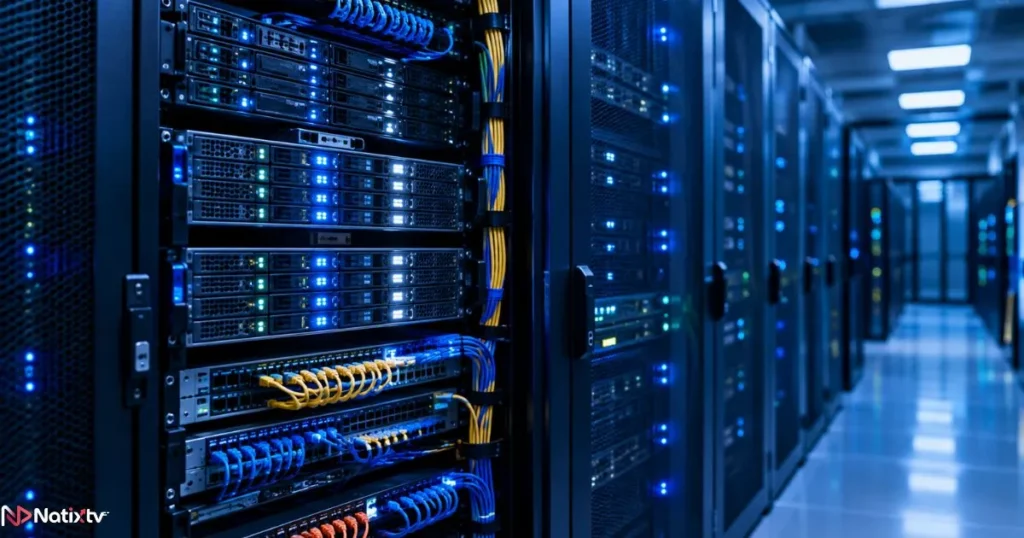
If that downtime falls during a live Champions League final or a pay-per-view boxing event, no percentage figure will soften the blow. The best IPTV server setups aim for 99.99% or higher, backed by redundant server architecture and automatic failover systems that reroute traffic the moment a node goes dark.
| Uptime % | Downtime per Year | Reliability Level |
|---|---|---|
| 99.9% | ~8.7 hours | Good |
| 99.95% | ~4.4 hours | Very Good |
| 99.99% | ~52 minutes | Excellent |
| 99.999% | ~5 minutes | Enterprise-Grade |
When evaluating a provider, look for explicit uptime guarantees in their service terms, not just marketing claims. Redundant server clusters and automatic failover are what turn a promise into a reality.
2 IPTV Server Speed and Bandwidth Capacity
IPTV server speed is not the same as your home internet speed. Your broadband might be blazing fast, but if the provider’s server is congested or underpowered, your stream will still stutter. Think of it like a highway: even with a fast car, if the road narrows to one lane during rush hour, everyone slows down.
Bandwidth allocation is a major differentiator between providers. Some oversell their capacity, cramming thousands of users onto infrastructure designed for hundreds. A genuinely strong provider allocates dedicated bandwidth per stream, so your 1080p channel gets the full throughput it needs, even on a Saturday night when millions are watching.
| Stream Quality | Your Connection Needed | Server Bandwidth per Stream |
|---|---|---|
| SD (480p) | 3 Mbps | 5+ Mbps |
| HD (720p) | 5 Mbps | 8+ Mbps |
| FHD (1080p) | 10 Mbps | 15+ Mbps |
| 4K UHD | 25 Mbps | 35+ Mbps |
3 Server Location and CDN Infrastructure
Distance matters. When your stream has to travel from a server in one continent to a viewer on another, latency increases, and so does the risk of interruption. The best IPTV server setups use a Content Delivery Network (CDN), a system of geographically distributed server nodes that caches and delivers content from the location closest to you.
A CDN-backed provider doesn’t rely on one central data center. Instead, your stream is served from a node near you, whether you’re in London, Dubai, or Montreal. This reduces ping, accelerates channel loading, and dramatically cuts buffering. It’s also what allows a provider to maintain IPTV server stability across global audiences at the same time. You can learn more about how modern infrastructure is reshaping what’s possible for viewers in this breakdown of how streaming technology is evolving to give viewers more flexibility.
4 Number of Active Connections and Concurrent Users
Every server has a finite capacity. When too many users share a single node, performance degrades for everyone. This is one of the most common and quietly devastating problems in low-budget IPTV: a provider sells subscriptions far beyond what their infrastructure can handle, and users suffer the consequences at exactly the wrong moments.
A trustworthy best IPTV server provider manages concurrent user loads carefully. They scale their infrastructure as the subscriber base grows, and they cap simultaneous connections per plan to protect stream quality. If a plan advertises unlimited simultaneous connections at a suspiciously low price, treat it as a red flag. That’s almost always overselling in action.
5 Content Source and Stream Encoding Quality
The raw quality of a stream starts at the source, before it ever reaches your screen. There’s a significant difference between a provider who relays streams directly from broadcast-grade sources and one who transcodes degraded signals through multiple generations of compression.
Codec efficiency also plays a major role. Older H.264 encoding is widely compatible but less efficient than H.265 (HEVC), which delivers better picture quality at lower bitrates. For viewers on tighter connections, a provider using H.265 encoding can make the difference between smooth 1080p and constant buffering. IPTV streaming performance is directly tied to how well a provider manages this pipeline from source to delivery.
6 Anti-Freeze and Anti-Buffering Technologies
Buffering has two very different causes. One is on your side: a slow connection, a congested router, or a device struggling to decode the stream. The other is entirely on the server’s side: overloaded nodes, poor load balancing, or inadequate buffer management. Only one of those is your problem to solve.
The best IPTV server providers implement adaptive bitrate streaming (ABR). This technology automatically adjusts the quality of your stream in real time based on available bandwidth, so instead of freezing when conditions fluctuate, your stream smoothly steps down in resolution and back up again without interruption. Real-time load balancing on the server side distributes traffic across multiple nodes during peak hours, preventing any single point of congestion from affecting your stream.
Good to know: A freeze and a dropout are different problems. A freeze is typically caused by server overload or poor buffer management. A dropout usually signals a signal loss or authentication failure. Knowing the difference helps you report issues accurately to your provider’s support team.
7 Security, DRM, and Server Reliability Under Load
Server security and IPTV server stability are more connected than most users realize. An unprotected server is a target for DDoS attacks, where malicious traffic floods the infrastructure and takes streams offline. The best IPTV server providers invest in DDoS mitigation, stream authentication, and SSL/TLS encryption for content delivery to protect both their infrastructure and your viewing experience.
DRM (Digital Rights Management) also plays a role. Properly implemented DRM verifies that only authenticated subscribers can access streams, which reduces unauthorized traffic on the server and keeps the IPTV server connection stable for paying users. Security is not a luxury in this space; it’s what keeps your streams live when it matters most.
Red Flags That Reveal a Low-Quality IPTV Server
Not every provider markets itself with accurate claims. Before you commit to a subscription, these warning signs should give you serious pause:
- Frequent buffering during prime time or live sports events, even on a fast connection
- No clear uptime guarantee or service level agreement in their terms
- Customer support that is slow to respond, hard to reach, or dismissive
- Promises of unlimited simultaneous connections at suspiciously low prices
- No free trial or testing window before purchase
- Outdated or broken channel streams not flagged or fixed promptly
- Pricing that seems too good to be true with zero transparency about infrastructure
Red flag: If a provider cannot or will not tell you anything about their server infrastructure, uptime guarantees, or content delivery architecture, assume they have nothing worth sharing.
Understanding how to evaluate providers based on your own viewing habits and requirements is also worth exploring. This guide on choosing an IPTV plan that fits the way you actually watch can help you match the right subscription to your specific needs.
How to Test an IPTV Server Before Committing
The smartest move any potential subscriber can make is to test before they buy. A free trial period removes all risk and gives you direct, real-world evidence of what a provider’s server can actually deliver. Here’s how to make the most of any trial window:
- Test during peak hours. Evening prime time and weekend afternoons are when servers face maximum load. If a best IPTV server holds up during these windows, it’s built for real-world demand.
- Check across multiple device types. Test on a Smart TV, your smartphone, a laptop, and any streaming box you own. Consistent performance across devices indicates solid infrastructure and broad compatibility.
- Switch channels rapidly. Slow channel switching (more than 3-5 seconds) often signals server-side inefficiency rather than a device problem.
- Stress test the highest quality streams. Load a 4K or FHD channel and watch for at least 20 minutes. Brief stability at the start can mask issues that emerge under sustained load.
- Contact support with a question. How a provider responds during a trial tells you exactly what customer experience looks like as a paying subscriber.
- Check EPG accuracy and VOD loading speed. A slow or inaccurate Electronic Program Guide is often a sign of poorly maintained server-side infrastructure.
- Note the exact time of any issues. Documenting when problems occur helps you determine whether they are server-side patterns or coincidental.
Natixtv offers a free trial of 24 to 48 hours, which gives you a genuine testing window across all the scenarios above. Their subscriptions are compatible with Smart TVs, Firestick, Android, iOS, MAG boxes, and more, making real multi-device testing straightforward from day one.
IPTV Server Stability Across Devices – What Compatibility Really Means
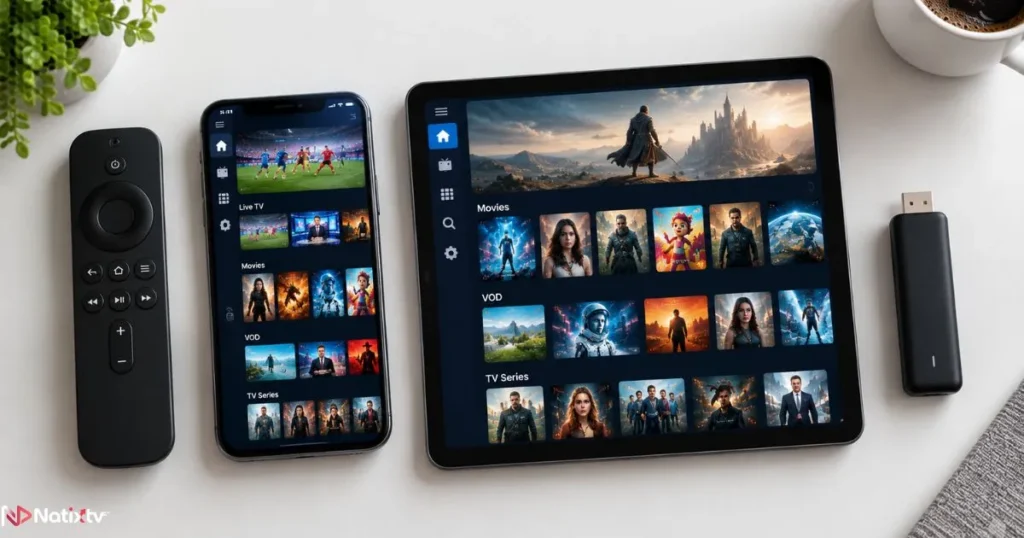
Compatibility is not just about whether an app installs on your device. It’s about whether the server protocols match what your device and player expect. The three most common protocols are M3U playlists, Xtream Codes API, and EPG data feeds. A best IPTV server supports all three cleanly, which ensures your preferred player (TiviMate, IPTV Smarters Pro, GSE Smart IPTV, VLC) can connect without friction.
Device-specific behavior also matters. A MAG box running its own firmware has different stream handling than an Android TV app or a browser-based player. Providers with strong server infrastructure typically optimize delivery for each connection type rather than using a one-size-fits-all stream relay. That optimization is invisible to you as a user, but you feel it in how reliably your stream stays live. According to Digital TV Europe, multi-device compatibility has become one of the primary drivers of IPTV subscriber satisfaction globally.
Comparing IPTV Server Types Behind the Plans You See
Not all IPTV subscriptions run on the same type of server architecture. Here’s a clear breakdown of what’s typically behind the plans you encounter:
| Server Type | Stability | Speed | Best For | Risk Level |
|---|---|---|---|---|
| Shared Server | Medium | Variable | Budget users | High congestion risk |
| Dedicated Server | High | Consistent | Power users | Low |
| CDN-Backed | Very High | Optimized | Global users | Very Low |
| P2P / Relay-Based | Low | Unpredictable | Not recommended | Very High |
CDN-backed infrastructure represents the gold standard for a best IPTV server. It’s what separates providers who scale confidently from those who collapse under demand. When you’re evaluating a service, asking which infrastructure model they use is a perfectly reasonable question, and how they answer tells you a great deal.
Frequently Asked Questions
What makes the best IPTV server for stable everyday streaming?
The best IPTV server combines high uptime (99.99% or above), generous bandwidth allocation per user, CDN-backed geographic distribution, and real-time load balancing. No single factor is enough on its own. It’s the combination of all these elements, working together without overselling capacity, that produces the reliable, freeze-free experience most subscribers are looking for.
Why does my IPTV keep buffering even though my internet is fast?
Fast home internet only covers half the journey. If the provider’s server is congested, located far from your region, or lacks adequate bandwidth per user, your stream will buffer regardless of your local speed. A best IPTV server addresses the server-side leg of the equation so that your fast connection is never held back by weak infrastructure.
What is a good uptime percentage for an IPTV provider?
A minimum of 99.9% is generally considered acceptable, but 99.99% is strongly preferred, especially if you plan to watch live sports or events. The difference between those two figures is meaningful: 99.9% still allows over 8 hours of downtime per year, while 99.99% reduces that to under an hour. Look for providers who back their uptime claims with service-level guarantees and redundant failover systems.
How many simultaneous connections should the best IPTV server support?
Most households need between 1 and 4 simultaneous connections. The best IPTV server providers offer tiered plans that scale with your needs while maintaining quality per stream. Be cautious of any provider advertising unlimited simultaneous connections at very low prices; this is a common sign of overselling that leads to congestion and poor performance for everyone on the same server.
What devices are compatible with a well-built IPTV server?
A provider running a solid IPTV server connection infrastructure typically supports Smart TVs (Samsung, LG), Amazon Firestick, Android and iOS smartphones, MAG boxes, Windows and Mac computers, and Android TV boxes. Compatibility depends on the protocols the server supports, primarily M3U and Xtream Codes API, which are readable by almost every modern IPTV player.
How can I test IPTV server quality before buying a subscription?
Request a free trial and test during peak hours, across multiple devices, with both live channels and VOD content. Measure channel switching speed, check 4K or FHD stream stability over at least 20 continuous minutes, and contact customer support with a test question. Natixtv’s 24 to 48-hour free trial is designed specifically to give you enough time to run all of these checks before committing.
The Bottom Line: Choose the Server, Not Just the Plan
IPTV streaming performance is determined at the server level, long before a single frame reaches your screen. The seven factors covered in this guide, from IPTV uptime and server speed to CDN infrastructure and security, are what separate a best IPTV server from one that lets you down when it matters most. You now have the knowledge to evaluate any provider with confidence, ask the right questions, and recognize the warning signs before they cost you a moment worth watching.
For those ready to experience what a properly built infrastructure feels like, Start Your Free Trial at Natixtv
Natixtv’s iptv service includes a free 24 to 48-hour trial, full multi-device compatibility, and a channel library built on a reliable, high-uptime infrastructure. It’s not just about choosing a subscription; it’s about choosing the right server behind it.