You finally pulled the trigger. You subscribed to an IPTV service, waited for the confirmation email, and there it was: a wall of letters, numbers, and URLs that made zero sense at first glance. If you’ve ever stared at your inbox wondering what on earth you’re supposed to do with that string of text, you already know the feeling. That moment of confusion is more common than you think. If you want to buy IPTV subscription and start watching in minutes, the first thing you need to understand is the type of code iptv you’ve just received.
Not all IPTV credentials are built the same. Some look like web addresses. Others come as a username and password pair. A few appear as a short PIN on your television screen. Each one belongs to a different format, and each format works with different apps and devices. Using the wrong type means no picture, no sound, and a lot of unnecessary frustration.
This guide breaks down every major code iptv format: what it is, how it works, when to use it, and how to troubleshoot it when something goes wrong. By the time you reach the end, setting up your service will feel straightforward rather than daunting.
Table of Contents
What Is an IPTV Code and Why Does It Matter?
At its core, a code iptv is any credential that allows an app or device to authenticate with a streaming server and deliver live channels, on-demand films, or series to your screen. Think of it as the key to a locked door: without the right key in the right lock, nothing opens.
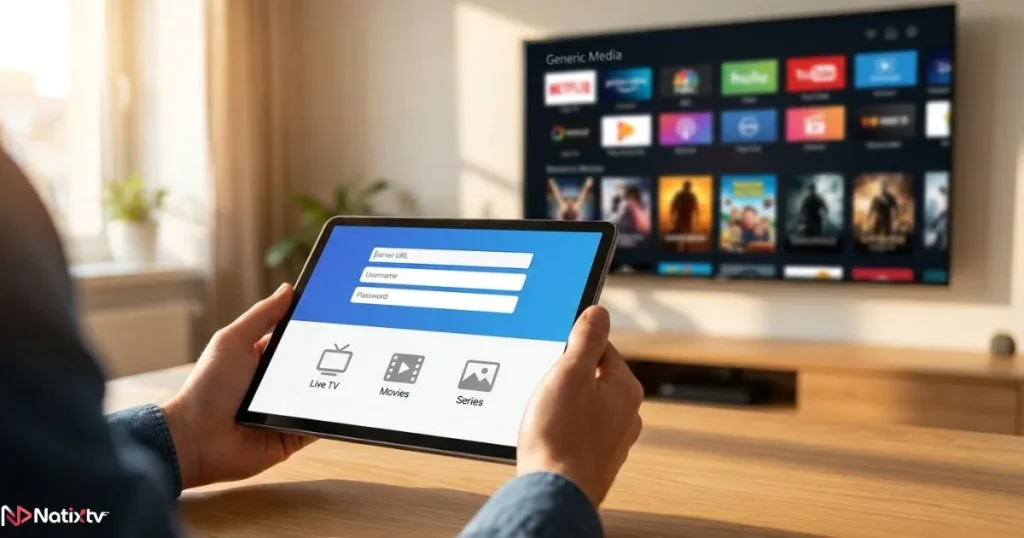
Providers use different formats because the apps in their ecosystem require different inputs. A sophisticated media player like TiviMate expects a server URL plus a username and password. A built-in Smart TV player might only accept a playlist URL. A plug-and-play decoder like a MAG box authenticates automatically through a hardware identifier. The service behind the scenes is the same; the access method varies.
There are four main code iptv types you are likely to encounter:
- Xtream Codes credentials – a server URL, a username, and a password
- M3U playlist links – a single URL pointing to a playlist file
- Activation or PIN codes – a short alphanumeric string tied to your device
- MAC address codes – a hardware identifier used by decoders
💡
There is no universal IPTV code format. Your app determines which type you need before you even contact your provider.
Xtream Codes IPTV – The Most Widely Used Login Format
Xtream Codes is the backbone of the professional IPTV industry. When providers talk about an IPTV login code, they are almost always referring to the three-field Xtream Codes system. It is account-based, meaning your access is tied to a profile rather than a single device, and it gives you far more features than any other format.
How Xtream Codes Work
The structure is simple: a portal URL (something like http://provider.com:8080), a username, and a password. Your IPTV app connects to the portal, authenticates your credentials, then downloads your channel list, EPG guide, VOD library, and series catalog automatically. Everything arrives organized and ready to browse.
Compatible apps include TiviMate, IPTV Smarters Pro, GSE Smart IPTV, and Perfect Player. Each of them has a dedicated “Xtream Codes API” login option, which is exactly where your three-field code iptv goes.
Setting Up Xtream Codes Step by Step
- Open your IPTV app and navigate to “Add Playlist” or “Add Account.”
- Select Xtream Codes API as the input method.
- Enter your server URL in the portal field. Include the port number if provided.
- Paste your username and password exactly as received, with no trailing spaces.
- Confirm and wait for the app to synchronize your full channel library.
Why Xtream Codes Is the Gold Standard
- ✅Native EPG support so you always know what is on
- ✅VOD and series arrive pre-organized into browsable categories
- ✅Account-level management: expiry dates, connection limits, device tracking
- ✅Used by virtually every professional IPTV provider worldwide
- ❌Requires a dedicated app; not supported by every built-in player
IPTV M3U Code – The Universal Playlist Format
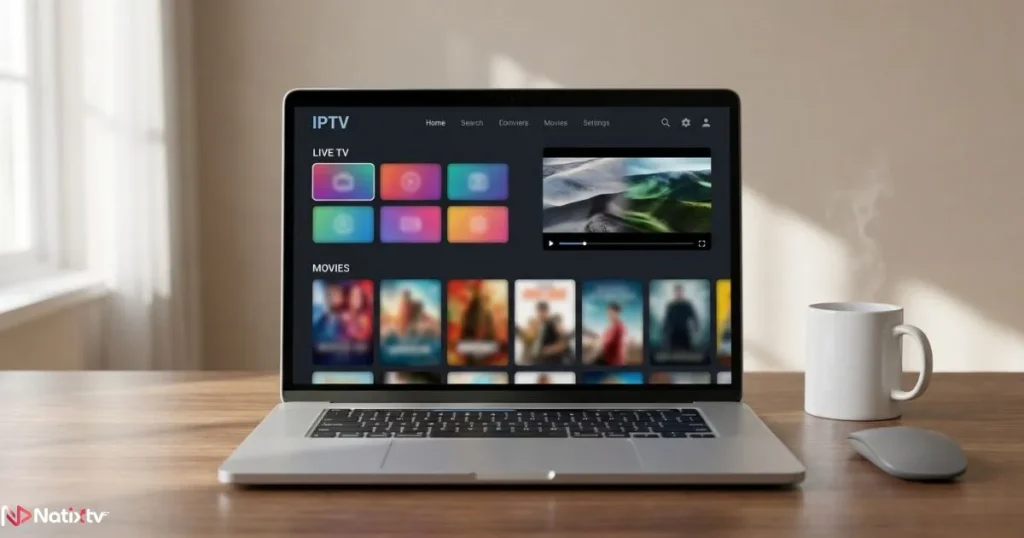
If Xtream Codes is the professional standard, the IPTV M3U code is the universal language. An M3U link is a URL that points to a plain-text playlist file containing every channel stream, organized in sequence. It works with almost anything: VLC Media Player on a laptop, the PVR IPTV Simple Client inside Kodi, Smart TV built-in players, and even some projectors.
For anyone switching away from traditional broadcasting, it is worth understanding how internet TV compares to cable in terms of flexibility and cost before committing to a format.
What an M3U Link Actually Looks Like
A typical M3U code iptv URL follows this structure:
http://provider.com/get.php?username=XXX&password=YYY&type=m3u
That URL, when pasted into a compatible player, downloads a file containing hundreds or thousands of channel entries. Each entry includes a stream URL, a channel name, and sometimes a logo. The player reads the file and presents everything as a browsable list.
How to Use Your M3U IPTV Code
In VLC Media Player
- Open VLC and go to Media in the top menu.
- Select Open Network Stream.
- Paste your M3U URL and click Play.
In Kodi
- Install the PVR IPTV Simple Client add-on from the official repository.
- Open the add-on settings and paste your M3U URL into the M3U playlist URL field.
- Restart Kodi. Your channels appear under the Live TV section.
M3U vs Xtream Codes – A Side-by-Side Look
| Feature | Xtream Codes | M3U Link |
|---|---|---|
| EPG support | ✅ Native | ⚠️ Requires a separate EPG URL |
| VOD and Series | ✅ Auto-organized | ⚠️ Listed in playlist only |
| App compatibility | Moderate – dedicated apps | Very wide – VLC, Kodi, Smart TVs |
| Ease of setup | Moderate | Very easy |
| Security level | Higher – login-based | Lower – URL can be shared |
| Best suited for | Regular users with a dedicated app | Casual users, testers, Smart TVs |
IPTV Activation Code – The PIN-Based Setup Method
An IPTV activation code works differently from the two formats above. Rather than you entering credentials into an app, the app generates a short code on your screen, and you enter that code on your provider’s website to link your device to your subscription. It is the most beginner-friendly method available.
How Activation Codes Work in Practice
The device-side app displays a unique code, typically between 6 and 12 alphanumeric characters. You visit the provider’s activation portal from any browser, enter the code alongside your account details, and the link is made instantly. Return to the app and your channels load automatically. No copy-pasting of long URLs, no risk of typos in a username.
This IPTV setup code method is common in apps like IPTV Smarters when used in “activation mode,” as well as on Formuler devices and certain Android TV box applications.
Activating Your IPTV Service with a PIN Code
- Open your IPTV app on your device (Firestick, Smart TV, Android box).
- Navigate to “Activate” or “Login with Activation Code.”
- A unique code appears on screen, for example:
AX7B2Q. - On any browser, go to your provider’s activation portal.
- Enter the code and confirm the link to your subscription.
- Return to the app. Channels load within seconds.
MAC Address Codes – A Special Case
Certain hardware, particularly MAG boxes and Formuler devices, uses a MAC address as its authenticator. This is a hardware-level identifier formatted as 00:1A:79:XX:XX:XX. Your provider links this address to your subscription server-side, and the decoder activates automatically on its first connection.
Android users can emulate this behavior with STBemu, an app that lets you enter a virtual MAC address and access portals designed for physical decoders. The key difference from other formats: a MAC-based code iptv is device-bound and cannot be transferred to another piece of hardware without provider intervention.
All IPTV Code Formats Compared at a Glance
Choosing the right format becomes straightforward once you know your app and device. Here is a full overview of every major code iptv type to help you decide instantly.
| Code Type | Format Example | Best Apps | Ease of Use | Portability |
|---|---|---|---|---|
| Xtream Codes | URL + Username + Password | TiviMate, Smarters | ⭐⭐⭐ | High |
| M3U Link | http://.../*.m3u | VLC, Kodi, any player | ⭐⭐⭐⭐⭐ | Very High |
| Activation Code | 6-12 char PIN | Smarters, Natixtv app | ⭐⭐⭐⭐ | Medium |
| MAC Address | 00:1A:79:XX:XX:XX | STBemu, MAG boxes | ⭐⭐ | Very Low |
No single format is universally better. The right one depends entirely on what you are watching on and which app you prefer. Premium providers like Natixtv – buy IPTV subscription support all major formats, so you can switch between methods as your setup evolves without changing your subscription.
Which IPTV Code Format Should You Use?
The quickest way to answer this question is to identify your app first, then match the format to it. Here is a simple decision guide:
- Using TiviMate, IPTV Smarters, or GSE Smart IPTV? Go with Xtream Codes. These apps are built for it, and you will get EPG, VOD, and series properly organized.
- Using VLC, Kodi, or a basic Smart TV player? Request an M3U link. It will work immediately without any special configuration.
- Got a new Firestick or Android TV box with a provider activation page? Use the activation code method. It takes under two minutes from start to streaming.
- Using a MAG box or Formuler device? Your MAC address is your code. Share it with your provider during signup and the box activates itself.
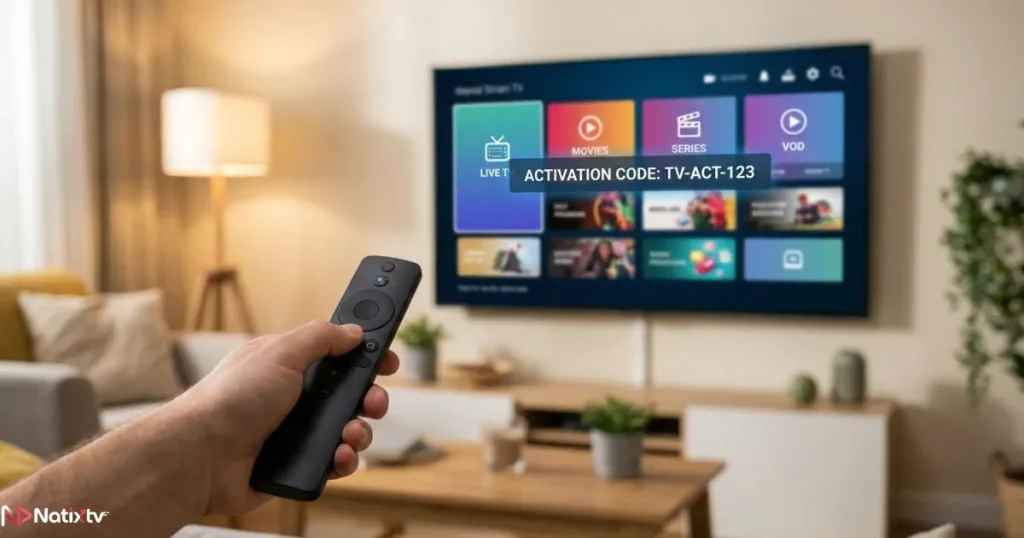
If you plan to watch on multiple screens, for example a Smart TV in the living room and an Android box in the bedroom, you may end up using two different formats simultaneously under the same subscription. That is perfectly normal, and it is one reason why flexible providers are worth seeking out.
For users who want to extend their viewing beyond a single room, learning how to connect IPTV to any screen via HDMI is a practical next step once your code is set up correctly.
Common IPTV Code Errors and How to Fix Them
Even with the right format, small errors can prevent your service from loading. Here are the most frequent problems users encounter with their code iptv, and the fastest ways to resolve them.
- ❌ “Authentication failed” – Your username or password contains a typo or a trailing space. Always paste credentials rather than typing them manually.
- ❌ “Invalid M3U URL” – The URL may have expired or been revoked by the provider. Contact support and request a fresh link.
- ❌ “Server not found” – The portal URL is wrong or the provider’s server is temporarily down. Double-check the URL format, including the port number.
- ❌ “Activation code expired” – PIN codes are time-limited, typically 15 to 30 minutes. Go back to the app and generate a new one.
- ❌ “MAC address already in use” – You have reached your connection limit. Contact your provider to reset the registered device list.
- ✅ General rule: copy-paste every code iptv directly from your email or provider portal. Manual typing introduces errors that are hard to spot at a glance.
According to Ookla’s global internet speed index, the most common cause of buffering is not a bad code but an insufficient connection speed. A stable broadband connection of at least 25 Mbps is recommended for HD streaming, and 50 Mbps or more for 4K content. If your code is correct and streams still stutter, your network is the likely culprit rather than your credentials.
Getting Your IPTV Code from Natixtv
Natixtv is an IPTV subscription service built for real-world use. It supports all major code formats out of the box: Xtream Codes credentials, M3U playlist URLs, and activation codes, whichever your device or app requires. Compatible devices include Samsung and LG Smart TVs, Amazon Firestick and Fire TV, Android TV boxes, iOS and Android smartphones, MAG decoders, Formuler hardware, PC, and Mac.
After completing your order, Natixtv sends your code iptv credentials by email within minutes. You choose your preferred format during setup, and the support team is available to walk you through configuration if needed.
One feature that sets Natixtv apart for new subscribers is its free trial period. You get between 24 and 48 hours of full access to test every channel, verify that your chosen code format works correctly on your device, and evaluate stream quality before committing to a paid plan. There is no risk and no obligation.
🎯
Ready to start? Visit Natixtv and buy IPTV subscription today to receive your credentials instantly and activate your free trial in under five minutes.
Frequently Asked Questions
What exactly is a code iptv and how is it different from a subscription? Primary keyword
A code iptv is the technical credential that grants access to your IPTV service. Your subscription is the service you have paid for; the code is the key that opens it. Think of the subscription as your membership and the code as the entry pass. Without the correct code entered correctly into the right app, your subscription cannot deliver any content to your screen.
Can I use the same IPTV login code on more than one device at the same time?
Yes, but it depends on your plan. Most providers offer subscription tiers with 1, 2, or more simultaneous connections. An Xtream Codes credential can be entered on multiple apps up to your plan’s connection limit. If you exceed that limit, one or more streams will be blocked until another device disconnects. Check your plan details or contact your provider to upgrade if needed.
What is the difference between an M3U code and Xtream Codes IPTV credentials?
An IPTV M3U code is a single URL that downloads a playlist of channels. Xtream Codes IPTV credentials consist of three fields: a server URL, a username, and a password. The Xtream format creates an account-based session with native EPG, organized VOD, and series. The M3U format is simpler and more universally compatible but requires a separate EPG source and does not organize on-demand content automatically.
My IPTV code stopped working overnight. What should I check first?
Start by confirming your subscription is still active and has not expired. Then verify that you are using the most recently provided credentials, since providers occasionally rotate URLs for security reasons. Check for trailing spaces in your username or password. If everything looks correct and the problem persists, the provider’s server may be undergoing maintenance. Contact your provider’s support team with your account details and they can reset or reissue your code iptv.
How do I get a free trial IPTV code before paying?
Natixtv offers a free trial period of 24 to 48 hours so you can test your IPTV activation code on your actual device before committing to a paid plan. Visit the Natixtv website, request the trial, and your credentials arrive by email within minutes. The trial gives you full access to the channel list and all supported formats, so you can confirm compatibility with your app and evaluate stream quality in real conditions.
What IPTV code format works best on a Firestick?
On an Amazon Firestick, the two most popular options are Xtream Codes via IPTV Smarters Pro or TiviMate, and the activation code method if your provider supports it. Xtream Codes gives you the richest experience with EPG and VOD. The activation code method is the easiest to set up: a PIN appears on screen, you enter it on the provider’s portal, and channels load instantly. Both formats are supported by Natixtv.
The Right Code Iptv Changes Everything
There are three main formats to know: Xtream Codes for feature-rich, account-based access; M3U links for universal compatibility; and activation codes for plug-and-play simplicity. Your app and device determine which one you need, and most premium services support all three. Once the correct code iptv is entered correctly, setup takes under two minutes and you are watching.
Whether you are streaming for the first time or switching providers, Natixtv delivers all supported formats, sends credentials instantly, and gives you a full 24 to 48 hour free trial to test everything risk-free.Buy IPTV Subscription – Start Your Free Trial