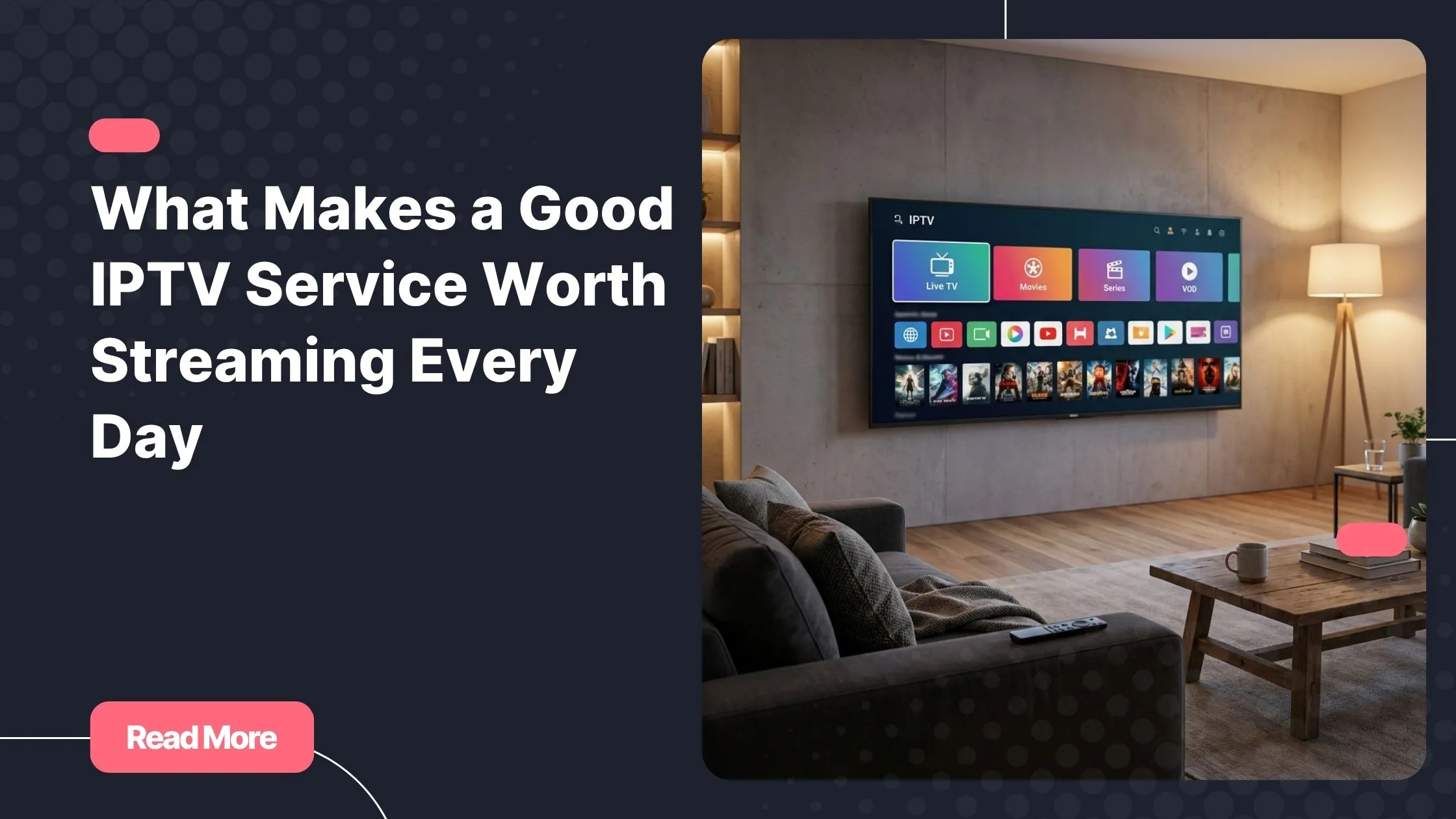
You know that feeling: it is 7 PM, the match starts in ten minutes, and you are still scrolling through a wall of unnamed channels, unsure which one is carrying the game. Or you settle in for a movie night only to realize the film you wanted already started thirty minutes ago. That daily frustration is not about having too few channels. It is about not knowing what is on, when it starts, and where to find it.
That is exactly why the iptv schedule today matters so much. A proper live TV schedule transforms your IPTV experience from a guessing game into something effortless: open your guide, spot your program, press play. No more hunting. No more missing out.
In this guide, as your trusted Iptv Provider, we walk you through everything you need to know to master your IPTV TV guide, from understanding how the electronic program guide works to fixing common issues and getting the most from your TV listings every single day.
Table of Contents
What Is an IPTV Schedule and Why Does It Matter?
At its core, an iptv schedule today is the real-time grid of programs displayed across all your subscribed channels. Think of it as the digital equivalent of a newspaper TV listings page, except it updates itself automatically, covers thousands of channels, and lives inside your IPTV app.
The engine behind this grid is called the EPG, short for Electronic Program Guide. Your IPTV player pulls a structured data feed, typically in XMLTV format, from your provider’s servers. That feed contains channel names, program titles, start times, end times, and descriptions. Your app then maps this data onto each channel stream, producing the visual schedule grid you navigate every day.
Without an IPTV program guide, you are essentially watching a list of numbered streams with no context. With one, your entire content library becomes organized, searchable, and plannable. The difference is significant:
- You see program names, genres, and synopses directly in the guide.
- Start and end times are clearly displayed for every channel.
- You can browse up to 7 days of programming in advance.
- Catch-up TV features, where available, become accessible through the guide.
- You can filter by category: sports, news, movies, kids, or international content.
A well-built IPTV TV guide also updates every 15 to 60 minutes, so the schedule you see reflects what is actually airing at that moment, not data from six hours ago.
How to Access Your IPTV Schedule Today
Through Your IPTV Player or App
The most common way to view your iptv schedule today is directly inside your IPTV player. Apps like TiviMate, IPTV Smarters Pro, GSE IPTV, and Perfect Player all include a built-in EPG grid view. To activate it, you need to provide two things inside the app settings: your M3U playlist URL and your EPG source URL. Both are supplied by your IPTV provider.
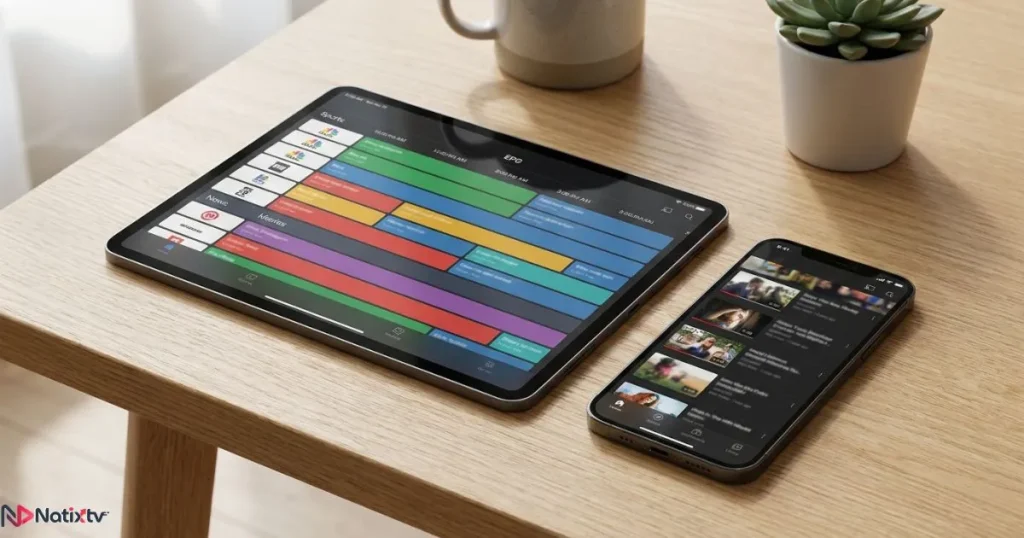
Once configured, you access the guide by pressing the guide button or tapping the grid icon inside the app. From there, you can scroll left and right through time slots, or up and down through channels. Many apps also let you press a specific program to see its full description and, in supported cases, set a reminder.
If you use VLC for streaming and want to integrate a proper EPG workflow, setting up IPTV correctly in VLC can significantly improve your playback experience alongside the guide.
Via Your IPTV Provider’s Dashboard
Some providers offer a browser-based schedule viewer that requires no app at all. You simply log into your account, navigate to the guide section, and browse the live TV schedule from any device with a web browser. This is particularly useful when you are on a device that does not support your main IPTV app, or when you want to plan your evening before switching to the TV.
Natixtv
Natixtv provides a complete IPTV program guide with every subscription. You can explore the full schedule across thousands of channels before deciding on a plan, thanks to a risk-free trial period of 24 to 48 hours.
On Smart TVs, Firestick, and Mobile Devices
Your iptv schedule today is accessible across virtually any screen you own. On Android TV and Google TV devices, TiviMate delivers the most polished EPG experience with a fluid grid and color-coded program blocks. On Amazon Firestick, IPTV Smarters Pro integrates well with the remote’s navigation. On iOS and Android phones, most IPTV apps offer a compact but fully functional guide view.
One important note: EPG rendering relies on a stable internet connection. A weak signal will cause the guide to load slowly or show blank slots even when the stream itself plays fine. A wired connection or strong Wi-Fi signal near your router will always deliver the smoothest experience.
Understanding the IPTV EPG: The Backbone of Your Live TV Schedule
What Is an EPG and How Does It Work?
The electronic program guide, or EPG, is a structured data file, most often in XMLTV format, that your IPTV app downloads from your provider’s servers. It contains metadata for every channel: program names, descriptions, start and end timestamps, and sometimes cover art. Your player reads this file and overlays that information onto each channel stream, creating the schedule grid you interact with.
A reliable EPG refreshes frequently. High-quality providers push updates every 15 to 60 minutes. This ensures that when you open your iptv schedule today, the programs listed match what is actually broadcasting in real time, not what was scheduled six hours ago.
EPG vs. No EPG: A Side-by-Side Comparison
| Feature | With EPG | Without EPG |
|---|---|---|
| Program names visible | Yes, for every channel | No, channels appear unnamed |
| Start and end times | Clearly displayed in the grid | Not available |
| Advance schedule planning | Up to 7 days ahead | Not possible |
| Search by show or film title | Supported in most apps | Not available |
| Catch-up TV support | Accessible through the guide | Rarely available |
| Overall user experience | Intuitive and organized | Frustrating and slow |
How Often Does the EPG Update?
Most IPTV providers refresh their EPG data between every 15 minutes and every 24 hours. Faster refresh rates mean more accurate schedules, which is especially important for live sports and breaking news. If your guide shows incorrect times or blank program slots, a force-refresh inside your app settings is the first thing to try. In TiviMate, this option is found under Settings – EPG – Update Now.
Navigating Sports, News, and Entertainment on Your IPTV Schedule
Finding Sports Events on Your IPTV Schedule Today
Sports coverage is one of the biggest reasons people switch to IPTV, and the sports schedule IPTV experience depends almost entirely on how well your EPG is configured. A quality guide lets you filter by category, so you can isolate sports channels instantly without scrolling through hundreds of unrelated listings.
Here is how to get the best sports experience from your iptv schedule today:
- Filter by category: Most apps let you view only sports channels in the guide, cutting down search time dramatically.
- Set your timezone correctly: Kickoff times and broadcast schedules depend entirely on an accurate timezone setting. A mismatch of even one hour can make you miss an entire first half.
- Look for HD and FHD labels: Many providers tag stream quality directly in the guide so you can always pick the highest available resolution.
- Check multi-feed options: Major events like Champions League finals or Formula 1 races are often broadcast on several simultaneous streams. Your guide will list each one separately.
- Use reminders: Apps like TiviMate let you set a notification for any program in the guide, so you never miss a kickoff again.
For a broader look at what separates great IPTV services from the rest, particularly when it comes to live sports reliability, it is worth reviewing the key criteria to evaluate before choosing an IPTV subscription.
News Channels and Live Event Coverage
Breaking news does not wait, and your IPTV TV guide should not either. International and national news channels typically broadcast 24 hours a day, which means they appear as a continuous block in your EPG rather than a series of distinct programs. Most guide views display the current segment name alongside the channel, giving you enough context to decide whether to tune in.
During major live events such as election nights, international summits, or disasters, IPTV platforms often carry multiple simultaneous feeds across different languages and regions. Your guide makes it easy to spot those alternatives without manually flipping through channels.

Movies, Series, and Entertainment Schedules
It is important to understand the difference between scheduled programming and VOD (video on demand) within IPTV. Your iptv schedule today covers live and scheduled broadcasts: a film that airs on a movie channel at 9 PM, for example, appears in the guide with its title, runtime, and a synopsis. VOD content, on the other hand, sits in a separate library and is available to watch at any time.
For families, the guide’s category filtering is especially useful. Kids’ channels are clearly grouped, and you can check exactly what is airing during afternoon or bedtime hours without any guesswork.
Tips to Get the Most from Your IPTV Schedule Today
Once your EPG is properly set up, a few simple habits will make your iptv schedule today even more useful:
- Sync your EPG daily: Trigger a manual update each morning to start with a fresh, accurate guide.
- Build a favorites list: Pin your most-watched channels to the top of the guide so they are always one scroll away.
- Set the correct timezone in your app: This single setting affects every time displayed in the guide, for sports, news, and entertainment alike.
- Enable catch-up TV when available: A good IPTV program guide lets you access content from the past 7 days directly through the guide grid, so missing a program is no longer the end of the world.
- Use the search bar: Instead of scrolling endlessly, type the show or team name and let the app locate it in the schedule for you.
- Pay attention to stream quality tags: FHD, HD, and SD labels appear next to channel names in well-built guides. Always choose the highest quality your connection can support.
- Test before you commit: Natixtv offers a 24 to 48-hour free trial so you can evaluate the full EPG experience, including guide depth, update speed, and channel coverage, before subscribing to any plan.
Pro Tip
According to Digital TV Europe, IPTV subscribers who actively use the EPG report significantly higher satisfaction with their service compared to those who navigate channels manually. The guide is not a bonus feature. It is the interface that makes IPTV worth using.
Common IPTV Schedule Problems and How to Fix Them
EPG Not Loading or Showing Blank
If your iptv schedule today appears completely empty, the most likely cause is an incorrect or missing EPG URL in your player settings. Start by checking the EPG link your provider gave you, copying it exactly, and re-entering it in your app. After saving, trigger a manual EPG refresh. If the guide still does not populate, check whether your router’s firewall or DNS settings might be blocking the XMLTV data feed from loading.
Schedule Times Are Off or Shifted
If every program in your guide appears shifted by one or two hours, the cause is almost always a timezone mismatch between your app settings and your actual location. Most IPTV players include an EPG offset field where you can apply a correction of plus or minus several hours. In TiviMate, you find this under Settings – EPG – Time Offset. Adjust it in 30-minute increments until the times match what is actually airing.
Channels Missing from the Guide
Not every channel in your playlist will automatically match an EPG entry. This happens when the channel ID in your M3U file does not exactly match the ID used in the EPG data feed. Some apps let you manually assign an EPG source to individual channels. If a large number of channels are missing from your iptv schedule today, contact your provider and ask for an updated EPG URL or an updated M3U playlist with correct channel IDs.
Choosing an IPTV Service with a Reliable Schedule
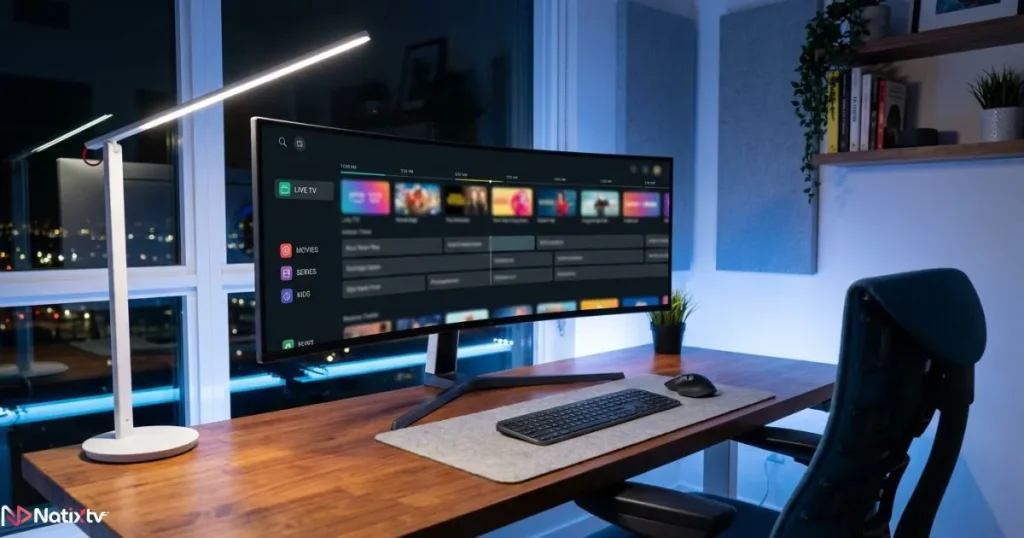
Not all IPTV providers invest equally in EPG quality. When you evaluate a service, the TV listings experience should be one of your primary benchmarks. Here is a checklist of what a premium IPTV program guide should deliver:
| Criteria | What to Look For |
|---|---|
| EPG coverage | At least 7 days of advance programming data |
| Update frequency | Refresh every hour or more frequently |
| Channel count | 10,000 or more channels across categories |
| Multi-device support | Smart TV, Firestick, mobile, MAG box, PC |
| Sports and premium content | Verifiable via a free trial before purchasing |
| Free trial availability | 24 to 48 hours minimum, no payment required |
| Customer support | 24/7 live chat or responsive ticket system |
About Natixtv
As your dedicated Iptv Provider, Natixtv checks every box on this list. The service includes a fully updated electronic program guide, thousands of channels spanning sports, news, entertainment, and international content, and complete compatibility with all major devices. New subscribers receive a free 24 to 48-hour trial to experience the full live TV schedule firsthand before committing to a plan.
Frequently Asked Questions
What is the iptv schedule today and how do I view it?
The iptv schedule today is the real-time grid of programs broadcast across your subscribed channels, powered by your provider’s Electronic Program Guide. You view it by opening the guide or grid view inside your IPTV app, such as TiviMate or IPTV Smarters Pro, after entering your M3U and EPG URLs in the settings.
Why is my IPTV EPG showing blank or empty slots?
An empty EPG usually means the EPG URL in your app is missing, incorrect, or being blocked. Re-enter the link provided by your IPTV provider, save it, and trigger a manual refresh. If the issue persists, check your firewall or DNS settings, as these can prevent the XMLTV data file from loading properly.
Can I view the sports schedule on IPTV days in advance?
Yes. A quality IPTV program guide displays sports listings up to 7 days ahead. Use your app’s category filter to isolate sports channels, then scroll through upcoming time slots to find the match, race, or event you want to watch. Just make sure your timezone is set correctly to avoid time discrepancies.
How is an electronic program guide different from a standard channel list?
A standard channel list only shows you channel names or numbers. An electronic program guide overlays real-time schedule data on top of those channels, displaying what is currently airing, what comes next, and what is scheduled over the next 7 days, along with program titles, descriptions, and start times.
Does Natixtv include a full IPTV TV guide with its subscriptions?
Yes. Every Natixtv subscription includes a comprehensive IPTV TV guide covering thousands of channels across all categories. The EPG is compatible with all major IPTV players and devices. You can evaluate the full guide quality during the free 24 to 48-hour trial period before activating a paid plan.
How do I fix wrong times on my iptv schedule today?
Incorrect times in your iptv schedule today are almost always caused by a timezone mismatch in your app settings. Open your IPTV player, navigate to the EPG or timezone settings, and adjust the time offset until the displayed times match your local clock. In TiviMate, this setting is found under Settings – EPG – Time Offset.
Take Back Control of Your Viewing Experience
A great streaming library means nothing if you cannot find what you want when you want it. The iptv schedule today is the layer that makes everything else usable: it tells you what is on, when it starts, and where to go without a second of wasted scrolling. From live sports to international news, from scheduled movies to children’s programming, a well-configured electronic program guide turns your IPTV subscription into a genuinely organized experience.
You now know how to access your live TV schedule, how to troubleshoot common EPG issues, and what to look for in a provider that takes its TV listings seriously. The next step is simple: put it into practice with a service that delivers on all of these points from day one.
Natixtv, your trusted Iptv Provider, offers thousands of live channels, a fully updated IPTV program guide, seamless multi-device compatibility, and a free trial lasting 24 to 48 hours, so you can experience the full schedule quality before spending a single cent. Your evenings deserve better than endless, aimless scrolling. Start your trial today and see exactly what a real iptv schedule today looks and feels like.