You’ve just plugged in your Firestick or powered up a new Android TV box, and all you want is to start streaming your favorite channels right away. But then the installation process hits: regional restrictions, missing apps in the store, confusing APK transfers with no clear starting point. If any of that sounds familiar, you’re in exactly the right place. The IPTV Smarters Downloader code is the shortcut that skips all of that frustration in one step. Whether you’re a complete beginner or just upgrading your setup, a great buy iptv subscription experience starts with getting the right player installed correctly on your device.
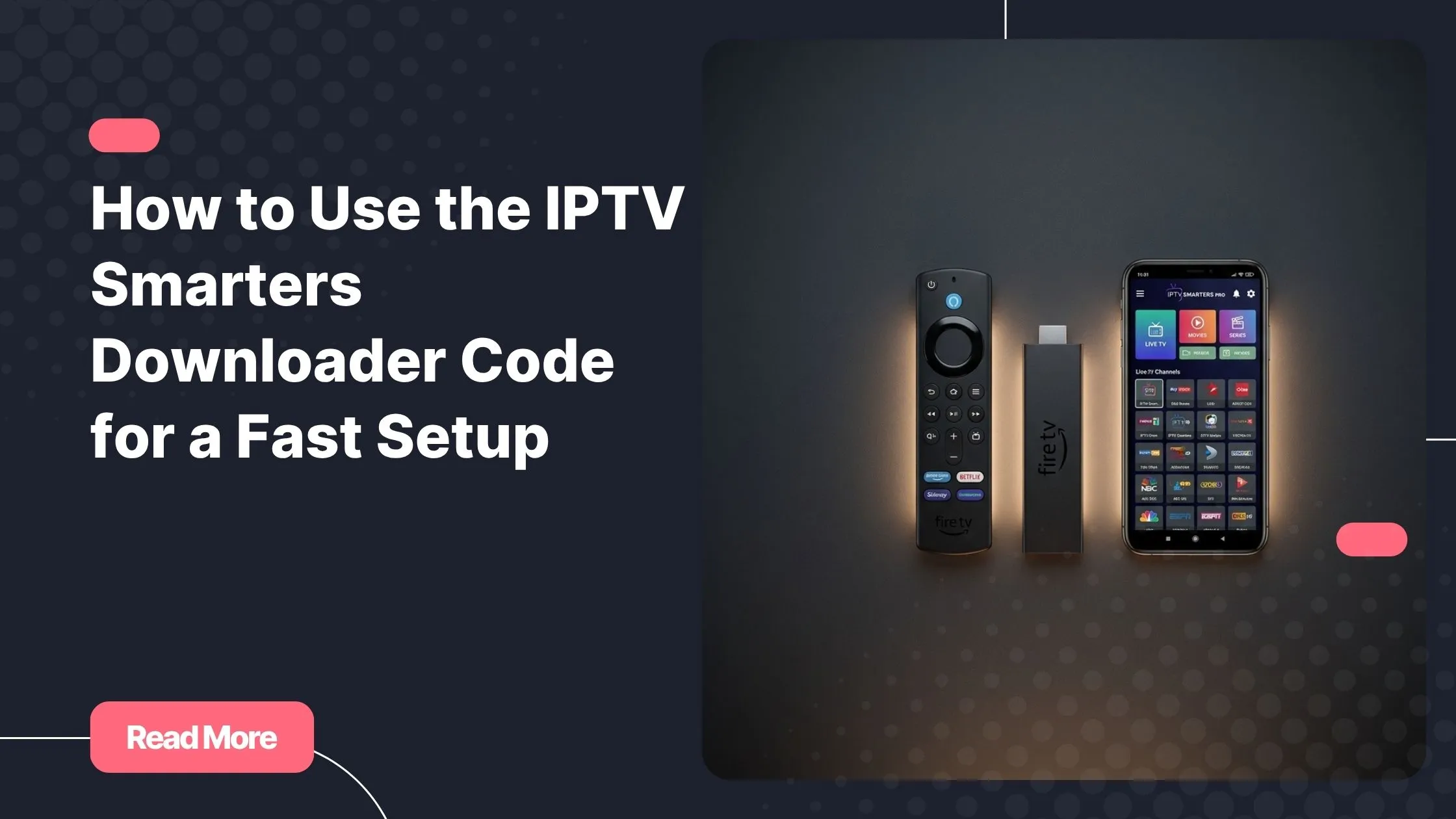
Millions of streaming fans rely on IPTV Smarters Pro as their go-to player, and for good reason. It’s fast, clean, and works beautifully with any Xtream Codes or M3U-based subscription. The only catch is that it isn’t always available in official app stores, particularly on Firestick. That’s exactly where the IPTV Smarters Downloader code becomes your best friend. One short numeric entry, and you’re downloading the latest version of the app in under a minute, without a PC, a USB cable, or any technical background.
Ready to make it happen? Follow the steps below, and you’ll have IPTV Smarters Pro running on your device before you finish your coffee.
Table of Contents
What Is the IPTV Smarters Downloader Code and Why Does It Matter?
The IPTV Smarters Downloader code is a short numeric identifier used inside the free Downloader app to automatically locate and download the IPTV Smarters Pro APK file onto your device. Instead of typing a long, error-prone web address, you enter a 6 or 7-digit code, press Go, and the app handles the rest entirely on its own.
This matters most for Firestick users. Amazon’s App Store does not carry IPTV Smarters Pro in many regions due to content policy restrictions, which means sideloading via the Downloader app has become the universally accepted method. The same approach works just as smoothly on Android TV boxes, making it one of the most versatile and accessible installation techniques available today.
Here’s why this method consistently outperforms other options:
- No PC, no USB cable, and no complex file management required
- Works on all Firestick generations: Lite, 4K, 4K Max, and Fire TV Cube
- Compatible with Android TV boxes running Android 5.0 and above
- The code is short and easy to type, even using a Firestick remote
- Always delivers the most up-to-date version of the app directly from the developer
- The entire process takes under five minutes from start to finish
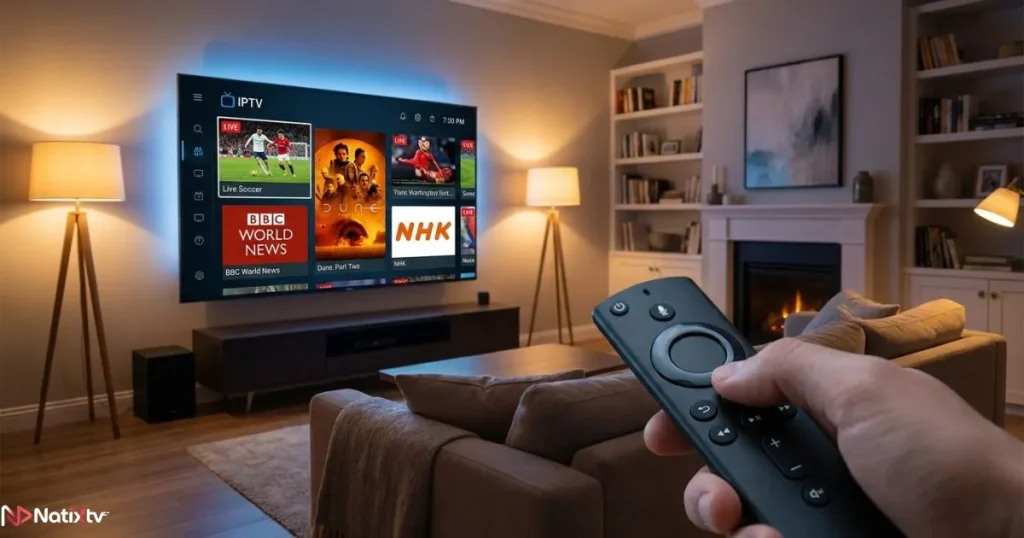
Understanding what happens on the server side of your IPTV stream is also worth knowing. If you want to go deeper, this guide on how IPTV infrastructure delivers live content to your screen explains the full picture clearly.
Step-by-Step: Install IPTV Smarters on Firestick Using the Downloader Code
Step 1 – Enable Unknown Sources on Your Firestick
Before anything else, you need to allow your Firestick to install applications from outside the Amazon App Store. This is a one-time change that takes about 30 seconds and doesn’t need to be repeated for future installs.
- From your Firestick home screen, open Settings
- Select My Fire TV, then tap Developer Options
- Toggle Apps from Unknown Sources to ON
- Confirm the prompt that appears on screen
Once that’s done, your device is fully prepared to accept the IPTV Smarters Pro APK without any interference.
Step 2 – Install the Downloader App
The Downloader app, developed by the team at AFTVnews, is the free tool that makes this entire process work. You’ll find it directly in the Amazon App Store at no cost.
- Press the Search icon on your Firestick home screen
- Type Downloader and select the app published by AFTVnews
- Install the app and launch it once installation is complete
- Accept the storage permission request when the prompt appears
The app opens to a simple browser-style interface with an input field at the top. That’s all you need for the next step.
Step 3 – Enter the IPTV Smarters Downloader Code
This is the heart of the process. Once Downloader is open and ready:
- Tap the URL or code input field at the top of the screen
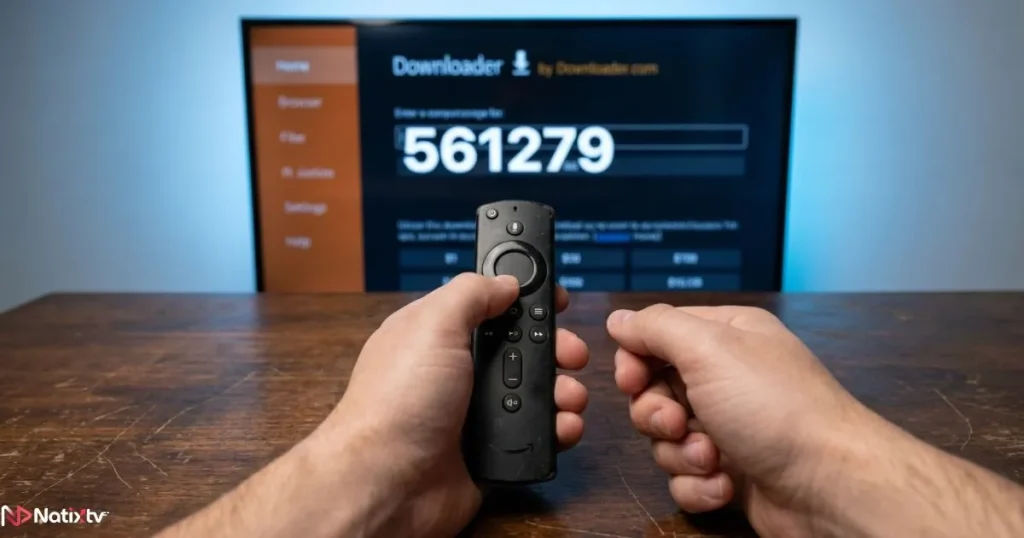
- Type the IPTV Smarters Downloader code: 561279
- Always verify the current active code on the official IPTV Smarters website before you begin, since it can occasionally be refreshed by the developer
- Press Go and the APK file will begin downloading automatically
Using the IPTV Smarters Downloader code instead of a full URL is a genuine convenience, especially when you’re navigating character by character with a Firestick remote. The download completes in under a minute on a typical broadband connection.
Step 4 – Install and Launch IPTV Smarters Pro
Once the download finishes, the installation screen will appear automatically.
- Tap Install when the APK prompt appears on your screen
- Wait for the installation process to complete, which takes only a few seconds
- Select Open to launch IPTV Smarters Pro immediately
- Optionally, delete the downloaded APK to recover storage space – Downloader will offer this automatically
You now have IPTV Smarters Pro installed and ready to receive your subscription credentials.
Installing IPTV Smarters on Android Devices
Android TV Boxes
The process on Android TV boxes mirrors the Firestick method almost perfectly. Install the Downloader app from the Google Play Store, launch it, and enter the same IPTV Smarters Downloader code you used on Firestick. The APK downloads and installs just as smoothly, with no extra configuration needed.
Devices confirmed compatible include the Nvidia Shield, Xiaomi Mi Box, H96 Max, X96 Max, and most boxes running Android 7.0 or higher. You don’t need root access on any of these devices.
Android Smartphones and Tablets
On a standard Android phone or tablet, the process is even more direct. Open your browser, navigate to the official IPTV Smarters website, and download the APK from there. Before installing, enable Install from Unknown Sources in your Android settings under Security or Privacy, depending on your Android version.
Either way, your IPTV Smarters setup on Android takes only a few minutes from start to finish. Once the app is installed, connecting it to a playlist is straightforward. For a full walkthrough, this guide on loading and organizing your IPTV playlist across different devices covers every format and scenario.
Connecting Your IPTV Subscription to IPTV Smarters Pro
Choosing Your Login Method
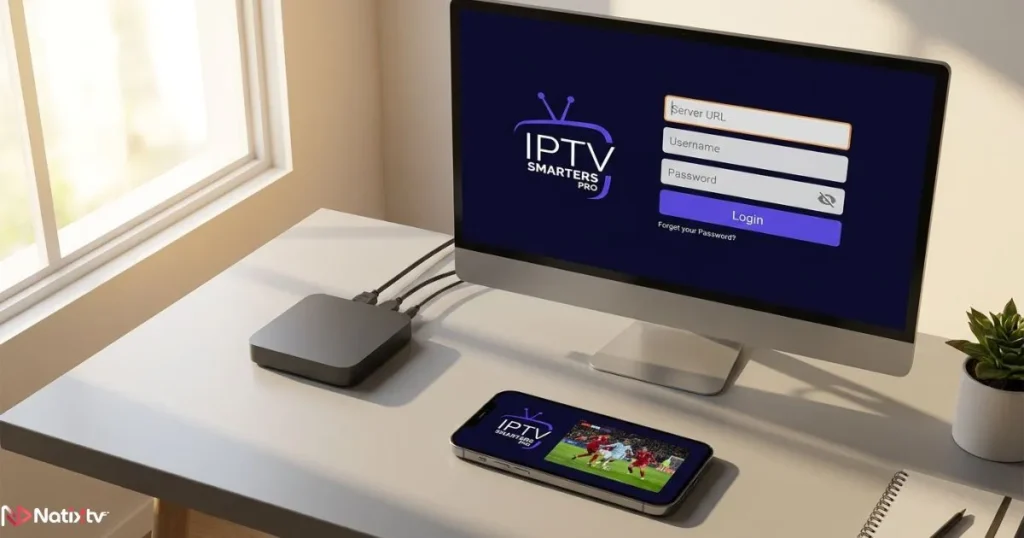
IPTV Smarters Pro supports three main connection methods. Each one works well depending on what your provider offers and what you find most comfortable.
| Login Method | What You Need | Best For |
|---|---|---|
| Xtream Codes API | Server URL, Username, Password | Most IPTV providers including NatixTV |
| M3U URL Playlist | A direct playlist URL | Flexible compatibility across apps |
| External Player | VLC or MX Player installed | Advanced users wanting custom playback |
The Xtream Codes method is the most stable and the one preferred by most quality IPTV services. It loads channels instantly after login and keeps your EPG data synced automatically.
Setting Up Your NatixTV Credentials
Once you’ve activated your NatixTV subscription or started your free 24-48 hour trial, you’ll receive your server URL, username, and password by email. Here’s exactly how to enter them in IPTV Smarters Pro:
- Open IPTV Smarters Pro on your device
- Tap Add Playlist or Add User
- Select Xtream Codes API from the menu
- Enter your NatixTV server URL, username, and password in the fields provided
- Tap Add User and your full channel lineup will load automatically
NatixTV gives you access to thousands of live TV channels, on-demand movies, and full series, all compatible with IPTV Smarters Pro across every supported device. You can buy iptv subscription and be streaming within minutes, with a risk-free 24 to 48-hour trial so you can test the full experience before committing to a plan.
Troubleshooting Common Installation Issues
The IPTV Smarters Downloader Code Is Not Working
If the IPTV Smarters Downloader code returns an error or an invalid URL message, don’t worry. A few quick checks usually resolve this immediately:
- Look for typos – make sure there are no spaces and every digit is in the right order
- The code may have been updated recently: check the official IPTV Smarters website to confirm the latest version
- As a reliable fallback, switch to entering the full APK download URL directly into Downloader’s input field
App Installs but Streams Won’t Load
- Confirm that your subscription is active and that your login credentials are correctly entered without extra spaces
- Run an internet speed test: a minimum of 10 Mbps is recommended for stable HD streaming
- Try switching between Xtream Codes and M3U login methods in the app settings
- Clear the app cache by going to Settings > Applications > IPTV Smarters > Clear Cache, then relaunch
Firestick Keeps Blocking the Installation
- Revisit Developer Options and confirm that Unknown Sources is still toggled to ON
- Check that the Downloader app has been granted storage permission in your device settings
- Restart your Firestick completely and attempt the installation fresh from Step 3
Tips to Get the Most Out of IPTV Smarters
Once your app and subscription are connected, a few simple habits will make a noticeable difference to your daily streaming experience:
- Use a wired Ethernet adapter with your Firestick for a more stable connection and far less buffering
- Enable hardware acceleration in IPTV Smarters settings to improve playback smoothness on older devices
- Set up your EPG (Electronic Program Guide) – NatixTV provides full EPG data so you can browse live schedules easily
- Organize your channels into favorites and custom groups so you spend less time searching and more time watching
- Re-run the Downloader process whenever a new version of IPTV Smarters Pro is released to stay current
- Use a trusted VPN if your internet provider throttles streaming traffic during peak hours
FAQ – Your Questions About the IPTV Smarters Downloader Code, Answered
What is the IPTV Smarters Downloader code?
The IPTV Smarters Downloader code is a short numeric code you enter inside the Downloader app to automatically fetch and install IPTV Smarters Pro on your Firestick or Android TV device. It replaces the need to type a full web address and makes the entire sideloading process significantly faster and more user-friendly.
What is the current IPTV Smarters Downloader code for Firestick?
The most widely used IPTV Smarters Downloader code is 561279. However, codes can be refreshed by the developer at any point, so always confirm the active code on the official IPTV Smarters website before starting your installation to avoid any errors.
Is it safe to use the Downloader app to install IPTV Smarters?
Yes, completely. The Downloader app by AFTVnews is a trusted and well-established tool used by millions of Firestick owners around the world. As long as you use the official code or URL published by the IPTV Smarters developer, your device and data are not at risk.
Can I use the same installation method on both Firestick and Android TV boxes?
Yes. The Downloader code approach works identically on all Firestick generations and the vast majority of Android TV boxes. For standard Android smartphones and tablets, downloading the APK directly from the IPTV Smarters website via your phone’s browser is the simpler and equally effective alternative.
Do I need a paid subscription to use IPTV Smarters Pro?
No. IPTV Smarters Pro is a free app that acts as your player. You will need a separate IPTV subscription to access live channels, movies, and series. NatixTV offers a free 24-48 hour trial period so you can explore the full service on your newly installed app before choosing a plan.
Your Streaming Setup Is One Code Away
The IPTV Smarters Downloader code turns what might look like a complicated installation into a five-minute task that anyone can complete. One short code, a single tap, and you have one of the most capable IPTV players ready to run on your Firestick or Android device. Pair that with a quality subscription, and your full streaming setup is complete and ready to go.
NatixTV is built for exactly this kind of experience. Fully compatible with IPTV Smarters Pro, available across Firestick, Android, Smart TV, and MAG boxes, and backed by a free 24 to 48-hour trial that requires no long-term commitment upfront, it removes every barrier between you and the content you want to watch. buy iptv subscription today and go from setup to streaming in minutes – no guesswork, no frustration, just everything you need already waiting for you.