Picture this: it is Friday night, you have finally settled onto the couch, snack in hand, ready to decompress. Then your stream freezes. Not because your internet is slow, but because your player silently stopped receiving updates three months ago. It is a small failure with a surprisingly large emotional impact, the kind that makes you question whether you have the right tools in place at all.
The truth is, finding the best iptv player is about far more than hitting “install” on the first app you find. It is about software that respects your privacy, keeps pace with new devices, handles your playlists without friction, and stays reliable month after month. That combination is rarer than you might think.
This guide breaks down everything you need to know: licensing models, update cadence, privacy practices, M3U playlist support, Xtream Codes compatibility, and real-world fit for different types of viewers. By the end, you will know exactly which best IPTV player matches your setup, your habits, and your expectations.
Table of Contents
Why Choosing the Right IPTV Player Matters More in 2026
The IPTV landscape has shifted considerably. Players that felt cutting-edge two years ago now struggle with modern codecs, updated operating systems, and tighter app store policies. As more households cut the cable cord, the software running your streams carries more weight than ever.
Getting this choice wrong costs you in ways that are not always obvious. A player without active development might drop support for H.265/HEVC video, leaving your streams blocky and buffered. An app with a murky privacy policy might quietly sell your viewing data to ad brokers. And a player locked into a single format makes switching providers a painful ordeal rather than a five-minute task.
Getting it right, on the other hand, means smoother evenings, a cleaner interface, and the freedom to move your playlists wherever you need them. If you want to understand how IPTV content actually travels from a provider’s server to your screen, this guide on how IPTV streaming works end-to-end is worth reading before you dive into player comparisons.
Software Licensing: Free vs Paid IPTV Player Options
What Licensing Actually Means for You
Software licensing defines more than just price. It determines how the developer funds ongoing work, whether the code can be independently audited, and how likely the player is to still exist in two years. Open-source players like Kodi invite community scrutiny and contribution. Proprietary apps like TiviMate are built and maintained by a small team that depends on revenue to keep the lights on.
The free vs paid IPTV player debate is not really about money. It is about trade-offs. Free players often monetize through advertising or by collecting usage data. Paid players, even those with a modest annual fee, tend to invest that revenue directly into stability and features.
Breaking Down the Most Common License Models
Most popular players fall into one of three categories:
- Fully free and open-source: Kodi is the clearest example. No cost, community-driven, highly extensible.
- Freemium: TiviMate, IPTV Smarters Pro, GSE Smart IPTV, and OTT Navigator all offer a free tier with limitations and a paid tier that unlocks the full experience.
- One-time or annual paid: TiviMate Premium sits around $4.99 per year. For most users, that is well worth the investment.
| Player | License Model | Cost | Ads in Free Tier | Open Source |
|---|---|---|---|---|
| TiviMate | Freemium / Annual | ~$4.99/yr | No (premium) | No |
| IPTV Smarters Pro | Freemium | Free / Paid tier | Yes (free) | No |
| Perfect Player | Free | Free | Minimal | No |
| GSE Smart IPTV | Freemium | Free / IAP | Yes (free) | No |
| Kodi | Open-source | Free | No | Yes |
| OTT Navigator | Freemium | Free / Paid | Yes (free) | No |
Update Frequency and Long-Term IPTV App Compatibility
Why Regular Updates Are Non-Negotiable
An IPTV player that goes three to six months without an update is a liability. Android TV, Fire OS, and iOS all release changes that can break older applications. Codec support for modern formats like H.265 and AV1 requires ongoing development. EPG (Electronic Program Guide) accuracy also degrades when the parsing logic is not kept current.
Beyond technical stability, updates are a signal. A developer who ships regular changelogs is a developer who is listening to users. That matters when your viewing experience depends on the software holding up night after night.
Which Players Are Actively Maintained in 2026?
- TiviMate: Consistent update cadence with a dedicated developer. Widely regarded as the most polished Android-based best IPTV player currently available.
- IPTV Smarters Pro: Frequent updates, large global user base, and commercial incentive to keep pace with platform changes.
- Kodi: Community-driven with very active core development. The sheer number of contributors means issues get caught and patched quickly.
- OTT Navigator: Solid update history, particularly strong on Android TV and Fire Stick form factors.
- Perfect Player: A slower update cadence. Functional, but not a safe long-term bet if you depend on cutting-edge codec support.
- GSE Smart IPTV: Moderate frequency. Works reliably for most users but trails the top two in active development pace.
Cross-Device Compatibility: What to Expect
IPTV player features that work beautifully on Android TV do not always translate to Fire Stick, Samsung Tizen, or LG webOS. Before committing to any player, confirm it is actively supported on every screen you use.
TiviMate dominates on Android TV and Fire Stick. IPTV Smarters Pro and GSE Smart IPTV cover both iOS and Android, which makes them ideal for mixed households. Kodi runs on nearly everything but requires more setup time. Smart IPTV (a separate app) remains one of the few reliable options purpose-built for Samsung and LG smart TVs.
IPTV Player Privacy: What Your App Knows About You
The Hidden Cost of Free Players
When a player is free and shows no ads, you should ask how the developer is making money. In many cases, the answer is your data. Viewing habits, IP addresses, playlist URLs, and device identifiers are all valuable to data brokers and advertising networks.
IPTV player privacy is a topic that rarely gets enough attention. Most users install an app, grant every permission it requests, and never look twice. But those permissions can include access to network state, device storage, and in some cases, detailed usage telemetry that is sent to third-party analytics providers.
How to Evaluate a Player’s Privacy Posture
A few questions worth asking before you install any best IPTV player:
- Does the app have a published privacy policy that is readable and specific?
- Does it collect telemetry, and can you opt out?
- Where are the developer’s servers located? EU-based players are subject to GDPR, which provides meaningful user protections.
- Does the app require internet access to function, or can it operate offline with a local playlist?
| Player | Privacy Policy | Data Collection Level | GDPR Notes |
|---|---|---|---|
| TiviMate | Yes | Minimal | Likely compliant |
| IPTV Smarters Pro | Yes | Moderate | Varies by version |
| Kodi | Yes | None (core) | Fully compliant |
| GSE Smart IPTV | Yes | Moderate | Compliant |
| Perfect Player | Limited | Minimal | Unclear |
| OTT Navigator | Yes | Moderate | Partial |
Kodi remains the gold standard for privacy-conscious users. Because it is open-source, every line of code is publicly auditable. You can review Kodi’s official privacy policy directly on their site to confirm exactly what the application does and does not collect. The core application collects no data whatsoever, making it the clear choice if this dimension is a priority for you.
M3U Playlist Support and Xtream Codes Compatibility
Why Playlist Portability Is Critical
Your playlist is your content library. If your player locks you into a proprietary format, switching providers becomes a painful, time-consuming process. M3U playlist support ensures you can import, export, and move your channel lists freely across any compatible application.
M3U and M3U8 are the universal formats of the IPTV world. Every serious player supports them. But the quality of that support varies significantly. Look for players that allow direct URL imports with auto-refresh intervals, multiple simultaneous playlists, and clean XMLTV-based EPG integration.
Xtream Codes: Why It Still Dominates Provider Integrations
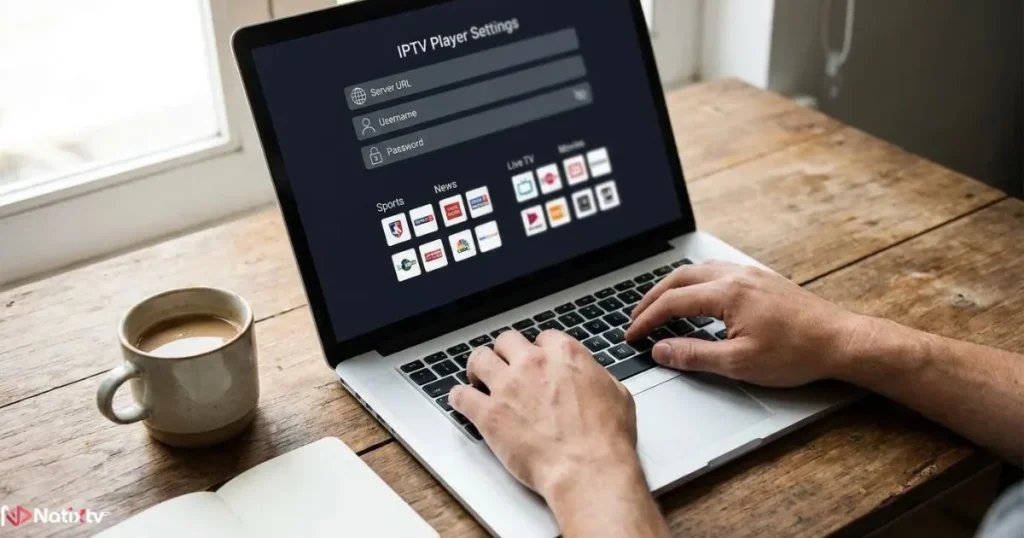
Xtream Codes compatibility takes playlist management a step further. Instead of importing a file, you simply enter your provider’s server URL, username, and password. The player then pulls live TV channels, VOD libraries, and catch-up content directly through the API.
This approach is cleaner, easier to update, and makes provider management significantly more convenient. Most modern players support it, but implementation quality varies. TiviMate and IPTV Smarters Pro offer the most complete Xtream Codes integration, including full catch-up support. Kodi requires a dedicated add-on to achieve the same result.
To understand how leading providers structure their offerings and compatibility, this breakdown of top IPTV services matched to different viewing needs gives you a useful reference point before choosing a player.
| Player | M3U Support | Xtream Codes | Multi-Playlist | EPG Support | Catch-Up |
|---|---|---|---|---|---|
| TiviMate | Full | Full | Yes | Yes | Yes |
| IPTV Smarters Pro | Full | Full | Yes | Yes | Yes |
| Kodi (PVR add-on) | Full | Via add-on | Yes | Yes | Limited |
| GSE Smart IPTV | Full | Full | Yes | Yes | Yes |
| Perfect Player | Full | No | Limited | Yes | No |
| OTT Navigator | Full | Full | Yes | Yes | Yes |
Which Is the Best IPTV Player for Your Profile?
There is no single answer that fits every viewer. The best IPTV player for a beginner looks very different from the best IPTV player for a power user managing four simultaneous playlists across three devices. Here is a practical breakdown by user type.
For Beginners
If you are new to IPTV and want something that works with minimal configuration, IPTV Smarters Pro and GSE Smart IPTV are your best starting points. Both offer guided setup flows, visual EPG grids, and reliable M3U imports without requiring any technical knowledge.
For Power Users
TiviMate Premium is the best IPTV player in this category without much debate. It handles multiple playlists, lets you build custom categories and favorites, supports PIN-protected parental controls, and delivers one of the cleanest EPG experiences available. OTT Navigator is a close second with more granular UI customization.
For Privacy-Conscious Viewers
Kodi with the PVR IPTV Simple Client add-on is the right pick. It collects no data in its core form, the codebase is publicly auditable, and it puts you fully in control of your viewing environment. The trade-off is a steeper setup curve, but the privacy payoff is genuine.
For Smart TV and Fire Stick Users
TiviMate is optimized for remote-controlled navigation and handles the Fire Stick’s limited hardware well. For Samsung and LG smart TVs, Smart IPTV remains the most purpose-built option. IPTV Smarters Pro is also a solid cross-platform choice that handles the Fire Stick without any workarounds.
Compatibility note: Natixtv subscriptions support both M3U and Xtream Codes protocols and work seamlessly with all the players reviewed here, including TiviMate, IPTV Smarters Pro, GSE Smart IPTV, OTT Navigator, and Kodi. Natixtv also offers a 24 to 48 hour free trial so you can test your chosen player against a real subscription before committing. You can explore their plans and start a free trial directly on best iptv provider Natixtv.
Your Pre-Install Checklist Before Choosing an IPTV Player
Run through this list before you commit to any application. It covers the key IPTV player features that separate dependable tools from ones that will frustrate you within a month.
- Full M3U and Xtream Codes support confirmed
- At least one major update in the past three months
- A clear, readable privacy policy with opt-out options for telemetry
- Support for multiple simultaneous playlists
- Built-in EPG with XMLTV format compatibility
- Sustainable licensing model (not purely ad-funded)
- Confirmed compatibility with all your devices
- VOD and catch-up support via your provider’s protocol
- Parental control or PIN lock functionality
- Verified compatibility with your IPTV subscription (for example, Natixtv)
Frequently Asked Questions
What is the best IPTV player for Android TV in 2026?
TiviMate is the best IPTV player for Android TV in 2026. Its interface is polished, its Xtream Codes and M3U support is complete, and its update history is consistent. The premium version, priced at around $4.99 per year, removes all feature restrictions and is worth every cent for regular users.
Is the best IPTV player always a paid one?
Not necessarily. Kodi is entirely free and open-source, yet it is a genuinely powerful option for users comfortable with a bit of setup. That said, the best IPTV player for most everyday users is a freemium app with a paid tier, because active commercial development tends to produce more reliable, faster-updated software over time.
How do M3U playlist support and Xtream Codes compatibility differ?
M3U is a universal file or URL format for importing channel lists. Xtream Codes is an API-based system that lets you log in directly with a server URL, username, and password, then access live TV, VOD, and catch-up content dynamically. Both are worth having, but Xtream Codes compatibility makes provider management significantly more convenient.
Which IPTV player offers the strongest privacy protections?
Kodi is the clear leader for IPTV player privacy. Its core application collects no user data, the entire codebase is publicly auditable, and it does not rely on advertising revenue. If data privacy is your primary concern, Kodi combined with the PVR IPTV Simple Client add-on is the right setup.
Can I use these players with a Natixtv subscription?
Yes. Natixtv supports both M3U and Xtream Codes protocols, which means it works with every player reviewed in this guide. The service is compatible with Android TV, Fire Stick, iOS, Windows, Smart TVs, and MAG devices. Natixtv also offers a 24 to 48 hour free trial, which gives you time to confirm that your preferred player pairs correctly before you commit to a full subscription.
How often should my IPTV player receive updates?
Ideally every one to three months. Updates in that window typically address OS compatibility issues, codec support improvements, and bug fixes that directly affect stream stability and EPG accuracy. If a player has not shipped an update in six months or more, treat that as a warning sign and start evaluating alternatives.
Conclusion: Matching the Best IPTV Player to Your Real Needs
The best IPTV player is not a universal title that belongs to one application. It is a match between your devices, your privacy expectations, your technical comfort level, and the subscription you are running. TiviMate earns the top spot for most Android and Fire Stick users. IPTV Smarters Pro and GSE Smart IPTV serve mixed households and beginners well. Kodi is the right call for anyone who prioritizes transparency and open-source principles above convenience.
What all of these players share is a dependency on the quality of your IPTV subscription. Even the best IPTV player in the world cannot compensate for an unreliable provider. The two work together, and choosing both thoughtfully is what actually produces a great viewing experience.
Natixtv offers a fully compatible subscription that pairs with every player reviewed in this guide. It supports M3U and Xtream Codes across Android TV, Fire Stick, iOS, Smart TVs, Windows, and more. Start your 24 to 48 hour free trial today and find out how good your evenings can actually be when you have the right best iptv setup in place.